

BeanCounter Pro
BeanCounter Pro is made and published by Tidal Pool Software. AppBrain is an independent app data site and isn't affiliated with Tidal Pool Software. The app name, icon, screenshots and description belong to Tidal Pool Software and are shown as published on the App Store.
AppBrain's verdict
- Last updated
- June 27, 2026
Rankings
App Store top chartsApp Store Rankings for BeanCounter Pro
Competitors
Similar apps and more from Tidal Pool SoftwareMore from Tidal Pool Software



Releases
Updates seen on the App Store- Version
- 2.1.6
- Launched
- November 2012
No changelog data
User feedback
Ratings and reviews on the App StoreComments on BeanCounter Pro for iOS
We don't have enough comments to show example comments. Please check back later.
Technology
Found in the app by AppBrain- Price
- $49.99
- App size
- 5.34 MB
- Content rating
- Everyone
Technologies used by BeanCounter Pro
About the app and developer
About BeanCounter Pro
BeanCounter Pro is a finance app developed by Tidal Pool Software.
User Ratings
The app has no ratings yet.
App Information
BeanCounter Pro costs $49.99. The app size is 5.34 MB. The latest version available is 2.1.6. The last update was on June 27, 2026.
Technical Requirements
The app has a content rating of Everyone. The app has been available on the App Store since November 2012.
Developer information for Tidal Pool Software
Address:
Frequently asked questions about BeanCounter Pro
Is BeanCounter Pro free?
No. BeanCounter Pro costs $49.99 on the App Store.
Is BeanCounter Pro still available?
Yes. BeanCounter Pro is on the App Store, and the last update we saw was on June 27, 2026.
How large is BeanCounter Pro?
BeanCounter Pro is 5.34 MB.
Is BeanCounter Pro suitable for children?
App Store rates the content of BeanCounter Pro as suitable for everyone.
Who made BeanCounter Pro?
BeanCounter Pro was developed by Tidal Pool Software. It is listed in the finance category on the App Store.
Store listing
By Tidal Pool Software, from the App Store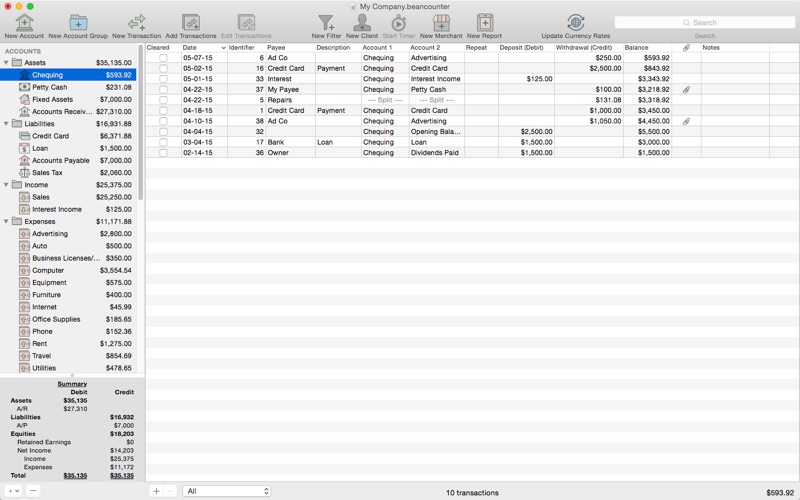


Description by Tidal Pool Software Written by the developer, not by AppBrain. Click to read.
BeanCounter is a powerful yet easy to use professional bookkeeping, time tracking, and invoicing application. It features double-entry accounting, multiple currency support, and a simple one window user interface. Manage accounts, clients, projects, merchants, and bills for an unlimited number of businesses. Stay on top of your business with detailed reports and graphs.
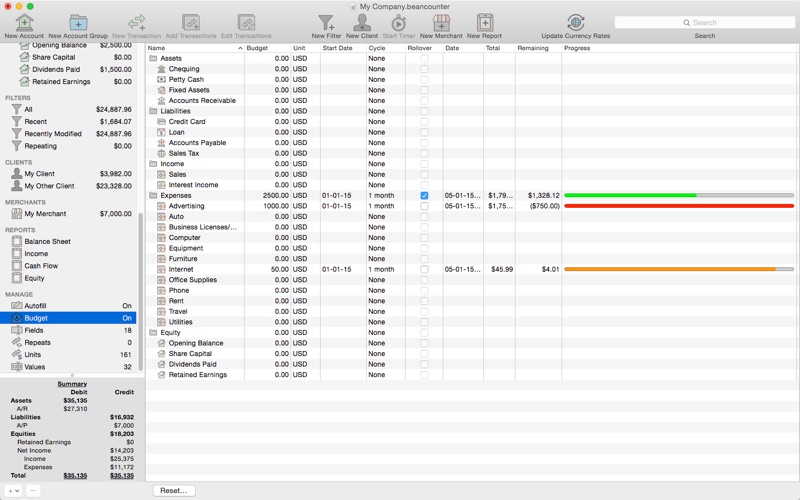
Add new transactions with support for nine types of custom fields and file attachments. Attach photos, scans, voice memos, and files such as receipts, invoices, and other documents to each transaction. Define custom accounting periods and automatically clear down nominal accounts. BeanCounter supports budgets, filters, batch transaction editing, autofill, and split/repeat transactions. Import and export transactions to a variety of file formats.
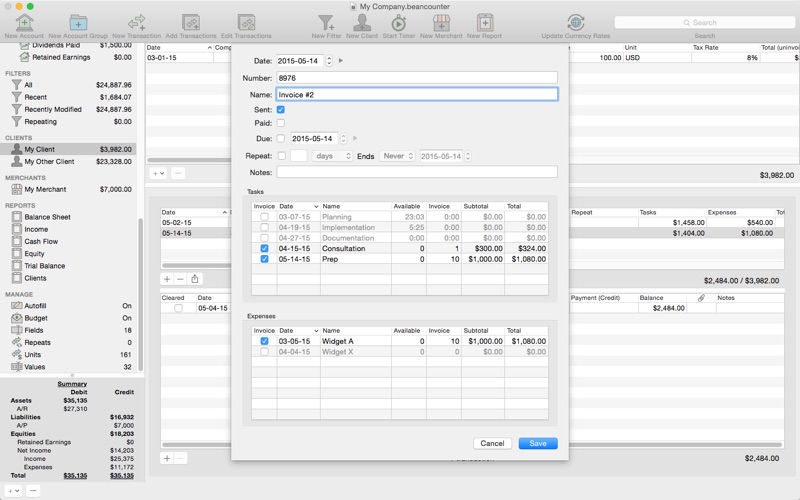
Track project tasks and expenses for clients. Tasks may be timed (using the included time tracker) or non-timed. Generate customized estimates and invoices itemizing tasks and expenses. Choose from five invoice layouts or design your own custom layout. Keep track of outstanding invoice balances and manage incoming payments.
General:
- double-entry, accrual accounting
- create an unlimited number of businesses
- support for self-proprietorships, partnerships, and corporations
- define custom accounting periods
- create custom units/currencies
- full-screen support
- auto save
Accounts:
- create 16 types of accounts
- set a budget for each account
- create complex filters with any combination of transaction fields
- advanced search
Transactions:
- single and multiple transaction entry forms
- multiple currency support
- add custom fields (nine types) for local taxes, payment type, completion dates, or anything else
- mileage support including start/stop values
- attach photos, voice memos, and other files to transactions
- split transactions with balance button
- create repeating transactions
- batch edit transactions
- autofill
Merchants:
- create merchants for tracking bills and payments
- create repeating bills
- make payments to multiple bills
Clients:
- create clients for managing projects with tasks and expenses
- timed tasks with time tracker (application and menulet)
- non-timed tasks (flat, hour, day, week, month, quarter, year)
- minimum, rounding, and idle warning task time preferences
- make payments to multiple invoices
Invoices:
- send project estimates/invoices with itemized list of tasks and expenses
- includes five invoice layouts with support for creating custom layouts
- select which invoice fields to include and customize titles
- option to include previous balance and payments
- create repeating invoices
Reports:
- generate 10 types of reports with graphs
- option to select comparison date
- customize fonts
Import/Export:
- transactions (with attachments)
- project tasks (with task items) and expenses
- import CSV, QIF, OFX/QFX files
- export CSV, HTML, PDF, QIF, and OFX/QFX files
- option to create new accounts, list items, and tags when importing