

beCraftsmanToolbox
beCraftsmanToolbox is made and published by Sebastian Ritter. AppBrain is an independent app data site and isn't affiliated with Sebastian Ritter. The app name, icon, screenshots and description belong to Sebastian Ritter and are shown as published on the App Store.
AppBrain's verdict
- Last updated
- October 17, 2026
Rankings
App Store top chartsApp Store Rankings for beCraftsmanToolbox
Releases
Updates seen on the App Store- Version
- 1.0
- Launched
- October 2026
No changelog data
User feedback
Ratings and reviews on the App StoreComments on beCraftsmanToolbox for iOS
We don't have enough comments to show example comments. Please check back later.
Technology
Found in the app by AppBrain- Price
- Free
- App size
- 26.0 MB
- Content rating
- Everyone
Technologies used by beCraftsmanToolbox
About the app and developer
About beCraftsmanToolbox
beCraftsmanToolbox is an utilities app developed by Sebastian Ritter.
User Ratings
The app has no ratings yet.
App Information
beCraftsmanToolbox is freely available from the App Store. The app size is 26.01 MB. The latest version available is 1.0. The last update was on October 17, 2026.
Technical Requirements
The app has a content rating of Everyone. The app has been available on the App Store since October 2026.
Developer information for Sebastian Ritter
Address:
Frequently asked questions about beCraftsmanToolbox
Is beCraftsmanToolbox free?
Yes. beCraftsmanToolbox is free on the App Store.
Is beCraftsmanToolbox still available?
Yes. beCraftsmanToolbox is on the App Store, and the last update we saw was on October 17, 2026.
How large is beCraftsmanToolbox?
beCraftsmanToolbox is 26.01 MB.
Is beCraftsmanToolbox suitable for children?
App Store rates the content of beCraftsmanToolbox as suitable for everyone.
Who made beCraftsmanToolbox?
beCraftsmanToolbox was developed by Sebastian Ritter. It is listed in the utilities category on the App Store.
Store listing
By Sebastian Ritter, from the App Store


Description by Sebastian Ritter Written by the developer, not by AppBrain. Click to read.
COMPASS WITH FREELY SELECTABLE TARGET DIRECTION
Classic 2D compass rose or AR camera view, aimed at north, a saved place, or the current (or freely chosen time's) position of the sun and moon as a photo-spot finder.
GPS POSITIONING
Navigate to a freely entered target coordinate (decimal degrees or degrees/minutes/seconds) – the AR view shows direction and distance, whether for geocaching, a job site in undeveloped terrain, or finding your way back.
MEASURING TAPE IN THREE VARIANTS
AR measuring tape for short, precise distances via camera; GPS distance and GPS area measurement for larger distances and areas.
LEVEL AND ANGLE GAUGE
Horizontal bubble level and vertical tilt angle, with permanent and temporary calibration against design-related tilt.
ROOM SURVEY
Scan a room (Pro devices) and automatically calculate the net wall area and the wallpaper rolls needed – furniture is ignored, doors and windows are deducted automatically.
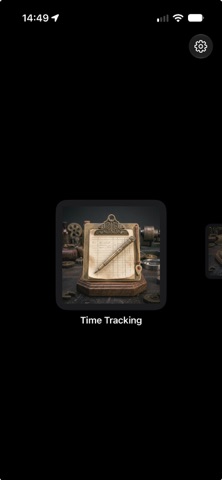
TIME TRACKING WITH GPS
Log work hours per job, including the job site, with a reminder when leaving the site and export as a timesheet.
NOISE METER
Measure the current volume in dB or log it over a period (maximum, average, events above threshold), including export.
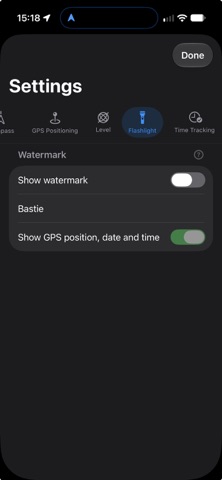
FLASHLIGHT WITH PHOTO FUNCTION
LED light and photo capture in one view, optionally with a watermark (text, GPS position, date/time) – handy for when you're back under the sink in the dark.
MAGNIFIER
Use the magnifier e.g. for nameplates or small print, with stepless zoom via swipe gesture.
NO FRILLS
• No user accounts, no ads
• All locally stored data can be fully deleted at any time