

BeeDrive is made and published by Synology Inc. AppBrain is an independent app data site and isn't affiliated with Synology Inc. The app name, icon, screenshots and description belong to Synology Inc. and are shown as published on the App Store.
AppBrain's verdict
- Rating on App Store
- 2.75
- 4 ratings
- Last updated
- March 31, 2025
It doesn't have enough ratings yet to judge what users think.
Rankings
App Store top chartsApp Store Rankings for BeeDrive
Competitors
Similar apps and more from Synology Inc.











Releases
Updates seen on the App Store- Version
- 1.3.6
- Launched
- June 2023
No changelog data
User feedback
Ratings and reviews on the App StoreComments on BeeDrive for iOS
We don't have enough comments to show example comments. Please check back later.
Technology
Found in the app by AppBrain- Price
- Free
- App size
- 52.3 MB
- Content rating
- Everyone
Technologies used by BeeDrive
About the app and developer
About BeeDrive
BeeDrive is a productivity app developed by Synology Inc.
What is the rating of BeeDrive?
BeeDrive is rated 2.75 out of 5 stars, based on 4 ratings.
Is BeeDrive free?
BeeDrive is free. The app size is 52.29 MB. The latest version available is 1.3.6. The last update was on March 31, 2025.
What are the requirements for BeeDrive?
The app has a content rating of Everyone. The app has been available on the App Store since June 2023.
Developer information for Synology Inc.
Address:
Store listing
By Synology Inc., from the App Store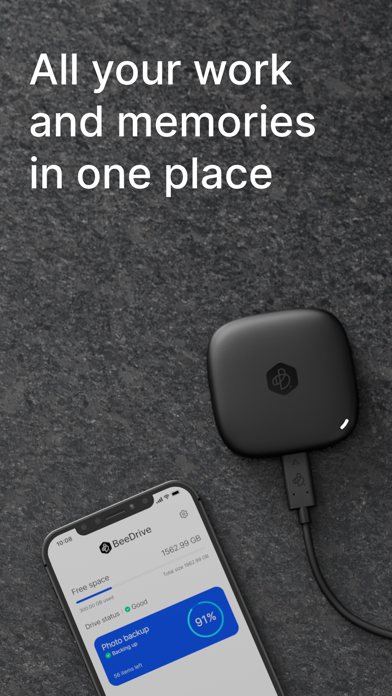


Description by Synology Inc. Written by the developer, not by AppBrain. Click to read.
Whether it's school or work projects, vacation photos, or just to free up storage space on your phone, BeeDrive gathers all your data scattered across different devices.
Wirelessly back up photos from your phones & tablets
Running out of storage space or reluctant to pay perpetual cloud subscription fees? BeeDrive provides fast photo and video backup over Wi-Fi, letting you free up storage space on your device.
BeeDrop files from iOS to Windows
Quickly transfer files, photos, and other content to your computer, and they will become immediately available in your File Explorer on your computer.