






AppBrain's verdict
- Last updated
- October 26, 2026
- Size
- 4.80 MB
User feedback
Ratings and reviews on the App StoreComments on Best Calendar - MagiCalEX for iOS
We don't have enough comments to show example comments. Please check back later.
Store listing
By Kouichi Abe, from the App StoreDescription by Kouichi Abe Written by the developer, not by AppBrain. Click to read.
App Mode Features:
・Vertical Calendar: View a month's schedules at a glance.
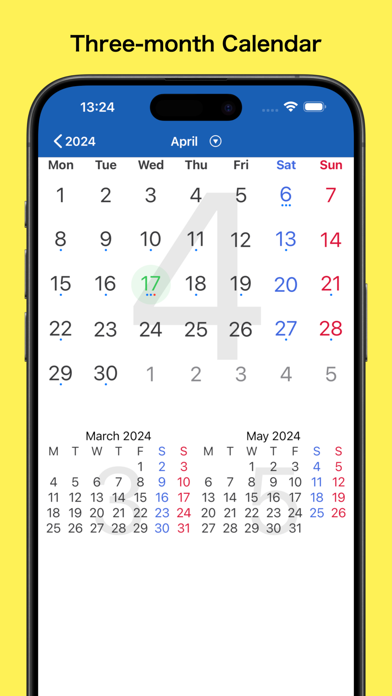
・Three-month Calendar: See a three-month calendar overview.
・Stamp Log Calendar: Record routine tasks using stamps.
・Lunar calendar: Displays the moon age and phase.
Calendar Style Features:
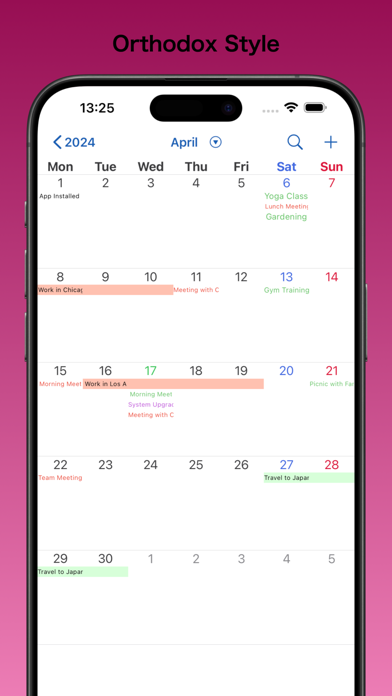
・Orthodox Style: Traditional month-view calendar.
・Daily Schedule Style: Timeline-oriented daily schedule view.
・Day Card Style: Focuses on schedules for days before and after today.
・Simple Style: Displays only daily schedules.
・Coupon Stamp Style: Easy to keep track of the number of days elapsed and remaining in this month.
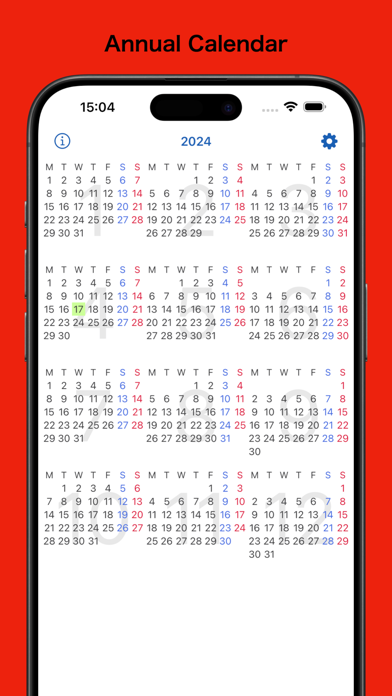
In all app modes and calendar styles, you can change the month and year by swiping. You can also view schedule details by tapping on a specific day or event. Five widgets are also available.
In addition to calendar appointments, the application provides the ability to manage unique birthdays, anniversaries, and other events within the application. These memorial events will also be displayed on the calendar screen.
Terms of use:
https://calendar.magickworx.com/terms_of_use.html
privacy policy:
https://calendar.magickworx.com/privacy_policy.html
Auto-renewal Subscription:
・Payment will be charged to iTunes Account at confirmation of purchase.
・Subscription automatically renews unless auto-renew is turned off at least 24-hours before the end of the current period.
・Account will be charged for renewal within 24-hours prior to the end of the current period, and identify the cost of the renewal.
・Subscriptions may be managed by the user and auto-renewal may be turned off by going to the user's Account Settings after purchase.
・Any unused portion of a free trial period, if offered, will be forfeited when the user purchases a subscription to that publication, where applicable.
Safety and technology
Found in the app by AppBrain- Price
- Free
- App size
- 4.80 MB
- Content rating
- Everyone
Technologies used by Best Calendar - MagiCalEX
Releases
Updates seen on the App Store- Version
- 2.2
- Launched
- April 2024
No changelog data
Alternatives
Similar apps and more from Kouichi AbeMore from Kouichi Abe








Rankings
App Store top chartsApp Store Rankings for Best Calendar - MagiCalEX
About the app and developer
About Best Calendar - MagiCalEX
Best Calendar - MagiCalEX is a productivity app developed by Kouichi Abe.
User Ratings
The app has no ratings yet.
App Information
Best Calendar - MagiCalEX is freely available from the App Store. The app size is 4.80 MB. The latest version available is 2.2. The last update was on October 26, 2026.
Technical Requirements
The app has a content rating of Everyone. The app has been available on the App Store since April 2024.
Best Calendar - MagiCalEX is made and published by Kouichi Abe. AppBrain is an independent app data site and isn't affiliated with Kouichi Abe. The app name, icon, screenshots and description belong to Kouichi Abe and are shown as published on the App Store.
Developer information for Kouichi Abe
Address: