

Best Timer
Best Timer is made and published by Serhii Simkovskyi. AppBrain is an independent app data site and isn't affiliated with Serhii Simkovskyi. The app name, icon, screenshots and description belong to Serhii Simkovskyi and are shown as published on the App Store.
AppBrain's verdict
Established- Best rank
- #52
- Top Paid, Slovakia
- Rating on App Store
- 3.96
- 23 ratings
- Last updated
- February 15, 2020
It doesn't have enough ratings yet to judge what users think. Its best ranking is #52 in Top Paid, Utilities in Slovakia.
Rankings
App Store top charts- Highest rank
- #52
- Chart
- Top Paid
- Utilities
- Country
- Slovakia
App Store Rankings for Best Timer
Top rankings
| Rank | Country | Category | List |
|---|---|---|---|
| 52 | Slovakia | Utilities | Top Paid |
| 69 | Czech Republic | Utilities | Top Paid |
| 81 | Mexico | Utilities | Top Paid |
| 98 | Poland | Utilities | Top Paid |
Ranking history in Slovakia
Competitors
Similar apps and more from Serhii SimkovskyiAlternatives to Best Timer





More from Serhii Simkovskyi



Releases
Updates seen on the App Store- Version
- 3.2
- Launched
- January 2011
No changelog data
User feedback
Ratings and reviews on the App StoreComments on Best Timer for iOS
We don't have enough comments to show example comments. Please check back later.
Technology
Found in the app by AppBrain- Price
- $0.99
- App size
- 48.7 MB
- Content rating
- Everyone
Technologies used by Best Timer
About the app and developer
About Best Timer
Best Timer is an utilities app developed by Serhii Simkovskyi.
User Ratings
Best Timer is rated 3.96 out of 5 stars. The rating is based on 23 ratings.
App Information
Best Timer costs $0.99. The app size is 48.74 MB. The latest version available is 3.2. The last update was on February 15, 2020.
Technical Requirements
The app has a content rating of Everyone. The app has been available on the App Store since January 2011.
Developer information for Serhii Simkovskyi
Address:
Store listing
By Serhii Simkovskyi, from the App Store

Description by Serhii Simkovskyi Written by the developer, not by AppBrain. Click to read.
Turn your timer to attractive ultramodern fashion accessory!
* ALL-IN-ONE CREATIVELY COMBINED TIMER APPLICATION:
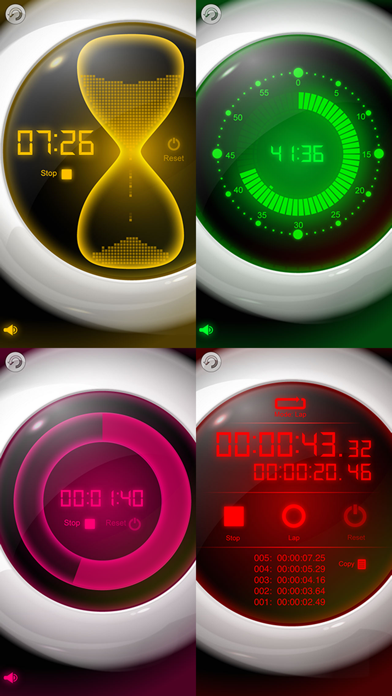
- Sand timer is a digitized hourglass with artistic design which can be used to time anything for up to 60 minutes. It's an elegant visualization of the time flow.
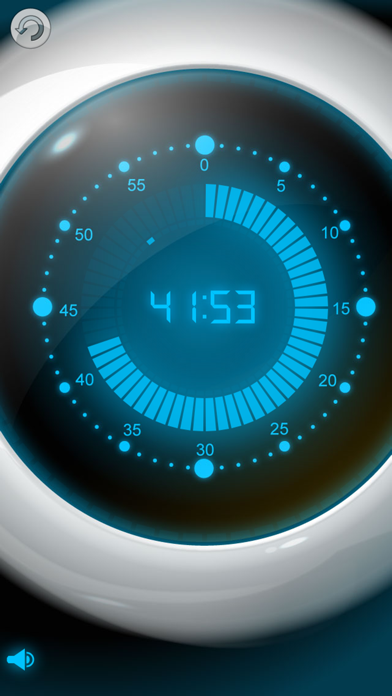
- Kitchen timer can also be used to time your activities up to 60 minutes. It has both a minute and a second visual indicator to quickly see how much time is left (in minutes) without having to know the numbers.
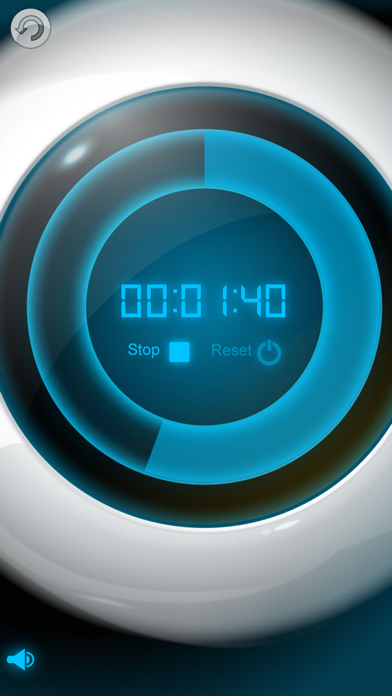
- Ultramodern countdown (or count up) timer with futuristic design can be set up to 100 hours. Excellent visual indicator for your activities - it shows graphically the ratio of time spent and time remaining.
- Powerful stopwatch to measure elapsed time in lap and split time modes. It is great for timing sport events and contests (it is accurate to 1/100 of a second) as well as just timing your activities or measuring an event duration.
* KIDS FRIENDLY
Timer visualizes time to kids and lets them feel the time. Without reading or even knowing the numbers one can look at the visualized time flow, feel it and understand how long to wait or whether to hurry up.
* STAY NOTIFIED
It lets you set the alarm sound that will play when the timer is finished. You can choose from 16 unique alarm sounds, melodies and loops. You’ll be notified when your time is up even if you’re using another app or your device is locked. It can also repeat the sound alarm (up to 3 times) at the given interval if it was missed/snoozed.
* COLOR YOUR TIME
You can easily change the timer color to fit your personal lifestyle. There are 5 color themes: turquoise, red, green, amber and pink. Just pick the one you like in the application settings.
* UNIVERSAL APP
Timer works both on your iPhone/iPod and iPad, contains HD graphics for retina and iPad displays and supports all screen orientations for all devices.
* Your girlfriend says she'll be ready in 2 minutes? Just check how long it really takes :)
***Important for iOS5+ devices: if there is no alarm played please go to system Settings / Notifications, select the application name and configure the timer's alarms, whether they perform sound and if they're to appear on lock screen.
VISIT US: smartphoneware.com