

BiCamera: Dual Camera & Video
BiCamera: Dual Camera & Video is made and published by 可欣 唐. AppBrain is an independent app data site and isn't affiliated with 可欣 唐. The app name, icon, screenshots and description belong to 可欣 唐 and are shown as published on the App Store.
AppBrain's verdict
- Rating on App Store
- 5.00
- 7 ratings
- Last updated
- October 12, 2026
It doesn't have enough ratings yet to judge what users think.
Rankings
App Store top chartsApp Store Rankings for BiCamera: Dual Camera & Video
Competitors
Similar apps and more from 可欣 唐Alternatives to BiCamera: Dual Camera & Video


Releases
Updates seen on the App Store- Version
- 1.7.2
- Launched
- May 2026
No changelog data
User feedback
Ratings and reviews on the App StoreComments on BiCamera: Dual Camera & Video for iOS
We don't have enough comments to show example comments. Please check back later.
Technology
Found in the app by AppBrain- Price
- Free
- App size
- 50.1 MB
- Content rating
- Everyone
Technologies used by BiCamera: Dual Camera & Video
About the app and developer
About BiCamera: Dual Camera & Video
BiCamera: Dual Camera & Video is a photo & video app developed by 可欣 唐.
User Ratings
BiCamera: Dual Camera & Video is rated 5.00 out of 5 stars. The rating is based on 7 ratings.
App Information
BiCamera: Dual Camera & Video is freely available from the App Store. The app size is 50.12 MB. The latest version available is 1.7.2. The last update was on October 12, 2026.
Technical Requirements
The app has a content rating of Everyone. The app has been available on the App Store since May 2026.
Developer information for 可欣 唐
Address:
Store listing
By 可欣 唐, from the App Store




Description by 可欣 唐 Written by the developer, not by AppBrain. Click to read.
BiCamera is a multi-view camera for mobile creators. Record the front and rear cameras together, use a single camera, or capture two differently framed outputs with one lens or two rear cameras.
Whether you are traveling, vlogging, reviewing a venue, presenting, exercising, or recording everyday moments, BiCamera helps you avoid repeated takes and preserve more of the scene and reaction.
【Film Looks and Color】
- 20 film looks with distinct color and image character
- Adjust film intensity and grain separately
- Switch independently between Film and Palette modes
- Adjust Tone, Color, and Palette with live preview
- Apply a look to both views or to an individual camera/view
- Use film looks in photos, videos, and Live Photos
【Front + Back】
- Record the front and rear cameras simultaneously
- Four layouts: Picture in Picture, side by side, top and bottom, and full-screen main view
- Drag the Picture-in-Picture window and choose from multiple window shapes
- Swap the main and secondary views, including while recording
- Save one composed video, or unlock Pro to retain separate front and rear videos
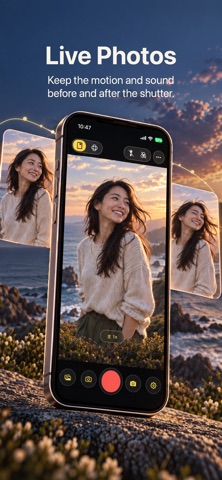
- Capture photos and Live Photos
- Save the composed photo, separate photos, or all results
- JPEG and HEIF, with full-screen, 16:9, 4:3, and 1:1 compositions
- Front-camera beauty controls for whitening, smoothing, and sharpening
- Camera and zoom options vary by device and lens combination
【Single Camera】
- Use only the front or rear camera in the Front + Back scene
- Reduce the resources required by simultaneous multi-camera capture
- Use higher capture settings on supported devices
- Combine Single Camera with film looks for a lightweight film-style camera experience
【Portrait + Landscape】
- Single-camera dual output: create portrait and landscape photos or videos together
- Native dual-rear capture with Wide and Ultra-Wide cameras
- Choose Portrait + Landscape or Same Orientation output
- When held vertically, Same Orientation creates two portrait outputs; when held horizontally, two landscape outputs
- Resize the secondary preview and swap the main and secondary views
- Supports photos, Live Photos, photos during video recording, and pause/resume recording
- Depending on the device and mode: 4K, 1080p, or 720p; 24, 30, or 60 fps; MOV or MP4
【Orientation and Controls】
- On iOS 18 and later, photos, videos, and Live Photos follow the device orientation at the start of capture
- Capture orientation remains fixed while recording
- Tap to focus and meter; long press for AF/AE Lock
- Independent exposure compensation, swipe and pinch zoom, torch, and grid
- Video stabilization and additional rear-camera options are available with Pro on supported devices
- Mono or stereo audio, with AAC or Apple Lossless encoding for Front + Back
【Watermark, Teleprompter, and Shortcuts】
- App name, custom text, time, and location watermarks
- Adjust watermark position, font, size, color, opacity, and background
- Teleprompter layout, scrolling, position, and size controls
- Five-slot home control bar for Gallery, swapping views, shutter, photo/video, and settings
- Home Screen and Lock Screen widgets, Control Center controls on iOS 18+, and app-icon quick actions
- Multiple themes, languages, and appearance preferences
【Privacy】
Captures are saved to the system photo library. No account is required. BiCamera does not provide cloud syncing for captures and does not use them for advertising tracking.
Website: https://verf.asia/dualcapture/
Privacy Policy: https://verf.asia/dualcapture/privacy.html
Terms of Use (EULA): https://verf.asia/dualcapture/terms.html
Version History: https://verf.asia/dualcapture/changelog.html