

BITZER REFRIGERANT RULER
BITZER REFRIGERANT RULER is made and published by BITZER SE. AppBrain is an independent app data site and isn't affiliated with BITZER SE. The app name, icon, screenshots and description belong to BITZER SE and are shown as published on the App Store.
AppBrain's verdict
EstablishedLoved by users- Rating on App Store
- 4.64
- 1,125 ratings
- Last updated
- January 24, 2023
Users love it: 4.6 stars from 1,125 ratings.
Rankings
App Store top chartsApp Store Rankings for BITZER REFRIGERANT RULER
Competitors
Similar apps and more from BITZER SEAlternatives to BITZER REFRIGERANT RULER


More from BITZER SE


Releases
Updates seen on the App Store- Version
- 3.4.0
- Launched
- May 2010
No changelog data
User feedback
Ratings and reviews on the App StoreComments on BITZER REFRIGERANT RULER for iOS
We don't have enough comments to show example comments. Please check back later.
Technology
Found in the app by AppBrain- Price
- Free
- App size
- 20.8 MB
- Content rating
- Everyone
Technologies used by BITZER REFRIGERANT RULER
About the app and developer
About BITZER REFRIGERANT RULER
BITZER REFRIGERANT RULER is a reference app developed by BITZER SE.
User Ratings
BITZER REFRIGERANT RULER is rated 4.64 out of 5 stars. The rating is based on 1.1 thousand ratings.
App Information
BITZER REFRIGERANT RULER is freely available from the App Store. The app size is 20.79 MB. The latest version available is 3.4.0. The last update was on January 24, 2023.
Technical Requirements
The app has a content rating of Everyone. The app has been available on the App Store since May 2010.
Developer information for BITZER SE
Address:
Store listing
By BITZER SE, from the App Store


Description by BITZER SE Written by the developer, not by AppBrain. Click to read.
// CURRENTLY AVAILABLE REFRIGERANTS //
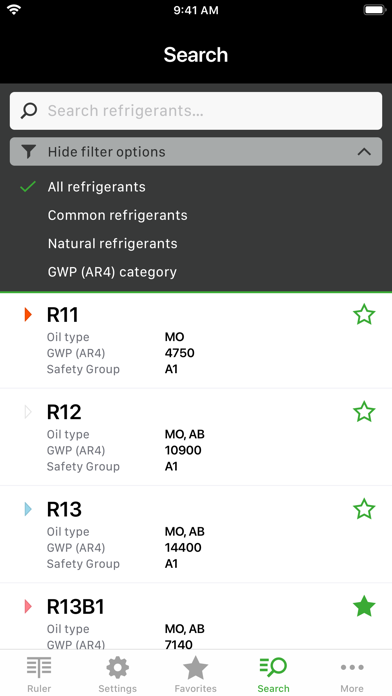
▸ The app contains data and information on more than 100 natural and synthetic refrigerants, which can also be preselected by filter functions (under "Search").
▸ For comparison purposes and also for practical use in service and operation of older existing systems, information on previously used refrigerants, which may have been affected by usage restrictions, are also provided.
// MAIN FUNCTIONS //
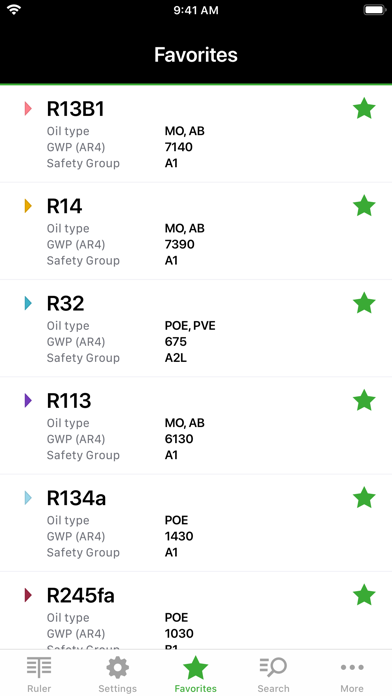
▸ Search filters and favourites: Under the navigation item "Search" or via predetermined "Search filters" or manual entry in the text field the appropriate refrigerant can be found and, if necessary, added to the favourites by tapping the "star symbol". With a simple touch on the selected refrigerant, the slider for the pressure-temperature conversion is displayed.
▸ Ruler: By means of a slider, the values of pressure, dew and boiling (bubble) temperatures (temperature glide resulting from the difference) for the selected refrigerant can be determined. Pressure and temperature values can also be entered manually - either by tapping on the respective field or via the symbol "123". When installing the app overpressure values are preset. With this setting, the atmospheric pressure can be entered either manually on the upper ruler or via the "barometer symbol" to correct the pressure values. A change to absolute pressure values is possible under "Settings", the atmospheric pressure correction is then inactive. Further function: By tapping on the refrigerant name, direct access to "Search" (refrigerant list and search filters) is also possible.
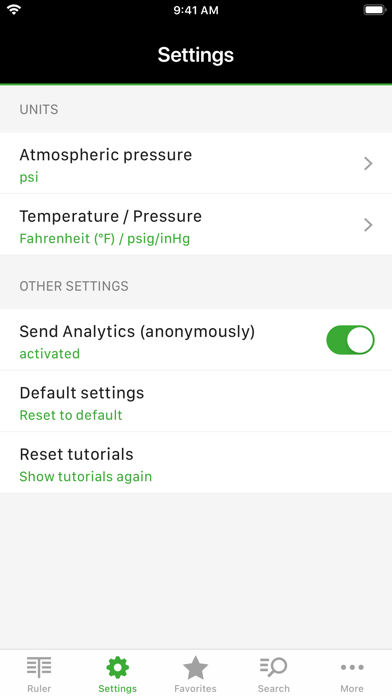
▸ Settings: Under this menu all important parameters for the determination of the atmospheric pressure as well as for temperature and pressure values can be adjusted. Other functions allow for a change to default settings and a repeated display of the “Tutorials” in the ruler view.
▸ Automatic Barometer: The app offers the possibility to determine the current altitude above sea level and/or the actual atmospheric pressure to correct the corresponding dew and bubble temperatures in case of overpressure settings. Depending on the configuration, the analysis for the location in question is optionally carried out automatically via GPS or barometer if the corresponding terminal has the aforementioned sensors. Manually entering the atmospheric pressure or correction is possible as described under “Slider control”.
▸ Temperature / pressure: Temperature and pressure units can be freely selected and combined, if necessary, a mix of SI and IP units is possible as well. For overpressure (or negative pressure) bar (g) or psig / inHg can be selected. In the Setting psig / inHg displays the overpressure values in "psig" and the negative pressure values in "negative inHg" (e.g., -7.5 inHg).
▸ Further information on refrigerants: General and additional information can be found under the information symbol "i" in the header next to the refrigerant name. These include, for example, GWP and ODP values for the refrigerants, safety group, chemical composition or components in mixtures, CAS number, molecular weight, triple and boiling (bubble) points, critical temperature, critical pressure and information on the type of oil for the compressor.