

Black Live Wallpapers
Black Live Wallpapers is made and published by Igor Sul. AppBrain is an independent app data site and isn't affiliated with Igor Sul. The app name, icon, screenshots and description belong to Igor Sul and are shown as published on the App Store.
AppBrain's verdict
Established- Rating on App Store
- 4.18
- 28 ratings
- Last updated
- May 26, 2022
It doesn't have enough ratings yet to judge what users think.
Rankings
App Store top chartsApp Store Rankings for Black Live Wallpapers
Competitors
Similar apps and more from Igor SulAlternatives to Black Live Wallpapers








More from Igor Sul



Releases
Updates seen on the App Store- Version
- 6.0
- Launched
- January 2018
No changelog data
User feedback
Ratings and reviews on the App StoreComments on Black Live Wallpapers for iOS
We don't have enough comments to show example comments. Please check back later.
Technology
Found in the app by AppBrain- Price
- Free
- App size
- 11.6 MB
- Content rating
- Everyone
Technologies used by Black Live Wallpapers
About the app and developer
About Black Live Wallpapers
Black Live Wallpapers is an entertainment app developed by Igor Sul.
What is the rating of Black Live Wallpapers?
Black Live Wallpapers is rated 4.18 out of 5 stars, based on 28 ratings.
Is Black Live Wallpapers free?
Black Live Wallpapers is free. The app size is 11.65 MB. The latest version available is 6.0. The last update was on May 26, 2022.
What are the requirements for Black Live Wallpapers?
The app has a content rating of Everyone. The app has been available on the App Store since January 2018.
Developer information for Igor Sul
Address:
Store listing
By Igor Sul, from the App Store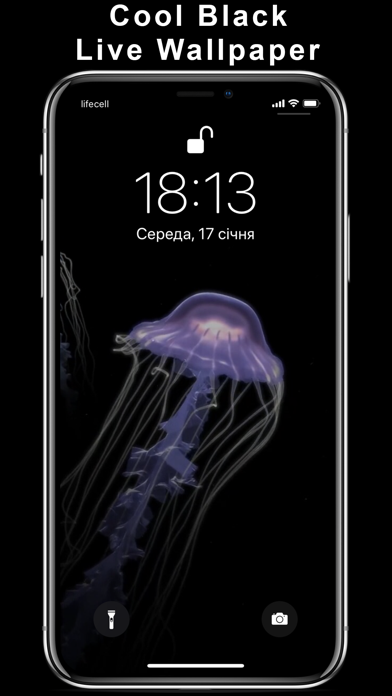

Description by Igor Sul Written by the developer, not by AppBrain. Click to read.
This application is a collection of amazing Super Black Live Wallpapers. The best for Super Retina screens. Optimized for iPhone X and newer.
Animate your screen with dynamic HD wallpapers.
The content is created by professional designers and animators.
HOW TO USE:
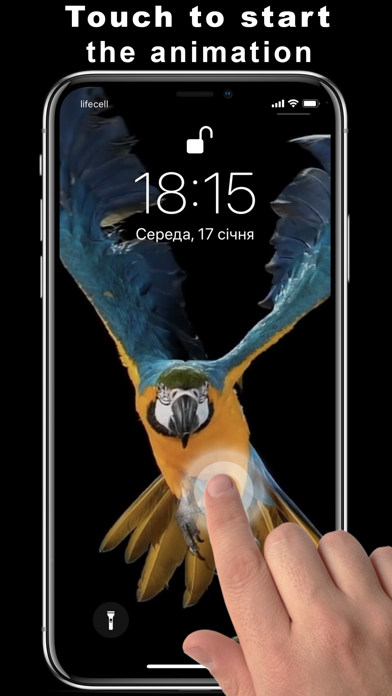
- Choose live wallpaper from collection and press Save (wallpaper will be saved to Camera Roll)
- From Camera Roll set the Live Photo you selected as your Lock Screen wallpaper
- Press your Lock Screen to see the animation
NOTE: If your device does not support 3D Touch, you can only set Live Photos as standard (non-animated) wallpaper.
EULA: https://blackwallpapers.net/eula-watch-faces
Privacy Policy: https://blackwallpapers.net/privacy-policy