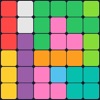
Block X - Fun Math Puzzle was an overall app developed by Ghaith Habash. It was removed from Google Play Feb 20, 2025 and is no longer available for download.
Download Statistics
User Ratings
Block X - Fun Math Puzzle was rated 5.00 out of 5 stars, based on 2 ratings.
App Information
Block X - Fun Math Puzzle was free to download. The APK download size was 18.58 MB. The last available version was 1.5. The last update was on September 21, 2024.
Technical Requirements
The app had a content rating of Everyone. The app had been available on Google Play September 2016.
Description
Block X is a tile puzzle game that can be played by adults as well as children.
Blocks fall from the top of the screen and come to rest at the bottom.
The primary way to score points in Block X is to clear lines by manipulating the blocks so that they fill horizontal rows on the screen.
As the blocks fall, your goal is to move and line them up so that they form rows of max blocks. Those rows will be cleared from the screen to allow for more blocks to fall.
To clear a row, every block of it has to be filled with a max value.
To make a max block, you will need to do quick calculations so that the falling block value sums up with the value of the block underneath it to form a max block. When the Max Block Value is set to 10, falling blocks can have values between 1 and 9, and a max block will have a value of 10.
When a row is cleared, all blocks above it will fall and settle on the blocks below them accordingly. You can use this to plan for filling incomplete blocks underneath the cleared row.
In bad situations, Block X can used by tapping on the Block X icon on the top right corner of the screen. Block X will dynamically change its value as you move it so that it always fills the block underneath it to form a max block. If no block is available below Block X, Block X will be set to max block by itself. You can gain more Block X blocks by watching a quick rewarding ad.
As your game progress and you begin to pay attention to the next block in line, you might find yourself getting a little impatient waiting for a block to settle, in this case, you can tap the guide below the falling block so that it settles down faster. The game gets more challenging by having blocks falling faster as your score increases.
You can change the Max Block Value and the Difficulty Level from the Settings. Max Block Value can be set to up to 100, and the Difficulty Level can be set to Easy, Medium or Difficult. Setting a higher Difficulty Level will reduce the probability of low values compared to higher values.
This is a great game for kids to learn math and do calculations faster.
Hope you like the game. Have Fun! __________________________________________________________________
Like us on Facebook: https://www.facebook.com/BlockX1 Please send us a message on Facebook if you have any question
Each subscription will automatically renew 3 days before the expiration date for
the same time period. Subscriptions can be cancelled at any time before the renewal.