


AppBrain's verdict
- Last updated
- June 22, 2026
- Size
- 29.8 MB
User feedback
Ratings and reviews on the App StoreComments on BlockMate: Screen Time Control for iOS
We don't have enough comments to show example comments. Please check back later.
Store listing
By Oleh Hykavyy, from the App StoreDescription by Oleh Hykavyy Written by the developer, not by AppBrain. Click to read.
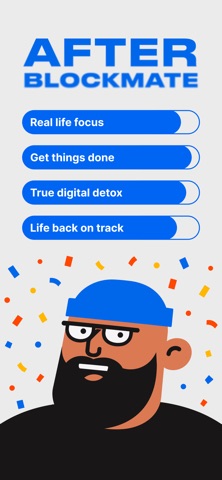
BlockMate is your AI mate for intentional screen time on iPhone. Instead of hard-blocking apps, it asks one honest question when you reach for Instagram, TikTok, or any app you'd rather not be on. Most of the time, you put the phone down on your own.
The friendly way to reduce screen time, without locking yourself out of your own phone.
THE PROBLEM
You unlock your phone 80+ times a day. Most of those weren't your idea. Hard blockers fail because you override them. Willpower runs out by 2 PM. The lever that actually works is intention — and you only need one second of it, the moment your thumb is moving. Whether you call it doomscrolling, phone addiction, or just a habit you'd like to break, the same one-second lever applies.
HOW IT WORKS
1. Pick the apps that pull you in. Instagram, TikTok, X, Reddit, YouTube Shorts — gate any apps, categories, or websites in Safari. BlockMate uses Apple's FamilyControls API, so the gating is real.
2. When you reach for one, BlockMate asks why. A short, honest exchange. No password, no countdown — a 30-second conversation. The AI mate reflects what you said before it asks anything.
3. Walk away, or get exactly the time you asked for. Real reason? You get the minutes you named. Just bargaining? You'll catch yourself, and the app stays closed. Auto-locks when time's up.
WHY IT WORKS
- Reflects, then asks. A bare question is interrogation. BlockMate restates what you said before asking anything.
- Self-compassion, not shame. Honest impulses get honored. Guilt cycles drive more scrolling, not less.
- Your past self knew. You set this up in a clear moment, for a foggy one.
- Adapts as you grow. The more intentional you become, the quieter BlockMate gets.
VS HARD BLOCKERS
Opal, One Sec, Jomo, ScreenZen, Refocus — every one promises to reduce screen time. Every one relies on willpower. BlockMate uses a different lever: a 30-second conversation in the moment your thumb is moving. A mate, not a warden.
PRIVACY
- Apple FamilyControls — your blocklist stays on your device.
- Conversations are short, anonymized, and never sold.
- No ad networks. No third-party trackers. The product is the business.
PRICING
Free to start. Upgrade to unlock unlimited negotiations, multi-app gating, and adaptive coaching that learns your patterns. Yearly plan starts with a 7-day free trial.
The friendly way to reduce screen time. Helping people live a little more, scroll a little less.
Terms of Service: https://cloudy-bite-d28.notion.site/Terms-of-Service-354cc3aac91081908268cf66507229ec
Privacy Policy: https://cloudy-bite-d28.notion.site/Privacy-Policy-2f1cc3aac9108061b102e03cf5eb3ce8
Safety and technology
Found in the app by AppBrain- Price
- Free
- App size
- 29.8 MB
- Content rating
- Medium
Technologies used by BlockMate: Screen Time Control
Releases
Updates seen on the App Store- Version
- 1.0
- Launched
- June 2026
No changelog data
Alternatives
Similar apps and more from Oleh HykavyyAlternatives to BlockMate: Screen Time Control



Rankings
App Store top chartsApp Store Rankings for BlockMate: Screen Time Control
About the app and developer
About BlockMate: Screen Time Control
BlockMate: Screen Time Control is a productivity app developed by Oleh Hykavyy.
User Ratings
The app has no ratings yet.
App Information
BlockMate: Screen Time Control is freely available from the App Store. The app size is 29.83 MB. The latest version available is 1.0. The last update was on June 22, 2026.
Technical Requirements
The app has a content rating of Medium Maturity. The app has been available on the App Store since June 2026.
BlockMate: Screen Time Control is made and published by Oleh Hykavyy. AppBrain is an independent app data site and isn't affiliated with Oleh Hykavyy. The app name, icon, screenshots and description belong to Oleh Hykavyy and are shown as published on the App Store.
Developer information for Oleh Hykavyy
Address:
Frequently asked questions about BlockMate: Screen Time Control
Is BlockMate: Screen Time Control free?
Yes. BlockMate: Screen Time Control is free on the App Store.
Is BlockMate: Screen Time Control still available?
Yes. BlockMate: Screen Time Control is on the App Store, and the last update we saw was on June 22, 2026.
How large is BlockMate: Screen Time Control?
BlockMate: Screen Time Control is 29.83 MB.
Is BlockMate: Screen Time Control suitable for children?
App Store gives BlockMate: Screen Time Control a medium maturity rating, so it is not meant for young children.
Who made BlockMate: Screen Time Control?
BlockMate: Screen Time Control was developed by Oleh Hykavyy. It is listed in the productivity category on the App Store.
What are the best alternatives to BlockMate: Screen Time Control?
People looking at BlockMate: Screen Time Control also look at these productivity apps: MyFocus - Screen Time Control, LockIn: Screen Time Control, Alfa Gym, FriendLock: Screentime Friends, Screenguard: Limit Screen Time.