

Blue Box Simulator
Blue Box Simulator is made and published by Jesus Garces Villarrubia. AppBrain is an independent app data site and isn't affiliated with Jesus Garces Villarrubia. The app name, icon, screenshots and description belong to Jesus Garces Villarrubia and are shown as published on the App Store.
AppBrain's verdict
Loved by users- Rating on App Store
- 4.52
- 111 ratings
- Last updated
- October 10, 2026
Users love it: 4.5 stars from 111 ratings.
Rankings
App Store top chartsApp Store Rankings for Blue Box Simulator
Competitors
Similar apps and more from Jesus Garces VillarrubiaAlternatives to Blue Box Simulator







Also available on Google Play

Releases
Updates seen on the App Store- Version
- 0.14.2
- Launched
- March 2023
No changelog data
User feedback
Ratings and reviews on the App StoreComments on Blue Box Simulator for iOS
We don't have enough comments to show example comments. Please check back later.
Technology
Found in the app by AppBrain- Price
- Free
- App size
- 2.35 GB
- Content rating
- Everyone
Technologies used by Blue Box Simulator
About the app and developer
About Blue Box Simulator
Blue Box Simulator is a games app developed by Jesus Garces Villarrubia.
User Ratings
Blue Box Simulator is rated 4.52 out of 5 stars. The rating is based on 110 ratings.
App Information
Blue Box Simulator is freely available from the App Store. The app size is 2.35 GB. The latest version available is 0.14.2. The last update was on October 10, 2026.
Technical Requirements
The app has a content rating of Everyone. The app has been available on the App Store since March 2023.
Developer information for Jesus Garces Villarrubia
Address:
Store listing
By Jesus Garces Villarrubia, from the App Store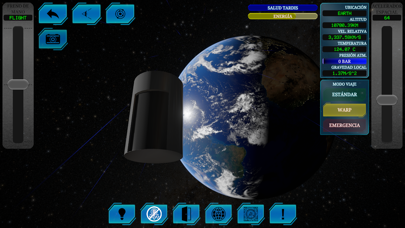
Description by Jesus Garces Villarrubia Written by the developer, not by AppBrain. Click to read.
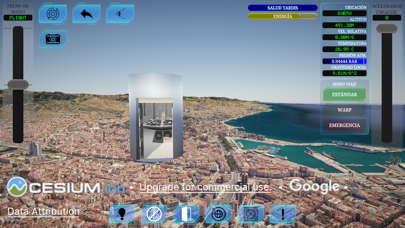
With easy-to-use controls, simply tap the screen to access the console and begin your adventure.
Experience manual flight like never before! Set the Handbrake mode to FLIGHT, pull it up to prevent unwanted braking, then lower the Space Throttle to around 50%. Set its mode to WARP to exponentially increase its power, allowing you to fly around planets and explore the vast expanse of space.
Prefer a guided journey? Simply tap on a planet icon or enter coordinates in the menu, set the Autopilot to ON, and your ship will automatically navigate to your chosen destination! Adjust your cruise speed with the Space Throttle.
Feeling adventurous? Dematerialize and travel through the Time Vortex! Set the Handbrake mode to VORTEX, pull the Space Throttle all the way down, and once inside the vortex, select a new destination. Then, pull up the Space Throttle to materialize in your new location!
We're always looking to improve Blue Box Simulator, so show your support by joining our Patreon or leaving a review with your suggestions for our next exciting update!
Terms of Use (EULA): https://www.apple.com/legal/internet-services/itunes/dev/stdeula/