

Blue Hound is made and published by GrangerFX. AppBrain is an independent app data site and isn't affiliated with GrangerFX. The app name, icon, screenshots and description belong to GrangerFX and are shown as published on the App Store.
AppBrain's verdict
EstablishedLoved by usersTop 10- Best rank
- #7
- Top Paid, Finland
- Rating on App Store
- 4.62
- 914 ratings
- Last updated
- October 23, 2023
Users love it: 4.6 stars from 914 ratings. Its best ranking is #7 in Top Paid, Utilities in Finland.
Rankings
App Store top charts- Highest rank
- #7
- Chart
- Top Paid
- Utilities
- Country
- Finland
App Store Rankings for Blue Hound
Top rankings
| Rank | Country | Category | List |
|---|---|---|---|
| 7 | Finland | Utilities | Top Paid |
| 55 | United States | Utilities | Top Paid |
| 52 | Iran | Utilities | Top Paid |
Ranking history in Finland
Competitors
Similar apps and more from GrangerFXAlternatives to Blue Hound





More from GrangerFX


Releases
Updates seen on the App Store- Version
- 1.3.6
- Launched
- January 2017
No changelog data
User feedback
Ratings and reviews on the App StoreComments on Blue Hound for iOS
We don't have enough comments to show example comments. Please check back later.
Technology
Found in the app by AppBrain- Price
- $1.99
- App size
- 5.68 MB
- Content rating
- Everyone
Technologies used by Blue Hound
About the app and developer
About Blue Hound
Blue Hound is an utilities app developed by GrangerFX.
User Ratings
Blue Hound is rated 4.62 out of 5 stars. The rating is based on 910 ratings.
App Information
Blue Hound costs $1.99. The app size is 5.68 MB. The latest version available is 1.3.6. The last update was on October 23, 2023.
Technical Requirements
The app has a content rating of Everyone. The app has been available on the App Store since January 2017.
Developer information for GrangerFX
Address:
Frequently asked questions about Blue Hound
Is Blue Hound free?
No. Blue Hound costs $1.99 on the App Store.
Is Blue Hound still available?
Yes. Blue Hound is on the App Store, and the last update we saw was on October 23, 2023.
How large is Blue Hound?
Blue Hound is 5.68 MB.
Is Blue Hound suitable for children?
App Store rates the content of Blue Hound as suitable for everyone.
How do people rate Blue Hound?
Blue Hound scores 4.62 out of 5 stars, from 914 ratings on the App Store.
Who made Blue Hound?
Blue Hound was developed by GrangerFX. It is listed in the utilities category on the App Store.
What are the best alternatives to Blue Hound?
People looking at Blue Hound also look at these utilities apps: iVe-Mobile, Scany, iNet Pro - Network Scanner, System Status Pro: hw monitor, Flock Safety.
Store listing
By GrangerFX, from the App Store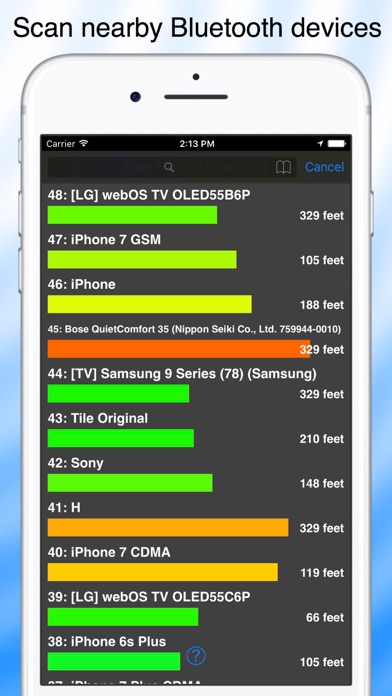
Description by GrangerFX Written by the developer, not by AppBrain. Click to read.
Scan and identify nearby devices. Locate devices by signal strength, heat map or direction finder.
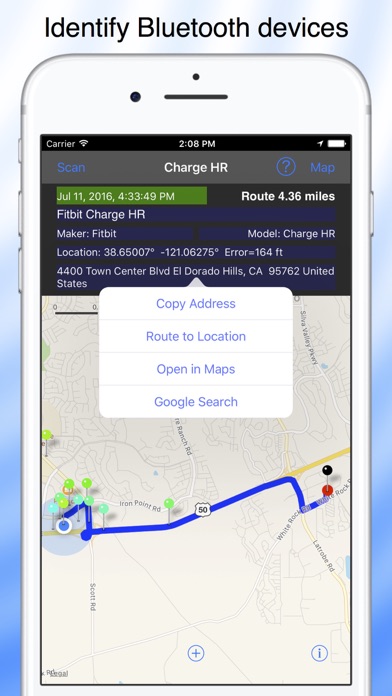
You can now find Fitbit and other Bluetooth devices that are paired with your iPhone. If the Bluetooth device is paired with another iPhone, turn off Bluetooth on that iPhone.
Blue Hound is always scanning for Bluetooth devices. When a device is detected, Blue Hound identifies it by name, maker and model when possible. It does this using a large database of smart recognizers that are updated automatically. Devices you find are uploaded to the cloud to help you search for them later.
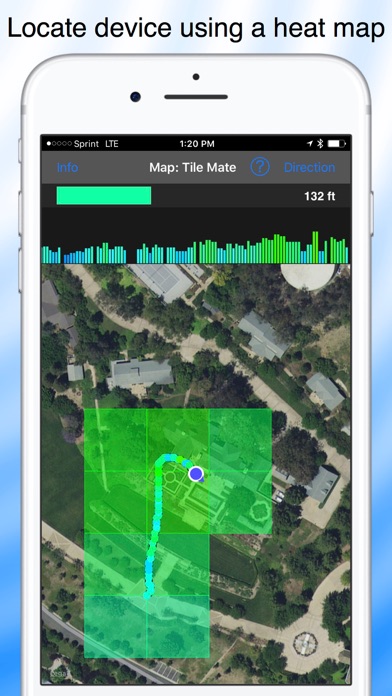
Blue Hound works great with Bluetooth tags. If you attach one to your keys, you can locate them within 100 feet or more even outdoors in high grass. Attach one to your drone and you will be able to find it if it lands unexpectedly.
Scanning for Bluetooth devices can be a fun outdoor activity. Take Blue Hound out for a walk. Enable Power Saver Mode for Blue Hound in Settings and put your iPhone in your pocket upside down. The screen will go dark and the app will enter power saver mode. If you wish, Blue Hound can even bark to alert you when a new device is found.
Blue Hound has features not found in any other Bluetooth scanner or finder:
• Real time Bluetooth scanner with signal strength and description
• Sort the scanner list by age, distance or name
• Filter the scanner list for matching text
• List both active and inactive devices
• Power saver option and audio alerts for scanning while walking
• Search the cloud for devices you have found in the past
• Search for past devices using an interactive map
• Smart device identification using cloud updated recognizers
• Display detailed information about a devices including is maker and model
• Search Google for more information about the device
• Get directions to the last known location of the device
• Locate a device indoors using a signal strength meter
• Locate a device outdoors using a heat map and signal graph
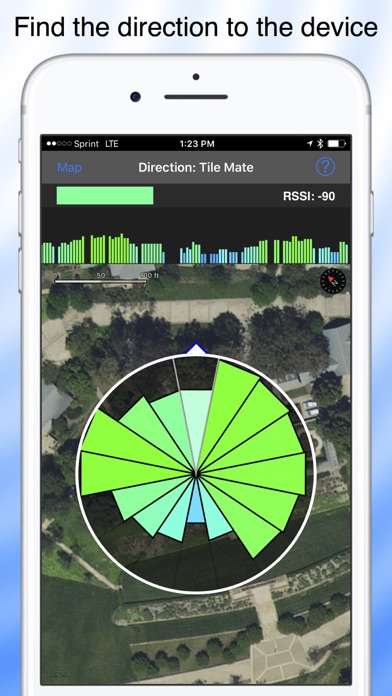
• Outdoor direction finder saves time when searching
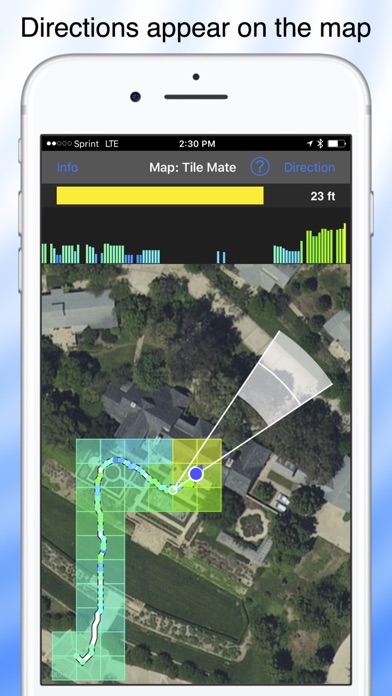
• Display the directions on the map to triangulate the location