

BlueDriver OBD2 Scan Tool
BlueDriver OBD2 Scan Tool is made and published by Lemur Vehicle Monitors. AppBrain is an independent app data site and isn't affiliated with Lemur Vehicle Monitors. The app name, icon, screenshots and description belong to Lemur Vehicle Monitors and are shown as published on the App Store.
AppBrain's verdict
EstablishedLoved by users- Rating on App Store
- 4.61
- 13,732 ratings
- Last updated
- October 5, 2026
- Size
- 273.4 MB
Users love it: 4.6 stars from 13,732 ratings.
User feedback
Ratings and reviews on the App StoreComments on BlueDriver OBD2 Scan Tool for iOS
We don't have enough comments to show example comments. Please check back later.
Store listing
By Lemur Vehicle Monitors, from the App Store
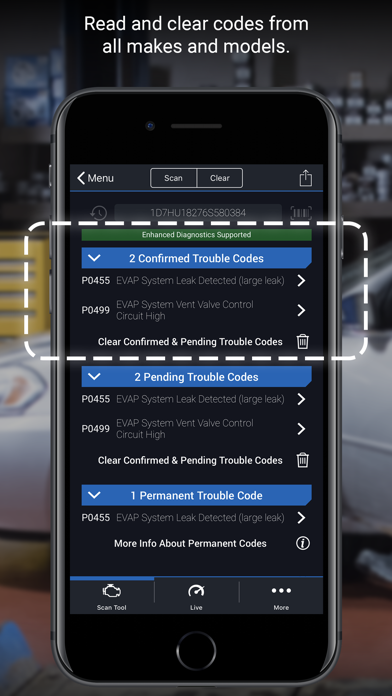
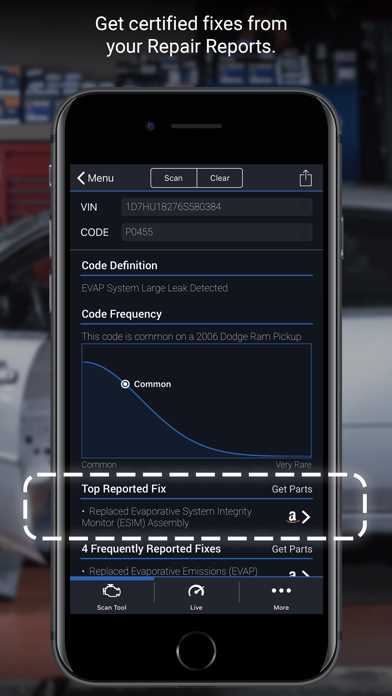
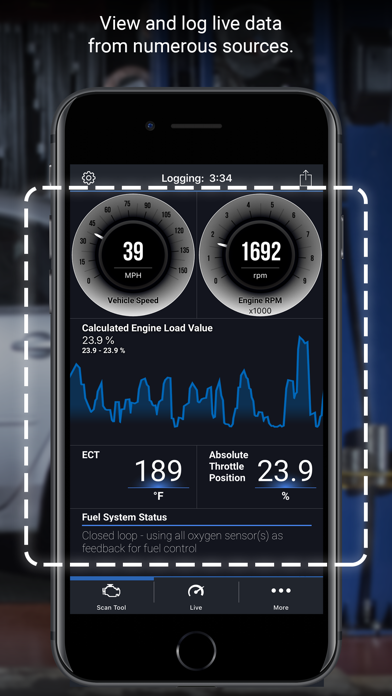
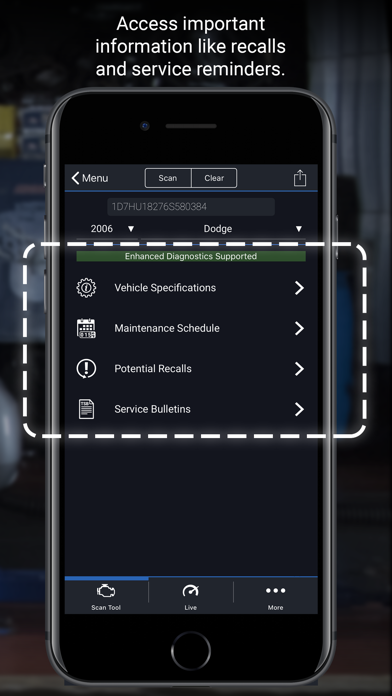
Description by Lemur Vehicle Monitors Written by the developer, not by AppBrain. Click to read.
Whether you're checking a check engine light, running a smog test, or diving into enhanced diagnostics like ABS or transmission codes, BlueDriver gives you the tools you need to understand your vehicle and make smarter repair decisions – with clear, easy-to-understand information.
What You Can Do with BlueDriver
· Read and clear trouble codes - including check engine, ABS, airbag, transmission, and more
· Generate, save, and share professional-grade Repair Reports based on your exact vehicle and trouble code
· Access Mode 6 on-board monitoring test results
· Check smog readiness and freeze frame data
· View live data with multi-PID interactive graphing
· Scan your vehicle wirelessly with Bluetooth—no cables required
· Choose between metric and imperial settings
· Get likely fixes for your vehicle’s issues, explained in plain language
Enhanced Diagnostics Coverage
· GM, Ford, Chrysler, Toyota, Nissan, Mazda, Mercedes (2005+ models)
· Mitsubishi (2008+), Hyundai/Kia (2012+) – available worldwide
· BMW/Mini, Honda/Acura, Volkswagen/Audi – available in North America
· Subaru – available in the United States
What Makes BlueDriver Different?
· No subscription required
· Backed by a database of millions real-world fixes
· Repair Reports are specific to your vehicle’s year, make, and model
· Works globally with the BlueDriver Sensor
· App is free to install—just pair with the Sensor to start scanning
You can even preview a Repair Report without a Sensor by entering your VIN and a trouble code.
Account Setup Made Easy
You’ll create a BlueDriver account during setup—it’s quick and easy, and gives you secure access to all your scans, reports, and new features across any device.
Important Info
The BlueDriver Sensor plugs into your vehicle’s data port (found in every car built since 1996). It connects to the app via Bluetooth® to deliver full diagnostic functionality.
Sensor sold separately in-app or at www.BlueDriver.com
Safety and technology
Found in the app by AppBrain- Price
- Free
- App size
- 273.4 MB
- Content rating
- Everyone
Technologies used by BlueDriver OBD2 Scan Tool
Releases
Updates seen on the App Store- Version
- 8.12.3
- Launched
- July 2011
No changelog data
Alternatives
Similar apps and more from Lemur Vehicle MonitorsAlternatives to BlueDriver OBD2 Scan Tool



Rankings
App Store top chartsApp Store Rankings for BlueDriver OBD2 Scan Tool
About the app and developer
About BlueDriver OBD2 Scan Tool
BlueDriver OBD2 Scan Tool is a productivity app developed by Lemur Vehicle Monitors.
User Ratings
BlueDriver OBD2 Scan Tool is rated 4.61 out of 5 stars. The rating is based on 14 thousand ratings.
App Information
BlueDriver OBD2 Scan Tool is freely available from the App Store. The app size is 273.35 MB. The latest version available is 8.12.3. The last update was on October 5, 2026.
Technical Requirements
The app has a content rating of Everyone. The app has been available on the App Store since July 2011.
Developer information for Lemur Vehicle Monitors
Address: