

BlueWorx is made and published by Zag Limited. AppBrain is an independent app data site and isn't affiliated with Zag Limited. The app name, icon, screenshots and description belong to Zag Limited and are shown as published on the App Store.
AppBrain's verdict
- Last updated
- March 13, 2023
Rankings
App Store top chartsApp Store Rankings for BlueWorx
Competitors
Similar apps and more from Zag LimitedAlternatives to BlueWorx



Also available on Google Play

Releases
Updates seen on the App Store- Version
- 6.8.8
- Launched
- May 2019
No changelog data
User feedback
Ratings and reviews on the App StoreComments on BlueWorx for iOS
We don't have enough comments to show example comments. Please check back later.
Technology
Found in the app by AppBrain- Price
- Free
- App size
- 148.9 MB
- Content rating
- Everyone
Technologies used by BlueWorx
About the app and developer
About BlueWorx
BlueWorx is a business app developed by Zag Limited.
User Ratings
The app has no ratings yet.
App Information
BlueWorx is freely available from the App Store. The app size is 148.87 MB. The latest version available is 6.8.8. The last update was on March 13, 2023.
Technical Requirements
The app has a content rating of Everyone. The app has been available on the App Store since May 2019.
Developer information for Zag Limited
Address:
Store listing
By Zag Limited, from the App Store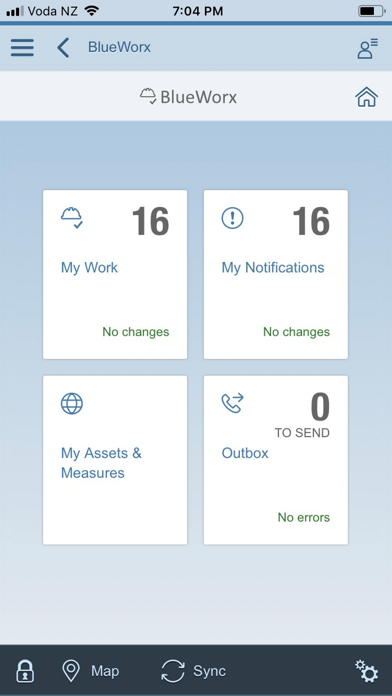

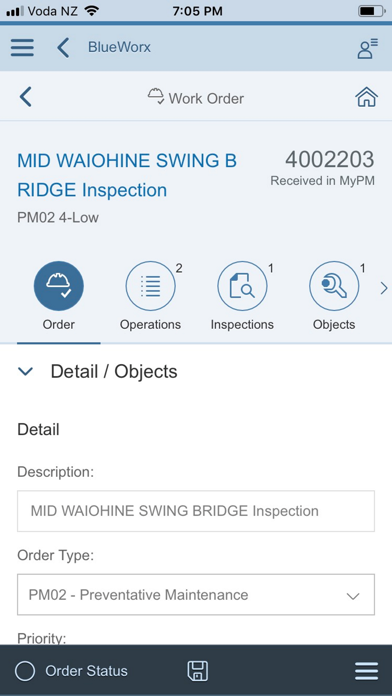
Description by Zag Limited Written by the developer, not by AppBrain. Click to read.
In our design of BlueWorx the end user is central to what we do. We listen to our customers and focus on those SAP Plant Maintenance functions they need the most. But we haven't stopped there, BlueWorx is full of innovative features that takes SAP mobile asset management to the next level.
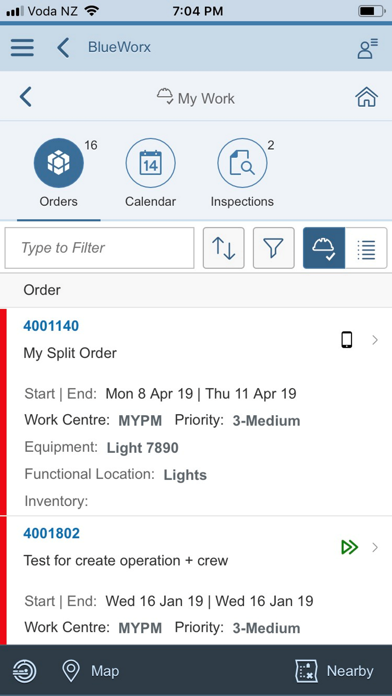
BlueWorx core functionality includes:
> Work and Service Orders
> Notifications
> Comprehensive Asset Inspections
> Functional Locations Details
> Equipment Details
> Material Balances, Issues, Reservations and Exchanges
> Measurement Points, Documents and Reading Lists
> GEO Spatial Map functionality
Please see the Developer Site below for extensive information on BlueWorx.
There are two logon modes for the application, 'Demo Logon' and 'Your System Logon':
> For demonstration purposes please use the 'Demo Logon' which connects to a Zag demonstration system. Please note that any changes that you make to data in the application and then sync with our system will be disregarded on processing.
> The 'Your System Logon' option is for use with your own SAP system and BlueWorx application registered through your Neptune Software Planet 8 Cockpit. It requires SAP, Neptune Software and BlueWorx commercial agreements, installation and configuration.
The BlueWorx application is not meant for usage with productive SAP systems. Customers should create their own version in order to avoid version conflicts between the version on App Store and SAP back-end when Zag chooses to update the version on App Store. Full directions for customers to create their own enterprise application version is available from Zag.