

Blur Frame: Video Edit
Blur Frame: Video Edit is made and published by 江 邱. AppBrain is an independent app data site and isn't affiliated with 江 邱. The app name, icon, screenshots and description belong to 江 邱 and are shown as published on the App Store.
AppBrain's verdict
- Rating on App Store
- 4.50
- 2 ratings
- Last updated
- January 14, 2024
It doesn't have enough ratings yet to judge what users think.
Rankings
App Store top chartsApp Store Rankings for Blur Frame: Video Edit
Competitors
Similar apps and more from 江 邱Alternatives to Blur Frame: Video Edit








More from 江 邱








Releases
Updates seen on the App Store- Version
- 1.5
- Launched
- April 2023
No changelog data
User feedback
Ratings and reviews on the App StoreComments on Blur Frame: Video Edit for iOS
We don't have enough comments to show example comments. Please check back later.
Technology
Found in the app by AppBrain- Price
- Free
- App size
- 43.8 MB
- Content rating
- Everyone
Technologies used by Blur Frame: Video Edit
About the app and developer
About Blur Frame: Video Edit
Blur Frame: Video Edit is a photo & video app developed by 江 邱.
User Ratings
Blur Frame: Video Edit is rated 4.50 out of 5 stars. The rating is based on 2 ratings.
App Information
Blur Frame: Video Edit is freely available from the App Store. The app size is 43.76 MB. The latest version available is 1.5. The last update was on January 14, 2024.
Technical Requirements
The app has a content rating of Everyone. The app has been available on the App Store since April 2023.
Developer information for 江 邱
Address:
Frequently asked questions about Blur Frame: Video Edit
Is Blur Frame: Video Edit free?
Yes. Blur Frame: Video Edit is free on the App Store.
Is Blur Frame: Video Edit still available?
Yes. Blur Frame: Video Edit is on the App Store, and the last update we saw was on January 14, 2024.
How large is Blur Frame: Video Edit?
Blur Frame: Video Edit is 43.76 MB.
Is Blur Frame: Video Edit suitable for children?
App Store rates the content of Blur Frame: Video Edit as suitable for everyone.
How do people rate Blur Frame: Video Edit?
Blur Frame: Video Edit scores 4.50 out of 5 stars, from 2 ratings on the App Store.
Who made Blur Frame: Video Edit?
Blur Frame: Video Edit was developed by 江 邱. It is listed in the photo & video category on the App Store.
What are the best alternatives to Blur Frame: Video Edit?
People looking at Blur Frame: Video Edit also look at these photo & video apps: Fogger XP, Color Pics - Recolor Picture, Blur Face - AI Photo Blur, GyroCam - Professional Camera, Analog Vintage Film :iRetroCam.
Store listing
By 江 邱, from the App Store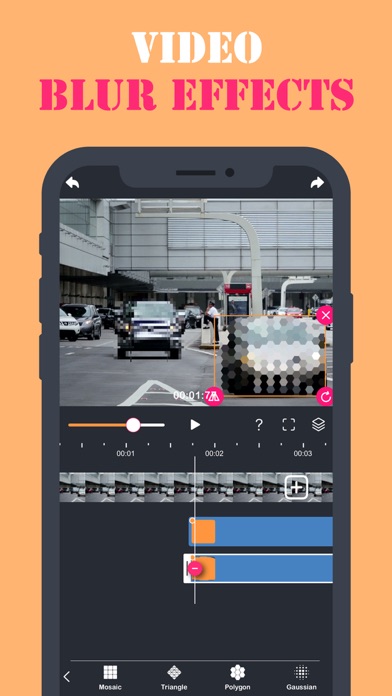
Description by 江 邱 Written by the developer, not by AppBrain. Click to read.
To create blurry effects on the specified part of video, Blur Buddy editor has following features:
- Blur Buddy instantly blur any part of the video you want using timeline slider.
- Support removal object function.
- Support zoom in and zoom out the selected blur part of video.
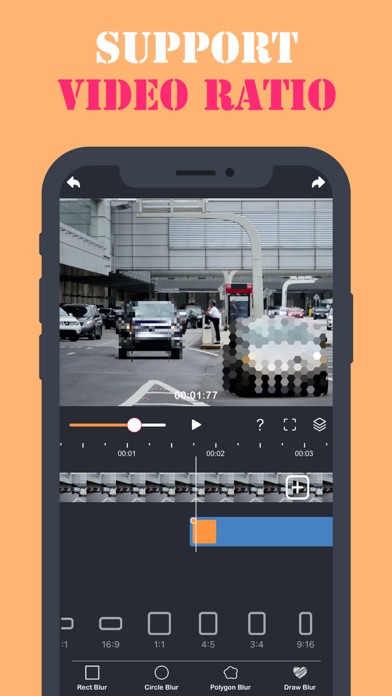
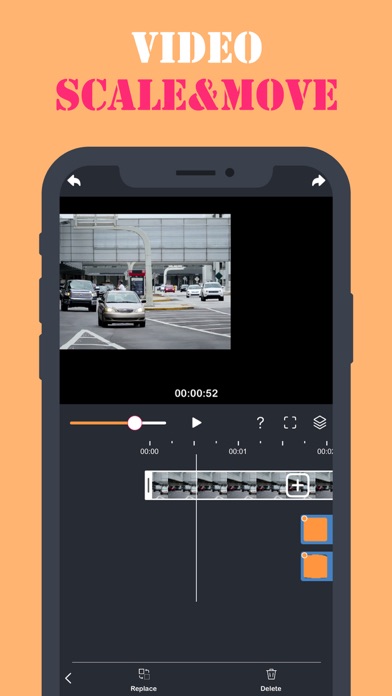
- Support move, scale and ratio of video.
- Support video transitions and trim function.
[Blur Buddy] editor apply blurry pixelated effect on video to blur out certain parts of a video. This editor is helpful app to blur the video part through touch blur.
To create blurry effects on the specified part of video, Blur Buddy editor has following features:
- [Blur Buddy] instantly blur any part of the video you want using timeline slider.
- Support zoom in and zoom out the selected blur part of video.
- Support move, scale and ratio of video.
UNLIMITED ACCESS MEMBERSHIP SUBSCRIPTION:
- You can subscribe for unlimited access to all features and content offered for purchase within [Blur Buddy].
- Subscriptions are billed weekly or annually at the rate selected depending on the subscription plan. Alternatively, a one-time payment plan is available (this is not a subscription).
- Subscriptions auto-renew at the cost of the chosen package, unless cancelled 24-hours in advance prior to the end of the current period. The subscription fee is charged to your iTunes
account at confirmation of purchase. You may manage your subscription and turn off auto-renewal by going to your Account Settings after purchase. Per Apple policy, no cancellation of the current subscription is allowed during active subscription period. Once purchased, refunds will not be provided for any unused portion of the term.
Terms of use: https://www.thinkingskillsapps.com/TermsOfUse.html
Privacy policy: http://www.thinkingskillsapps.com/PrivacyPolicy.html