

BMS-TOOL is made and published by 秀丽 唐. AppBrain is an independent app data site and isn't affiliated with 秀丽 唐. The app name, icon, screenshots and description belong to 秀丽 唐 and are shown as published on the App Store.
AppBrain's verdict
- Rating on App Store
- 5.00
- 1 ratings
- Last updated
- October 23, 2026
It doesn't have enough ratings yet to judge what users think.
Rankings
App Store top chartsApp Store Rankings for BMS-TOOL
Competitors
Similar apps and more from 秀丽 唐Alternatives to BMS-TOOL





Releases
Updates seen on the App Store- Version
- 1.0.47
- Launched
- December 2023
No changelog data
User feedback
Ratings and reviews on the App StoreComments on BMS-TOOL for iOS
We don't have enough comments to show example comments. Please check back later.
Technology
Found in the app by AppBrain- Price
- Free
- App size
- 39.5 MB
- Content rating
- High
Technologies used by BMS-TOOL
About the app and developer
About BMS-TOOL
BMS-TOOL is an utilities app developed by 秀丽 唐.
What is the rating of BMS-TOOL?
BMS-TOOL is rated 5.00 out of 5 stars, based on one rating ratings.
Is BMS-TOOL free?
BMS-TOOL is free. The app size is 39.52 MB. The latest version available is 1.0.47. The last update was on October 23, 2026.
What are the requirements for BMS-TOOL?
The app has a content rating of High Maturity. The app has been available on the App Store since December 2023.
Developer information for 秀丽 唐
Address:
Store listing
By 秀丽 唐, from the App Store



Description by 秀丽 唐 Written by the developer, not by AppBrain. Click to read.
【Parameter settings】
Preset warning values for over-charge, over-discharge , over-current, and over-temperature,When the battery status reaches the preset warning value, the system will send out an alarm signal to remind users to pay attention to the battery's status and performance.
【Real-time data】
Summary data: including battery current, voltage, number of cells, cycle times, SOC, SOH, temperature and other parameters;
Cell data: including independent voltage, independent current, cycle times, SOC, SOH, temperature and other parameters of the cell;
Voltage temperature: including the number of cells, cell voltage, cell temperature and other parameters;
Status data: including protection, indication, control, fault, battery balance, alarm and other status.
【Historical data】
Record the alarm state, protection state, fault occurrence state and development process of the battery history,which can help the users to understand the state and performance of the battery.
【Connection method】
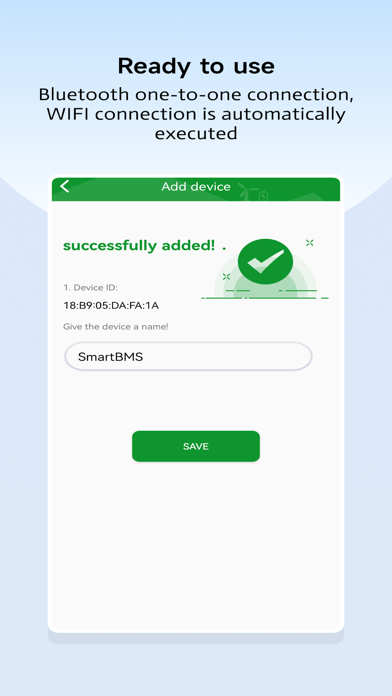
Local control: Through Bluetooth communication, no need to log in with an account, directly search for nearby Bluetooth signals, one-to-one connection, ready to use;
Remote control: through WIFI communication,need to register an account to log in, the APP and the device will automatically perform network distribution operations, and bind the account and device.
【My device】
Forgot password: reset password through email;
Edit device: Long press the device item, the edit menu will pop up at the bottom, you can modify the device nickname or delete the device;
Share device: Long press the device item, the device administrator who first configures the network and binds the account, can generate a QR code for the device for other users to scan the code to add.