BolTimer is made and published by
Shanghai Qingge Technology Co., Ltd.
AppBrain is an independent app data site and isn't affiliated with Shanghai Qingge Technology Co., Ltd.
The app name, icon, screenshots and description belong to Shanghai Qingge Technology Co., Ltd. and are shown as
published on the App Store.
About BolTimer
BolTimer is a sports app developed by Shanghai Qingge Technology Co., Ltd.
User Ratings
The app has no ratings yet.
App Information
BolTimer is freely available from the App Store. The app size is 5.44 MB. The latest version available is 1.5.0. The last update was on October 10, 2026.
Technical Requirements
The app has a content rating of Everyone. The app has been available on the App Store since July 2026.
Description by Shanghai Qingge Technology Co., Ltd.(from the App Store)
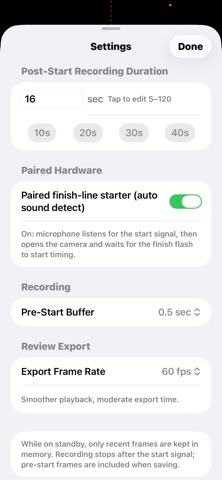
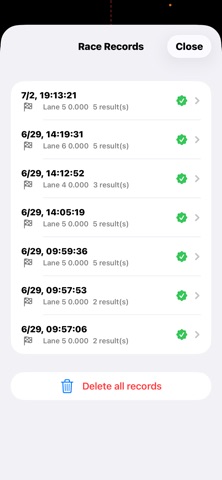
BolTimer is an electronic timing app for track & field and swimming training. Record at a high frame rate, then judge the result frame by frame on your phone.
TRACK • Finish-line recording up to 240 fps on supported iPhones • Choose sprint or distance: distance races record the start and splits on a timeline • Flash or sound start detection can mark 0 time automatically; you can also open and warm up the camera first, then record manually. Distance races can be filmed in segments and exported as one video • Frame-by-frame review with up to 8 lanes • Drag a result onto a lane, recalibrate the start frame, fine-tune within ±3 ms • Copy results as text or export video with a timing overlay
SWIMMING • One phone follows one swimmer; several phones stay on the same clock by filming the same starting flash • Mark takeoff, entry, breakout, turn touch, turn push and finish frame by frame • Reaction time, flight time, underwater phase, lap splits and total time • Count left and right arm entries separately, with a check for missed or accidental double taps • Stroke count, distance per stroke and SWOLF per lap
CUSTOM EVENT TEMPLATES • On single-segment track and swim reviews, switch to Events and mark the actions in your template frame by frame • Built-in templates: track start (reaction, block clearance, left/right foot contact and toe-off, finish) and swim technique (reaction, takeoff, entry, breakout, hand entries, finish touch) • Track: contact time, flight time and step rate; swim: event timeline and intervals • Event trend curves per athlete and template
IMPORT AN EXISTING VIDEO • Pick a clip from your library, choose the start frame yourself, then judge it like a live recording • Slow-motion clips are read at their real capture rate, so times are not stretched • Short clips are prepared for smooth frame-by-frame stepping
HOW IT WORKS 1. Auto start: align the flash zone, tap Stand By, recording begins after the gun 2. Manual start: open and warm up the camera, wait until Ready, then tap Record (the start flash must be in the clip) 3. Step through frames and mark the moments you need 4. Copy results or export annotated video to Photos; distance races can merge all clips into one export
REQUIREMENTS • iOS 15.6 or later • A real iPhone with a rear camera (the Simulator has no camera); the highest frame rate available depends on your model • Camera and microphone permission for timing; photo library permission only when you import or export a video
DATA & PRIVACY No account and no sign-in. Recordings and results stay on your device and are not uploaded to our servers.
MEMBERSHIP Free sessions included. An optional paid 1-year pass or a one-time lifetime purchase unlocks unlimited use. Both are one-time purchases, not auto-renewing subscriptions. Purchases are processed by Apple.
Each subscription will automatically renew 3 days before the expiration date for
the same time period. Subscriptions can be cancelled at any time before the renewal.