

Book Collect – Reading Log
Book Collect – Reading Log is made and published by Kenji Minoshima. AppBrain is an independent app data site and isn't affiliated with Kenji Minoshima. The app name, icon, screenshots and description belong to Kenji Minoshima and are shown as published on the App Store.
AppBrain's verdict
- Last updated
- July 11, 2026
Rankings
App Store top chartsApp Store Rankings for Book Collect – Reading Log
Competitors
Similar apps and more from Kenji MinoshimaAlternatives to Book Collect – Reading Log




More from Kenji Minoshima


Releases
Updates seen on the App Store- Version
- 4.6.4
- Launched
- August 2012
No changelog data
User feedback
Ratings and reviews on the App StoreComments on Book Collect – Reading Log for iOS
We don't have enough comments to show example comments. Please check back later.
Technology
Found in the app by AppBrain- Price
- Free
- App size
- 12.0 MB
- Content rating
- High
Technologies used by Book Collect – Reading Log
About the app and developer
About Book Collect – Reading Log
Book Collect – Reading Log is a books app developed by Kenji Minoshima.
User Ratings
The app has no ratings yet.
App Information
Book Collect – Reading Log is freely available from the App Store. The app size is 12.05 MB. The latest version available is 4.6.4. The last update was on July 11, 2026.
Technical Requirements
The app has a content rating of High Maturity. The app has been available on the App Store since August 2012.
Developer information for Kenji Minoshima
Address:
Frequently asked questions about Book Collect – Reading Log
Is Book Collect – Reading Log free?
Yes. Book Collect – Reading Log is free on the App Store.
Is Book Collect – Reading Log still available?
Yes. Book Collect – Reading Log is on the App Store, and the last update we saw was on July 11, 2026.
How large is Book Collect – Reading Log?
Book Collect – Reading Log is 12.05 MB.
Is Book Collect – Reading Log suitable for children?
App Store gives Book Collect – Reading Log a high maturity rating. It is meant for adults.
Who made Book Collect – Reading Log?
Book Collect – Reading Log was developed by Kenji Minoshima. It is listed in the books category on the App Store.
What are the best alternatives to Book Collect – Reading Log?
People looking at Book Collect – Reading Log also look at these books apps: BookDragon Reading Companion, my books library, Reading record notes「RecoDoku」, Book organizer - bookshelf, Record: Books and Movies.
Store listing
By Kenji Minoshima, from the App Store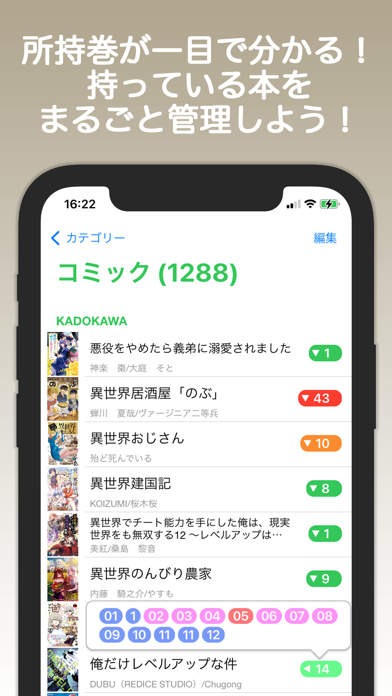
Description by Kenji Minoshima Written by the developer, not by AppBrain. Click to read.
This app lets you see at a glance which volumes you have.
Keep track of all the books you own in one place!
■ Main Features
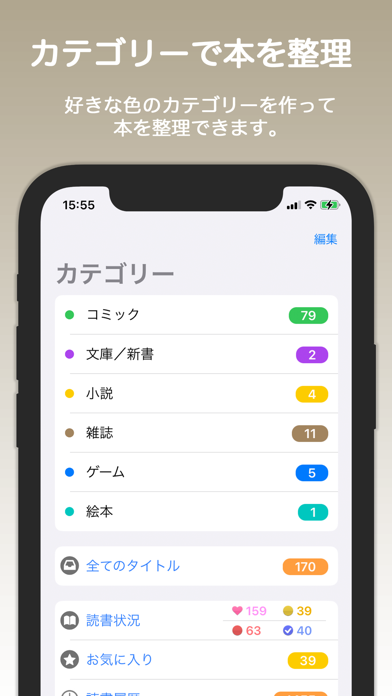
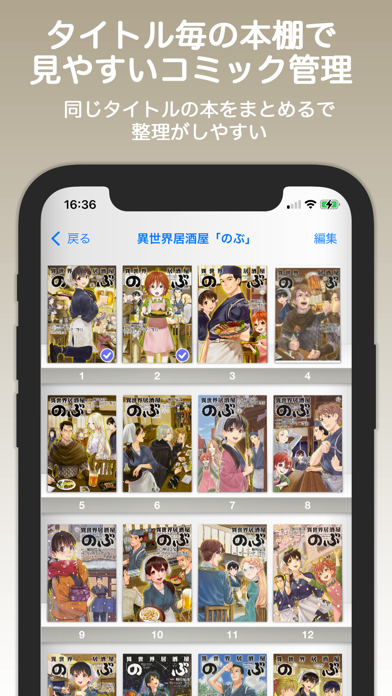
- Create bookshelves for your favorite titles by category and organize Volume 1, Volume 2, and more together.
- Tap the number on a bookshelf to display a pop-up list of owned volumes.
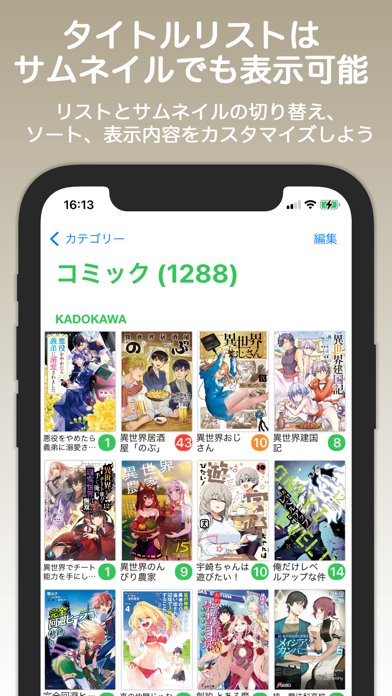
- Automatically sort by title, author, publisher, or release date, or sort manually.
- Freely change book images using photos from your album, camera, or web search.
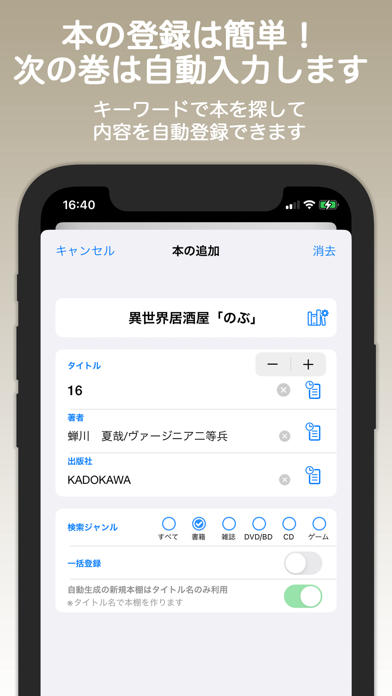
- Automatically fill in book details by searching. Barcode scanning and manual entry are also supported.
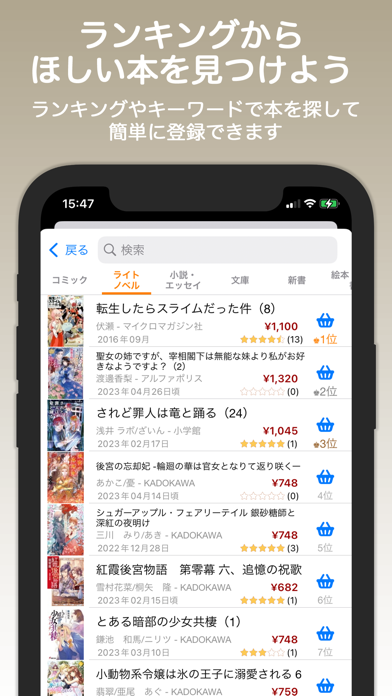
- View book rankings and discover books you want to read.
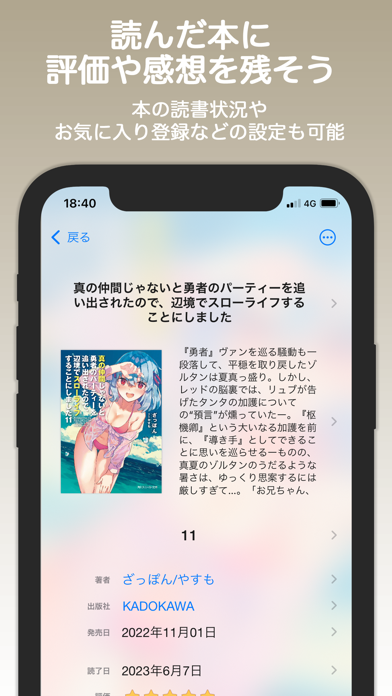
- Track reading status (Want to Read, Unread, Reading, Finished), ratings, and notes.
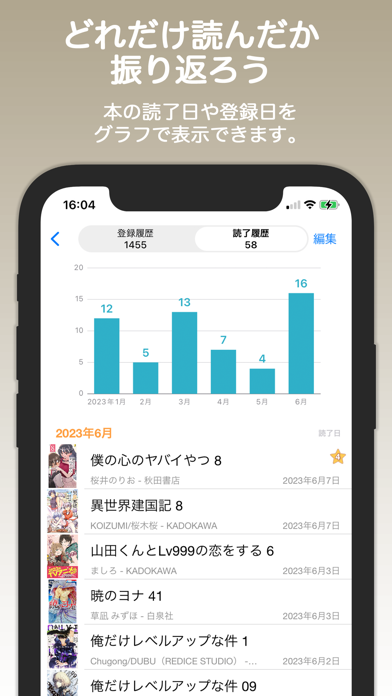
- Display graphs for added dates and finished reading dates.
■ Adding Books
When you launch the app, a “+” button appears at the bottom.
Tap it to add a book. If you select a category first, the book will be added to that category.
To add a book to a specific bookshelf, choose “Select Bookshelf” or create a new one.
For the title field, enter the book’s title.
If a bookshelf is selected, enter only the volume number.
(This is because searches are performed using the bookshelf name + title.)
If you search for a book and select it, the details will be filled in automatically.
If no bookshelf is selected, one will be created automatically.
(If you select a category before adding a book, the bookshelf will be created within that category.)
If you search without entering any keywords, the sales ranking will be displayed.
Entering search conditions will show recommended results.
The “+” button allows manual entry of books into the selected bookshelf.
You can also search and register books using barcodes.
When searching, selecting a bookshelf in advance enables bulk registration.
Bulk registration via “Add” allows you to add multiple volumes at once, from a starting number to a specified number.
■ Adding Categories
On the category screen, tap “Edit” and then tap “+” to add a category.
You can also change category settings by selecting a category while editing.
(Settings can also be changed via the long-press menu.)
■ Adding Bookshelves
Selecting a category displays its bookshelves.
Tap “Edit” and then the “+” button at the bottom to add a bookshelf.
In list view, you can change bookshelf settings by selecting a bookshelf while editing.
(Settings can also be changed via the long-press menu.)
Use the icon at the bottom right of the bookshelf to switch between list view and icon view.
While editing, you can perform bulk deletion and bulk category changes.
■ Bookshelf Settings
○ Management Type
Comics
For serialized comics. If a book title includes volume numbers, a bookshelf is created using the title name. All volumes are grouped under that bookshelf, and individual book names consist of the volume number only.
Author
For paperbacks and novels. If there is no volume number but an author is present, a bookshelf is created using the author’s name, and books are grouped under that author.
Other
All other books fall into this category. You can freely add books.
※ Bookshelves created via search follow the above rules.
※ If the option “Bookshelf name = title only” is enabled during search, books without volume numbers will be categorized as “Other.”
○ Completed
Check this option for completed series to display a mark in the bookshelf list.
■ Book Settings
You can change the book image from the icon in the top-right corner.
Images obtained from albums or image searches are high resolution.
Tapping the blue text for authors or publishers will search for related books.
Wishlist and favorites are displayed in the category list.
When a book is marked as a favorite, you can add ratings and reviews.