Bookmark Safe - Url manager is made and published by
Kota Hayashi.
AppBrain is an independent app data site and isn't affiliated with Kota Hayashi.
The app name, icon, screenshots and description belong to Kota Hayashi and are shown as
published on the App Store.
About Bookmark Safe - Url manager
Bookmark Safe - Url manager is a productivity app developed by Kota Hayashi.
User Ratings
Bookmark Safe - Url manager is rated 4.40 out of 5 stars. The rating is based on 5 ratings.
App Information
Bookmark Safe - Url manager is freely available from the App Store. The app size is 81.93 MB. The latest version available is 3.4.2. The last update was on October 24, 2026.
Technical Requirements
The app has a content rating of High Maturity. The app has been available on the App Store since September 2021.
Description by Kota Hayashi(from the App Store)
Bookmark Safe is a bookmark management application that allows you to safely save your favorite websites with a passcode lock function.
■ Bookmark Safe has 7 main useful functions. All of them can be used for free.
1) "Secret bookmark function with passcode lock" In addition to regular bookmarks that can be used immediately after opening the app, you can manage secret websites as secret bookmarks. You can manage secret websites as secret bookmarks, separate from regular bookmarks that are available as soon as you open the app. Secret bookmarks are only displayed when you unlock the passcode lock or successfully pass biometric authentication, so you can rest assured!
2) "Ability to share data across multiple mobile devices" Bookmarks data is stored in the cloud. Bookmarks data is stored in the cloud, which makes it possible to share data between mobile devices, which is recommended for those with multiple devices. Also, since the data is saved in real time, you don't have to worry about backing up your data when you change your device if you remember your account information.
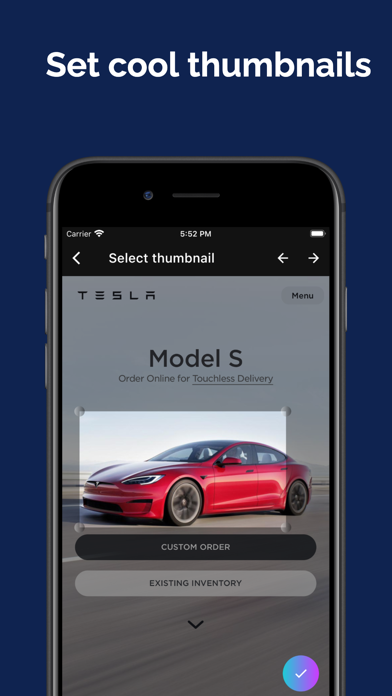
3) "Thumbnail image function for easy search of bookmarks" You can set a thumbnail image of a part of a website as a bookmark. You can set a thumbnail image of a part of a website as a bookmark, which is convenient to find bookmarks visually.
4) "Category function to classify bookmarks" You can create categories to categorize your bookmarks. You can create categories to categorize your bookmarks. Categories are displayed as tabs, so you can switch between them intuitively by swiping. Categories can be created for regular bookmarks and secret bookmarks respectively.
5) "Separate Browser Usage Function" You can set your device to open bookmarks using a browser that is not set as the default. The following browser applications are supported. - Google Chrome - Firefox - Firefox Focus
6) "Easy bookmarking from sharing" If you want to save the website you are viewing in the browser application, you can immediately open Bookmark Safe from the share button and save it as a bookmark.
7) "Full tutorials" A dedicated webpage shows you how to use the app. A question form is also provided, so please feel free to ask questions if you have trouble using the application.
■ For those who are having trouble with bookmark management applications This is recommended for those who are not satisfied with applications such as VisiMarks, Bookmark Folder, My Bookmarks, Smart Bookmark, Keeplink.
Each subscription will automatically renew 3 days before the expiration date for
the same time period. Subscriptions can be cancelled at any time before the renewal.