

Bookmarks Validator
Bookmarks Validator is made and published by Gilbert Hansen. AppBrain is an independent app data site and isn't affiliated with Gilbert Hansen. The app name, icon, screenshots and description belong to Gilbert Hansen and are shown as published on the App Store.
AppBrain's verdict
- Last updated
- February 12, 2026
Rankings
App Store top chartsApp Store Rankings for Bookmarks Validator
Competitors
Similar apps and more from Gilbert HansenAlternatives to Bookmarks Validator




More from Gilbert Hansen


Releases
Updates seen on the App Store- Version
- 4.0.0
- Launched
- October 2019
No changelog data
User feedback
Ratings and reviews on the App StoreComments on Bookmarks Validator for iOS
We don't have enough comments to show example comments. Please check back later.
Technology
Found in the app by AppBrain- Price
- $0.99
- App size
- 5.01 MB
- Content rating
- Everyone
Technologies used by Bookmarks Validator
About the app and developer
About Bookmarks Validator
Bookmarks Validator is an utilities app developed by Gilbert Hansen.
What is the rating of Bookmarks Validator?
Bookmarks Validator has no ratings yet.
Is Bookmarks Validator free?
Bookmarks Validator costs $0.99. The app size is 5.01 MB. The latest version available is 4.0.0. The last update was on February 12, 2026.
What are the requirements for Bookmarks Validator?
The app has a content rating of Everyone. The app has been available on the App Store since October 2019.
Developer information for Gilbert Hansen
Address:
Store listing
By Gilbert Hansen, from the App Store



Description by Gilbert Hansen Written by the developer, not by AppBrain. Click to read.
Features:
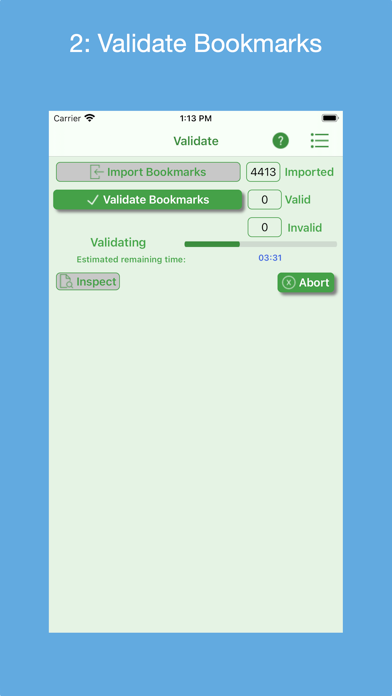
* Supports bookmark HTML files exported by the Safari, Firefox, Chrome, Brave and Opera desktop browsers.
* Bookmarks files can be accessed from the iOS app's Documents folder, a macOS Downloads folder or the user's iCloud Drive.
* Can display any exported Bookmarks file and any generated validation results file.
* Can e-mail the invalid HTML file as an attachment and/or print it. Likewise for any exported Bookmarks file.
* Quick Guide provides a quick way to learn how to use the app.
* Quick Tour of app that demonstrates its features and how to use them; viewable on-demand.
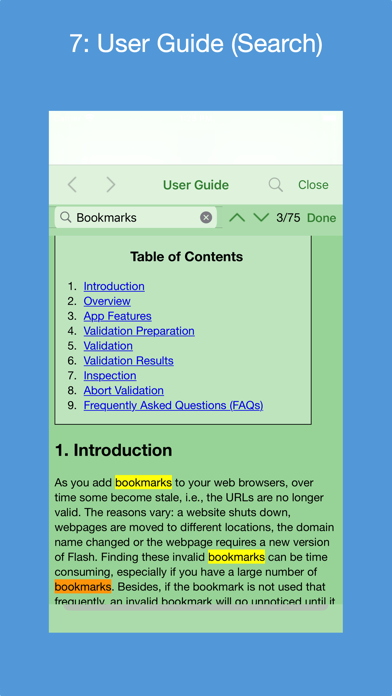
* Detailed User Guide on how to use the app; includes a list of Frequently Ask Questions (FAQs). User Guide can be searched.
* Help Tips to guide and remind user how to proceed.
* Ability to send e-mail to the developer to report an issue and get back a solution, ask usage questions and/or make improvement suggestions.
* Optionally request to rate the app in the App Store.
* Supports dark mode.
Note: Browser bookmarks files need to be placed in a "Bookmarks Validator" folder. On an iOS device, this folder resides in the Documents folder. On a macOS device, this folder resides in the Downloads folder. On iCloud, it resides in the iCloud Drive. The User's Guide provides instructions on how to set this up.