Bracket 360 HDRI is an overall app developed by Pete Draper.
Download Statistics
User Ratings
The app has no ratings yet.
App Information
Bracket 360 HDRI costs $9.99 to download. The APK download size is 44.69 MB. The latest version available is 1.0. The last update was on July 1, 2026.
Technical Requirements
The app has a content rating of Everyone. The app has been available on Google Play a couple of days.
Description
HDRI Camera Controller puts a complete Visual Effects (VFX) HDRI bracketing workflow in your pocket, built specifically for the Insta360 X5 (may support other cameras running the OSC Protocol).
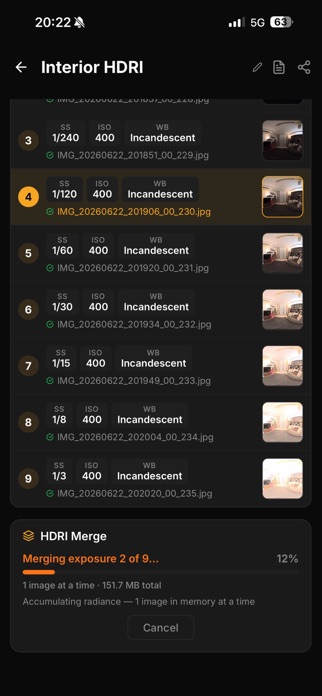
Connect to your camera over Wi-Fi, design your bracket preset, and run the exposure sequence — the app fires each shot, transfers the JPEGs to your device, and keeps everything organised in named sessions. No desktop required, no manual file shuffling.
Bracketing & Presets Build presets for any scene — choose your EV spacing, number of exposures, ISO, white balance, and shutter range. Save and recall presets instantly so you can repeat identical shoots across locations.
Timed Sequences Set a countdown before the sequence fires, giving you time to step clear of the lens or steady a tripod.
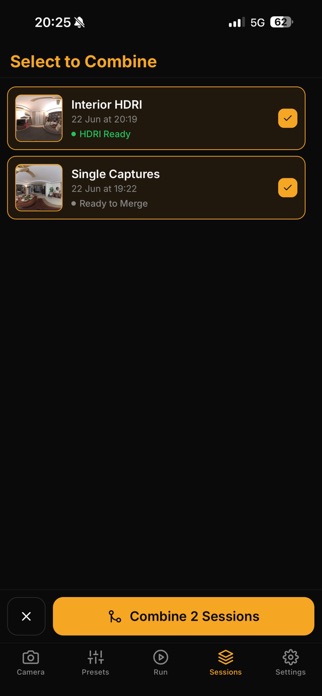
On-device Session Management Every run creates a named session. Browse your captures shot by shot, rename sessions, review individual exposures, and delete what you no longer need — all offline, all local. Add ad-hoc sessions and merge them to refine the HDRI
iPad & iPhone Optimised for both. The iPad layout puts the live preview and controls side by side so you can monitor and adjust without switching views.
Session Reports Rename the session to, say, the Slate number of a shot or a position and generate a CSV containing the date of shoot, exposure settings, filename of the media. Your HDRI will automatically be labelled the same as your session.
Transfer Multiple Ways Share the HDRI using the native on-device sharing or connect your phone / iPad to your Mac to transfer the media; all sessions are structured in their own folder and include a CSV of each session report for tracking.
Use as a Backup All original media stays on the camera device and is copied to your phone for processing; if you accidentally delete the camera's card, the media will still be on your Apple device! Running out of space? You can clear out the photos off your Apple device session by session after you generate your HDRI. Want to bring the photos back to process again? You can recall the photos from the camera back to the individual shots within a session.
Who it's for VFX artists, arch-viz photographers, and game environment artists who need repeatable, calibrated HDRI captures in the field.
Requires an Insta360 X5 camera connected via its native Wi-Fi hotspot.
NOTE: This app does not work for RAW capturing; due to the OSC limitations, it overrides the device to shoot JPEG. To compensate, shoot with a smaller EV step with more exposures. HDRI building requires the on-device unwrapping and merging of both Fish Eye lenses which it does automatically on the camera prior to transfer. Turning off In-Camera Stitching will disable any session's ability to create a HDRI on-device (you can still do it on your own equipment).
Each subscription will automatically renew 3 days before the expiration date for
the same time period. Subscriptions can be cancelled at any time before the renewal.