
Brain Training - Speed Tap
Brain Training - Speed Tap is made and published by Takao Ichimura. AppBrain is an independent app data site and isn't affiliated with Takao Ichimura. The app name, icon, screenshots and description belong to Takao Ichimura and are shown as published on the App Store.
AppBrain's verdict
- Rating on App Store
- 4.33
- 3 ratings
- Last updated
- March 18, 2026
It doesn't have enough ratings yet to judge what users think.
Rankings
App Store top chartsApp Store Rankings for Brain Training - Speed Tap
Competitors
Similar apps and more from Takao IchimuraAlternatives to Brain Training - Speed Tap








More from Takao Ichimura



Releases
Updates seen on the App Store- Version
- 3.0.0
- Launched
- August 2022
No changelog data
User feedback
Ratings and reviews on the App StoreComments on Brain Training - Speed Tap for iOS
We don't have enough comments to show example comments. Please check back later.
Technology
Found in the app by AppBrain- Price
- Free
- App size
- 8.71 MB
- Content rating
- Everyone
Technologies used by Brain Training - Speed Tap
About the app and developer
About Brain Training - Speed Tap
Brain Training - Speed Tap is a games app developed by Takao Ichimura.
What is the rating of Brain Training - Speed Tap?
Brain Training - Speed Tap is rated 4.33 out of 5 stars, based on 3 ratings.
Is Brain Training - Speed Tap free?
Brain Training - Speed Tap is free. The app size is 8.71 MB. The latest version available is 3.0.0. The last update was on March 18, 2026.
What are the requirements for Brain Training - Speed Tap?
The app has a content rating of Everyone. The app has been available on the App Store since August 2022.
Developer information for Takao Ichimura
Address:
Store listing
By Takao Ichimura, from the App Store

Description by Takao Ichimura Written by the developer, not by AppBrain. Click to read.
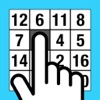
Tap the randomly arranged number keys in order from 1, and compete for the time to tap all the keys.
Number of keys are selectable.
Best time and latest time with date are displayed at the top of the screen.
It has an online ranking feature that makes it easy to compete with your friends for the highest score.
"Speed tap" can be used not only for brain training, but also for playing against friends and party games, etc.
"Speed tap" promotes children's interest in numbers.
(How to use)
- Tap [START] button to start the countdown.
- When the countdown ends, the number keys in question are placed and the time measurement starts, so please tap the number keys in order from 1.
- When you tap all the keys, the time measurement ends and the resulting time is displayed.
- Press the [REPLAY] button to proceed to the next game.
- You can cancel the measurement with [Cancel] button (Long Tap).
- You can set the setting items with [Setting] button.
- You can view the online rankings by clicking the [Rankings] button.
- You can turn the sound on and off by tapping the sound mark.
(Setting items)
- Number of keys (16,25(Default),36,49)
- Reset the best time
The developer assumes no responsibility for any loss or claims by third parties which may arise from the use of this app.
Brain Training - Speed Tap
Ⓒ 2022 Takao Ichimura