
Brain Tutor 3D
Brain Tutor 3D is made and published by Rainer Goebel. AppBrain is an independent app data site and isn't affiliated with Rainer Goebel. The app name, icon, screenshots and description belong to Rainer Goebel and are shown as published on the App Store.
AppBrain's verdict
Established- Rating on App Store
- 4.58
- 12 ratings
- Last updated
- February 25, 2023
- Size
- 73.3 MB
It doesn't have enough ratings yet to judge what users think.
User feedback
Ratings and reviews on the App StoreComments on Brain Tutor 3D for iOS
We don't have enough comments to show example comments. Please check back later.
Store listing
By Rainer Goebel, from the App Store


Description by Rainer Goebel Written by the developer, not by AppBrain. Click to read.
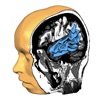
Brain Tutor 3D uses rendered head and brain models as well as fiber tracts that were created from magnetic resonance imaging (MRI) scans of a study volunteer. The MRI data allows to look "inside" the brain using real-time slicing at millimeter resolution. For students, cognitive neuroscientists, medical professionals and everyone interested in the brain, the program provides information about the anatomy and function of the human brain with various atlases describing and visualizing lobes, gyri, sulci, Brodmann areas, subcortical structures, selected specialized functional areas and major fiber tracts.
With Brain Tutor 3D you can:
* Explore high-resolution 3D models of the head and brain in real-time.
* Visualize major white matter fiber tracts.
* Slice the brain along three axes (sagittal, axial and coronal).
* View MRI brain slices at millimeter resolution.
* Learn from text information about the functions of selected lobes, gyri, sulci, subcortical structures, Brodmann areas, functional areas and fiber tracts.
* Learn where brain structures are located both within 3D brain models as well as in MRI slices.
To get started:
* Tap on a 3D brain model to reveal a brain area at that location.
* Switch to another atlas and a specific brain area or fiber tract using the navigation tables.
* Select a 3D model (brain hemisphere, head) with the tab bar buttons at the bottom.
* Pan with one finger to rotate the brain model scene.
* Pan with two fingers to move the brain model scene.
* Use pinch gesture to zoom a brain model.
* Select the head model to switch to head slicing mode.
* Switch between navigation and slicing mode with two icons on right side in the top bar.
* In head slicing mode, pan with one finger to move the slicing plane.
* Tap on a slicing direction icon in the top bar to switch between three orthogonal slice planes.
* Tap on text icon (iPhone/iPod Touch) or info icons in brain areas/tracts table to view text information about selected brain structure.
This app has been designed and programmed by Prof. Rainer Goebel, a leading expert in anatomical and functional brain imaging and award-winning developer of scientific software. For more information about his work, see http://www.brainvoyager.com/RainerGoebel.html.
Safety and technology
Found in the app by AppBrain- Price
- Free
- App size
- 73.3 MB
- Content rating
- Everyone
Technologies used by Brain Tutor 3D
Releases
Updates seen on the App Store- Version
- 3.0
- Launched
- before 2010
No changelog data
Alternatives
Similar apps and more from Rainer GoebelAlternatives to Brain Tutor 3D







More from Rainer Goebel

Rankings
App Store top chartsApp Store Rankings for Brain Tutor 3D
About the app and developer
About Brain Tutor 3D
Brain Tutor 3D is an education app developed by Rainer Goebel.
User Ratings
Brain Tutor 3D is rated 4.58 out of 5 stars. The rating is based on 12 ratings.
App Information
Brain Tutor 3D is freely available from the App Store. The app size is 73.35 MB. The latest version available is 3.0. The last update was on February 25, 2023.
Technical Requirements
The app has a content rating of Everyone. The app has been available on the App Store since before 2010.
Developer information for Rainer Goebel
Address:
Frequently asked questions about Brain Tutor 3D
Is Brain Tutor 3D free?
Yes. Brain Tutor 3D is free on the App Store.
Is Brain Tutor 3D still available?
Yes. Brain Tutor 3D is on the App Store, and the last update we saw was on February 25, 2023.
How large is Brain Tutor 3D?
Brain Tutor 3D is 73.35 MB.
Is Brain Tutor 3D suitable for children?
App Store rates the content of Brain Tutor 3D as suitable for everyone.
How do people rate Brain Tutor 3D?
Brain Tutor 3D scores 4.58 out of 5 stars, from 12 ratings on the App Store.
Who made Brain Tutor 3D?
Brain Tutor 3D was developed by Rainer Goebel. It is listed in the education category on the App Store.
What are the best alternatives to Brain Tutor 3D?
People looking at Brain Tutor 3D also look at these education apps: Time2Track, Human Anatomy 4D-Mixed Reality, Anatomy and Physiology GO, NUGO, BITS Lab - staRt.