Bricks Breaker
Bricks Breaker is made and published by NIKOLAY KOVALSKIY. AppBrain is an independent app data site and isn't affiliated with NIKOLAY KOVALSKIY. The app name, icon, screenshots and description belong to NIKOLAY KOVALSKIY and are shown as published on the App Store.
AppBrain's verdict
- Last updated
- August 20, 2025
Rankings
App Store top chartsApp Store Rankings for Bricks Breaker
Competitors
Similar apps and more from NIKOLAY KOVALSKIYReleases
Updates seen on the App Store- Version
- 1.0
- Launched
- August 2025
No changelog data
User feedback
Ratings and reviews on the App StoreComments on Bricks Breaker for iOS
We don't have enough comments to show example comments. Please check back later.
Technology
Found in the app by AppBrain- Price
- Free
- App size
- 118.6 MB
- Content rating
- Everyone
Technologies used by Bricks Breaker
About the app and developer
About Bricks Breaker
Bricks Breaker is a games app developed by NIKOLAY KOVALSKIY.
What is the rating of Bricks Breaker?
Bricks Breaker has no ratings yet.
Is Bricks Breaker free?
Bricks Breaker is free. The app size is 118.65 MB. The latest version available is 1.0. The last update was on August 20, 2025.
What are the requirements for Bricks Breaker?
The app has a content rating of Everyone. The app has been available on the App Store since August 2025.
Developer information for NIKOLAY KOVALSKIY
Address:
Store listing
By NIKOLAY KOVALSKIY, from the App StoreDescription by NIKOLAY KOVALSKIY Written by the developer, not by AppBrain. Click to read.
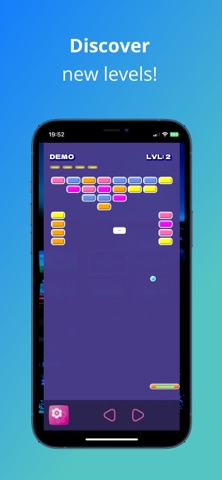
- 12 levels of ball versus bricks madness!
- Catch powerups destroying the bricks!
- If you are lucky enough shoot at bricks in Destroyer mode!
- Discover hidden music by catching rare powerups
- Auto-generated levels
- Available in 9 languages
- Play with touch/keyboard/mouse/apple controllers
A free open-source cross-platform game made with DrawnUI for .NET MAUI
https://github.com/taublast/DrawnUi.Breakout
How To Play
With touch:
- Tap the bottom-left corner button to open Settings.
- By default you can move one finger everywhere, the bottom HUD would be just the conviniet area to place it.
- Settings: if you enable "Press HUD" mode you would then need to press the left or right arrows of bottom HUD to move the paddle instead of panning the finger everywhere
With keyboard/mouse/controller:
- Left, Right to move Paddle
- Up, Down to move inside Settings
- Space/Enter, to Fire
- Esc to open Settings
Credits
* Music - All by `Eric Matyas` ([Soundimage.org](https://Soundimage.org)) please visit his site if you need high quality gaming audio content
* Sound FX - Those by `Eric Matyas` ([Soundimage.org](https://Soundimage.org)): powerup27, quirky7, quirky26, synthchime2, bells1
* Glassy App Icons - The settings button by `Laura Reen`, fell in love with the settings icon, licensed under CC Attribution
* Screenshots - made with https://hotpot.ai/