

Brynhildr - Remote Desktop
Brynhildr - Remote Desktop is made and published by LAUNCELOT, K.K. AppBrain is an independent app data site and isn't affiliated with LAUNCELOT, K.K. The app name, icon, screenshots and description belong to LAUNCELOT, K.K. and are shown as published on the App Store.
AppBrain's verdict
- Last updated
- April 4, 2026
Rankings
App Store top chartsApp Store Rankings for Brynhildr - Remote Desktop
Competitors
Similar apps and more from LAUNCELOT, K.K.More from LAUNCELOT, K.K.

Releases
Updates seen on the App Store- Version
- 1.0.4
- Launched
- March 2026
No changelog data
User feedback
Ratings and reviews on the App StoreComments on Brynhildr - Remote Desktop for iOS
We don't have enough comments to show example comments. Please check back later.
Technology
Found in the app by AppBrain- Price
- $4.99
- App size
- 486.0 KB
- Content rating
- Everyone
Technologies used by Brynhildr - Remote Desktop
About the app and developer
About Brynhildr - Remote Desktop
Brynhildr - Remote Desktop is an utilities app developed by LAUNCELOT, K.K.
User Ratings
The app has no ratings yet.
App Information
Brynhildr - Remote Desktop costs $4.99. The app size is 486.00 kB. The latest version available is 1.0.4. The last update was on April 4, 2026.
Technical Requirements
The app has a content rating of Everyone. The app has been available on the App Store since March 2026.
Developer information for LAUNCELOT, K.K.
Address:
Frequently asked questions about Brynhildr - Remote Desktop
Is Brynhildr - Remote Desktop free?
No. Brynhildr - Remote Desktop costs $4.99 on the App Store.
Is Brynhildr - Remote Desktop still available?
Yes. Brynhildr - Remote Desktop is on the App Store, and the last update we saw was on April 4, 2026.
How large is Brynhildr - Remote Desktop?
Brynhildr - Remote Desktop is 486.00 kB.
Is Brynhildr - Remote Desktop suitable for children?
App Store rates the content of Brynhildr - Remote Desktop as suitable for everyone.
Who made Brynhildr - Remote Desktop?
Brynhildr - Remote Desktop was developed by LAUNCELOT, K.K. It is listed in the utilities category on the App Store.
Store listing
By LAUNCELOT, K.K., from the App Store

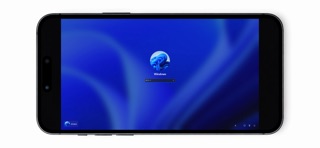


Description by LAUNCELOT, K.K. Written by the developer, not by AppBrain. Click to read.
画面転送、音声伝送、遠隔操作、マルチモニターに対応しています。
▼動作環境
操作される側のWindowsパソコンで、Brynhildr Free(Windows版)が起動している必要があります。
本アプリ(iOS版Brynhildr)をご利用いただくには、Windowsパソコンと同一のローカルエリアネットワーク(LAN)に接続されている必要があります。
Brynhildr Freeは、以下の公式サイトから無料でダウンロードできます。
https://vritra.remotedesktop.jp/
▼初期設定
1.操作される側のWindowsパソコンで、公式サイトからBrynhildr Freeをダウンロードします。
2.Brynhildr Freeをサーバーモードで起動します(詳しい初期設定については公式サイトをご確認ください)。
3.WindowsパソコンのIPアドレスと指定したポート番号をメモします。
4.操作する側の本アプリ(iOS版Brynhildr)を起動します。
5.メモしたWindowsパソコンのIPアドレスとポート番号を起動画面に入力します。
6.中央の接続ボタンをタップすると接続できます。
▼操作方法
起動画面で、接続先のIPアドレス、ポート番号、パスワードを入力します。
接続ボタンを左右にスワイプすると接続履歴(最大10件)が表示され、下にスワイプすると消去、上にスワイプすると消去のアンドゥが行えます。
接続後は、ピンチイン/ピンチアウトによるズームイン/ズームアウト、2本指でのスワイプによるスクロール、タップによる左クリックが可能です。
「Guide」ボタンでガイド表示機能のオン/オフを切り替えられます。
中央の接続ボタンをタップすると接続できます。
パスワードが間違っている場合は、インジケーターが赤色になります。
IPアドレスの入力ミスなどにより接続できない場合は、「Cancel」ボタンで前の画面に戻ることができます。
接続が完了すると、Windowsの画面が表示されます。
画面左端から中央方向へスワイプすると、コントロールパネルが表示されます。
コントロールパネル表示中はマウスカーソルが相対移動になり、「Left」「Right」「Middle」「Wheel」の各ボタンでタッチパッドのようなマウス操作ができます。
「Fn(Option)」ボタンでは各種設定を変更でき、スワイプでコントロールパネルの移動や消去が可能です。
「Monitor」ボタンで、マルチモニター使用時に表示するモニターを変更できます。
「Sound Cache」ボタンで音声伝送のキャッシュサイズを変更できます。
「Video Quality」ボタンで画質を変更できます。
「Video FPS」ボタンでフレームレートを変更できます。
画面右端から中央方向へスワイプすると、キーボードが表示されます。
「Fn」ボタンをスワイプすると、キーボードの移動や消去ができます。
▼利用規約
https://launcelot.co.jp/terms/