

Building Blocks Master
Building Blocks Master is made and published by hideyuki kubo. AppBrain is an independent app data site and isn't affiliated with hideyuki kubo. The app name, icon, screenshots and description belong to hideyuki kubo and are shown as published on the App Store.
AppBrain's verdict
- Last updated
- July 24, 2026
Rankings
App Store top chartsApp Store Rankings for Building Blocks Master
Competitors
Similar apps and more from hideyuki kuboAlternatives to Building Blocks Master








More from hideyuki kubo






Releases
Updates seen on the App Store- Version
- 4.0
- Launched
- December 2019
No changelog data
User feedback
Ratings and reviews on the App StoreComments on Building Blocks Master for iOS
We don't have enough comments to show example comments. Please check back later.
Technology
Found in the app by AppBrain- Price
- $0.99
- App size
- 1.07 GB
- Content rating
- Everyone
Technologies used by Building Blocks Master
About the app and developer
About Building Blocks Master
Building Blocks Master is a games app developed by hideyuki kubo.
What is the rating of Building Blocks Master?
Building Blocks Master has no ratings yet.
Is Building Blocks Master free?
Building Blocks Master costs $0.99. The app size is 1.07 GB. The latest version available is 4.0. The last update was on July 24, 2026.
What are the requirements for Building Blocks Master?
The app has a content rating of Everyone. The app has been available on the App Store since December 2019.
Developer information for hideyuki kubo
Address:
Store listing
By hideyuki kubo, from the App Store





Description by hideyuki kubo Written by the developer, not by AppBrain. Click to read.
It can be played safely by people of all ages, from young children to seniors.
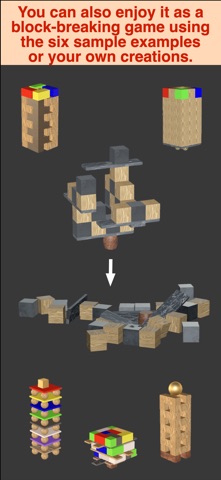
In particular, a sample is included by default so that it can be enjoyed as a block-breaking game. Of course, you can also enjoy using your own created building blocks as a block-breaking game.
Main features are as follows:
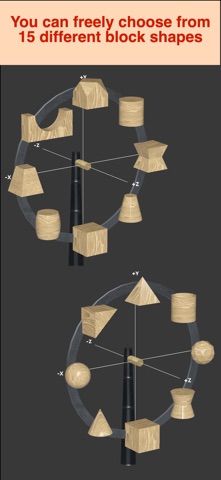
1. There are 14 different building block shapes.
2. In addition to solid colors, you can choose from 14 different textures for the block surfaces.
3. An infinite number of solid colors can be set.
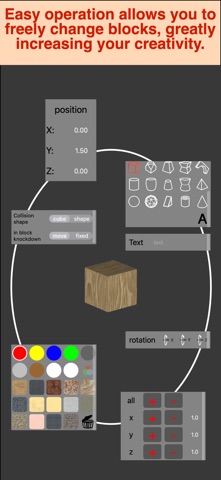
4. Blocks can be easily added up, down, left, right, and right.
5. Blocks can be added continuously with a long press tap gesture.
6. The shape and orientation of blocks can be changed later.
7. The size (length, width, and height) can be freely changed.
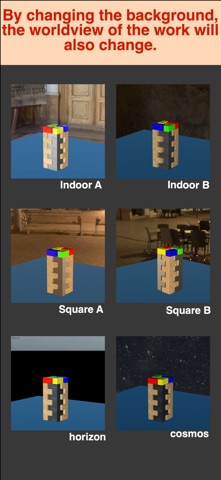
8. The surrounding (wall) colors can be selected from 10 options, including 6 realistic backgrounds and 4 solid colors, allowing you to enjoy a unique world view.
9. You can export your masterpiece as a PNG file via screenshot.
10. With the video creation mode, you can record and publish videos of your completed creations and the process of creating them.
11. Since gravity is not applied, you can set blocks while they are still in the air.
12. Since gravity can be applied later, you can have fun destroying your creations all at once and then recreating them.
13. With the block-breaking mode, you can enjoy it as a game.
14. With the AR mode, you can create and display creations in real space.
This simple building block app fosters limitless creativity.
We hope that users of all ages will enjoy it.