byeWatch is made and published by
YOUNG SUK SOUL.
AppBrain is an independent app data site and isn't affiliated with YOUNG SUK SOUL.
The app name, icon, screenshots and description belong to YOUNG SUK SOUL and are shown as
published on the App Store.
About byeWatch
byeWatch is an utilities app developed by YOUNG SUK SOUL.
What is the rating of byeWatch?
byeWatch has no ratings yet.
Is byeWatch free?
byeWatch costs $2.99. The app size is 31.08 MB. The latest version available is 1.1.0. The last update was on August 31, 2026.
What are the requirements for byeWatch?
The app has a content rating of Everyone. The app has been available on the App Store since August 2026.
Description by YOUNG SUK SOUL(from the App Store)
byeWatch — Eight instruments in a pocket watch
A pocket watch that is more than a clock.
byeWatch brings eight different instruments into a single pocket-watch-inspired interface. Instead of searching for buttons, interact with the watch like a real mechanical instrument.
Turn the crown to move between instruments, and use the switches around the dial to control each one.
■ 8 INSTRUMENTS
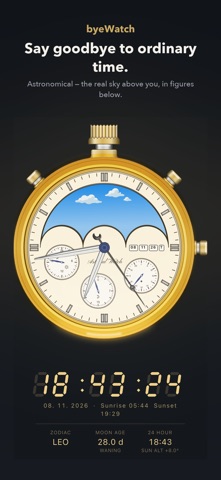
• Astronomical Track the Moon phase and tilt while the Sun and Moon move across the sky according to their actual altitude and hour angle for your location and date.
• Chronograph A classic chronograph with 60-second, 30-minute and 12-hour subdials. Watch the mechanical movement through the window, with a moving weight that reacts when you shake the device.
• World Clock Rotate the city drum to select a city and see its local time, date, weekday, UTC offset and time zone.
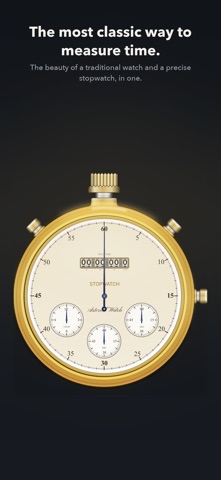
• Stopwatch Measure time down to 1/10 second and record lap and split times.
• Sunrise & Sunset See today's sunrise and sunset times and visualize the part of Earth currently illuminated by the Sun. Digital views include a 24-hour solar-altitude graph and an approximate tide curve.
• Compass Points to true north rather than magnetic north. WMM 2025 coefficients are built into the app so magnetic declination can be calculated offline using your location and date.
• Barometer & Altimeter Read atmospheric pressure in hPa and mmHg and monitor whether pressure is rising or falling. Devices with a barometric sensor can also display barometric altitude.
• Metal Detector Uses the device's magnetometer to detect local magnetic anomalies and displays them as a relative proximity index.
■ INTERACT LIKE A WATCH
Turn the crown left or right to switch instruments. Pull the crown downward to open settings. Use the 11 and 1 o'clock switches for instrument-specific controls. Use the 3 o'clock switch to reset. Swipe the dial left or right to enter digital mode. Swipe upward below the watch to reveal the information panel. Rotate the device horizontally to open the landscape information panel.
■ MAKE IT YOUR WATCH
Customize the case color, dial color, hand design and index style.
Choose from silver, platinum, graphite, steel, gold, champagne, brass, rose gold, copper, navy, blue steel and teal.
Reorder the instruments or hide the ones you do not use.
■ ANALOG AND DIGITAL
Each instrument has its own visual language. When an analog dial is not enough, switch to digital mode for detailed graphs, tables and readings.
View solar-altitude graphs, pressure history, stopwatch lap records and a magnetic-anomaly scope.
In landscape mode, additional information such as battery, pressure, temperature, solar path, sunrise and sunset, Moon phase and coordinates can be displayed together.
■ DESIGNED WITH OFFLINE USE IN MIND
Location data is used on the device and is not transmitted outside it.
WMM 2025 coefficients are built into the app, allowing magnetic declination to be calculated without an internet connection.
■ SENSOR REQUIREMENTS
Compass and metal detector require a magnetometer. Barometer and altimeter require a barometric sensor. Sunrise/sunset and magnetic declination use optional location permission.
If a required sensor is unavailable, the instrument can still be opened and the app displays an appropriate notice.
■ IMPORTANT NOTICE
The metal detector is not a radar or professional metal-detection device. Its readings represent a relative magnetic proximity index, not a distance in meters.
It must not be used for buried-object detection, safety inspections or professional detection work.
byeWatch is a hobby instrument and is not intended for safety-critical navigation, aviation, surveying or other professional applications.
Requires iOS 16.0 or later.
Languages: 한국어 · English · 日本語 · 简体中文 · 繁體中文 · Deutsch · Français · Español · Italiano · Русский
Each subscription will automatically renew 3 days before the expiration date for
the same time period. Subscriptions can be cancelled at any time before the renewal.