

C Notebook is made and published by 铖 邢. AppBrain is an independent app data site and isn't affiliated with 铖 邢. The app name, icon, screenshots and description belong to 铖 邢 and are shown as published on the App Store.
AppBrain's verdict
- Rating on App Store
- 5.00
- 1 ratings
- Last updated
- November 2, 2024
It doesn't have enough ratings yet to judge what users think.
Rankings
App Store top chartsApp Store Rankings for C Notebook
Competitors
Similar apps and more from 铖 邢Alternatives to C Notebook







More from 铖 邢




Releases
Updates seen on the App Store- Version
- 3.7.0
- Launched
- March 2023
No changelog data
User feedback
Ratings and reviews on the App StoreComments on C Notebook for iOS
We don't have enough comments to show example comments. Please check back later.
Technology
Found in the app by AppBrain- Price
- $0.99
- App size
- 32.3 MB
- Content rating
- Everyone
Technologies used by C Notebook
About the app and developer
About C Notebook
C Notebook is an overall app developed by 铖 邢.
User Ratings
C Notebook is rated 5.00 out of 5 stars. The rating is based on one rating ratings.
App Information
C Notebook costs $0.99. The app size is 32.25 MB. The latest version available is 3.7.0. The last update was on November 2, 2024.
Technical Requirements
The app has a content rating of Everyone. The app has been available on the App Store since March 2023.
Developer information for 铖 邢
Address:
Frequently asked questions about C Notebook
Is C Notebook free?
No. C Notebook costs $0.99 on the App Store.
Is C Notebook still available?
Yes. C Notebook is on the App Store, and the last update we saw was on November 2, 2024.
How large is C Notebook?
C Notebook is 32.25 MB.
Is C Notebook suitable for children?
App Store rates the content of C Notebook as suitable for everyone.
How do people rate C Notebook?
C Notebook has one rating of 5.00 stars on the App Store.
Who made C Notebook?
C Notebook was developed by 铖 邢. It is listed in the overall category on the App Store.
What are the best alternatives to C Notebook?
People looking at C Notebook also look at these overall apps: app Developer 软件开发助手, Maruko - Write Personal Apps, C++ Shell - C++ code compiler, npmhub, Code - Editor Git and Terminal.
Store listing
By 铖 邢, from the App Store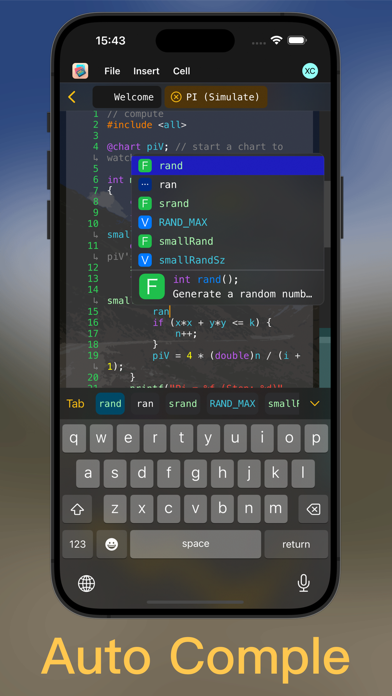
Description by 铖 邢 Written by the developer, not by AppBrain. Click to read.
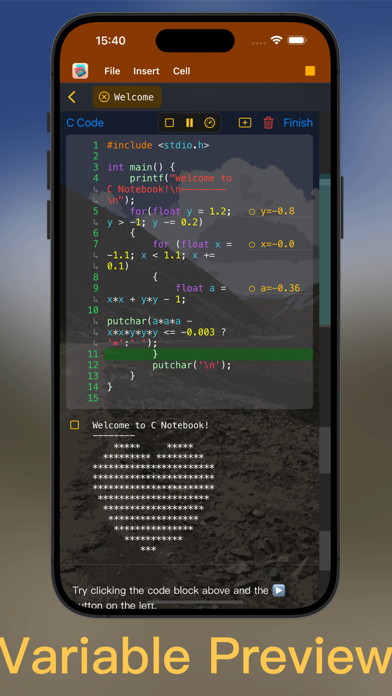
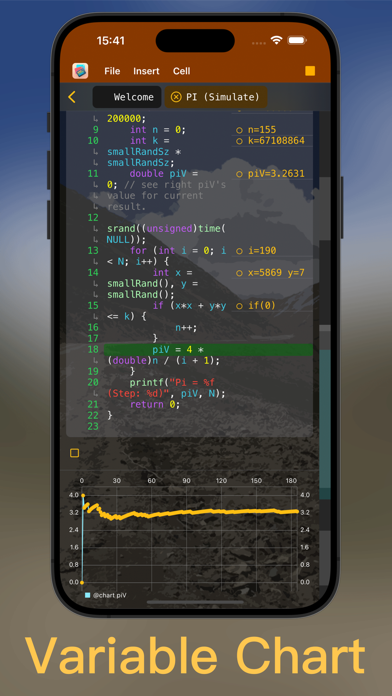
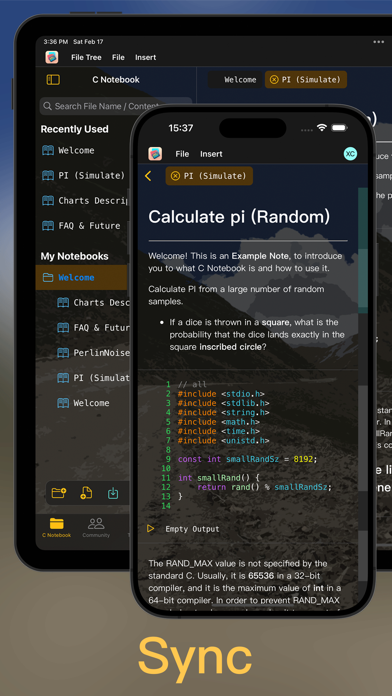
At present, the notebook supports C language writing and local debugging and running, and a series of excellent debugging methods are specially designed for the notebook: for example, during the running process, you can see the value of the variable at any time, and you can also change it at runtime The value of the variable, and even you can display the change trend of the variable value as a graph, which allows you to use C language to quickly simulate the classic probability theory experiment, and witness the convergence process of the variable value with your own eyes, which is much clearer than using text to output the variable value .
If you encounter a bug, you don't need to set any breakpoints, you can directly execute the code line by line at a slow speed, and combine real-time variable values and variable trend charts to analyze what is different from what you imagined.
Of course, the code editor won't let you down either. Supports syntax highlighting, syntax hints and very smart auto-completion and code formatting. Although the code is embedded in the note, you can still complete a piece of code by abbreviating very easily.
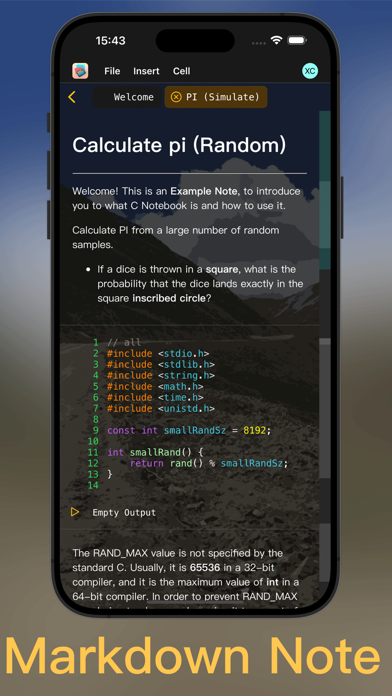
The notes support the Markdown format. If you are a Markdown expert, you should be able to edit beautiful layouts very easily, and if you are a novice, you can also write notes elegantly. iPad, iPhone and Mac can be seamlessly connected through the cloud synchronization function, and you can view, edit and run your code anywhere.
Of course, if you encounter any problems or any suggestions, please feel free to contact us. Our email is feedback@forgetive.org, welcome and adopt your opinions at any time!
------ In-App Subscription Information -------
C Notebook Premium (Auto-Renew Subscription)
When purchasing a subscription, if you log in to the online account in the app, the subscription will be bound to the online account, and you can use the online function benefits of the subscription. If you did not log in to the in-app account when purchasing, you can only use the local functions of the subscription benefits. You can register or log in to the in-app account at any time during the subscription validity period, and the App will ask you whether to bind the subscription to the account.
Payment will be debited from your iTunes account immediately after confirmation of purchase. Subscriptions may be managed and auto-renewal may be turned off by going to your Account Settings after purchase. If you start a free trial, you need to cancel the subscription at least 24 hours before the end of the trial period, otherwise the system will automatically charge you after the trial period ends.
Your subscription will automatically renew unless auto-renew is turned off at least 24-hours before the end of the current subscription period. Your account will be charged for renewal within 24-hours prior to the end of the current period. After canceling your subscription, your subscription remains active until the end of the current subscription period. No refunds will be given for current subscriptions when auto-renew is disabled. If a free trial is offered, any unused portion of the free trial period will be forfeited when you purchase a subscription.
Terms of Use: https://www.apple.com/legal/internet-services/itunes/dev/stdeula/