

Calculator Pro & Currency
Calculator Pro & Currency is made and published by Albert Parti. AppBrain is an independent app data site and isn't affiliated with Albert Parti. The app name, icon, screenshots and description belong to Albert Parti and are shown as published on the App Store.
AppBrain's verdict
Established- Rating on App Store
- 4.61
- 49 ratings
- Last updated
- December 12, 2025
It doesn't have enough ratings yet to judge what users think.
Rankings
App Store top chartsApp Store Rankings for Calculator Pro & Currency
Competitors
Similar apps and more from Albert PartiAlternatives to Calculator Pro & Currency






More from Albert Parti


Releases
Updates seen on the App Store- Version
- 1.7.4
- Launched
- February 2017
No changelog data
User feedback
Ratings and reviews on the App StoreComments on Calculator Pro & Currency for iOS
We don't have enough comments to show example comments. Please check back later.
Technology
Found in the app by AppBrain- Price
- Free
- App size
- 11.5 MB
- Content rating
- Everyone
Technologies used by Calculator Pro & Currency
About the app and developer
About Calculator Pro & Currency
Calculator Pro & Currency is an utilities app developed by Albert Parti.
What is the rating of Calculator Pro & Currency?
Calculator Pro & Currency is rated 4.61 out of 5 stars, based on 49 ratings.
Is Calculator Pro & Currency free?
Calculator Pro & Currency is free. The app size is 11.47 MB. The latest version available is 1.7.4. The last update was on December 12, 2025.
What are the requirements for Calculator Pro & Currency?
The app has a content rating of Everyone. The app has been available on the App Store since February 2017.
Developer information for Albert Parti
Address:
Store listing
By Albert Parti, from the App Store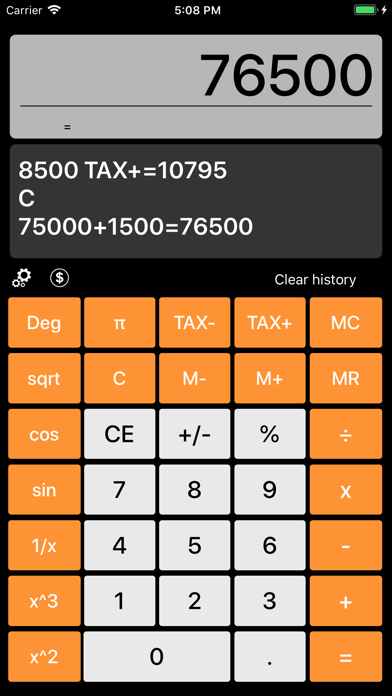


Description by Albert Parti Written by the developer, not by AppBrain. Click to read.
Support for iPad Pro Dual-window split view.
Calculation results display (In-App purchase)
The numbers entered one by one to delete. The display Swipe Gesture right.
Memory management:
•CE, MC, M +, M-, MR
Additional features include:
•Cos, sin, pi, sqrt ...
Tax calculation functions:
•Tax+: If the net amount is calculated and we want to (27%) in the amount of tax plus get, you add value to the Tax + 1.27 + TAX value and press the button to multiply the amount on display. (eg: 8500 * 1.27 = 10795).
•Tax-: If gross amount is calculated and we want to (27%) in tax net to receive a reduced amount of the Tax-value 1.27 add value and press the TAX key dividing the amount on the display. (eg 10795 ÷ 8500 = 1:27).
Settings:
•Setting Tax Values
•Set Calculator Theme and Icon