

Calendar: Schedule Planner
Calendar: Schedule Planner is made and published by Planning Technologies LLC. AppBrain is an independent app data site and isn't affiliated with Planning Technologies LLC. The app name, icon, screenshots and description belong to Planning Technologies LLC and are shown as published on the App Store.
AppBrain's verdict
- Rating on App Store
- 4.57
- 35 ratings
- Last updated
- September 2, 2026
It doesn't have enough ratings yet to judge what users think.
Rankings
App Store top chartsApp Store Rankings for Calendar: Schedule Planner
Competitors
Similar apps and more from Planning Technologies LLCAlternatives to Calendar: Schedule Planner







More from Planning Technologies LLC


Releases
Updates seen on the App Store- Version
- 1.2.2
- Launched
- April 2023
No changelog data
User feedback
Ratings and reviews on the App StoreComments on Calendar: Schedule Planner for iOS
We don't have enough comments to show example comments. Please check back later.
Technology
Found in the app by AppBrain- Price
- Free
- App size
- 301.8 MB
- Content rating
- Everyone
Technologies used by Calendar: Schedule Planner
About the app and developer
About Calendar: Schedule Planner
Calendar: Schedule Planner is a productivity app developed by Planning Technologies LLC.
User Ratings
Calendar: Schedule Planner is rated 4.57 out of 5 stars. The rating is based on 35 ratings.
App Information
Calendar: Schedule Planner is freely available from the App Store. The app size is 301.82 MB. The latest version available is 1.2.2. The last update was on September 2, 2026.
Technical Requirements
The app has a content rating of Everyone. The app has been available on the App Store since April 2023.
Developer information for Planning Technologies LLC
Address:
Store listing
By Planning Technologies LLC, from the App Store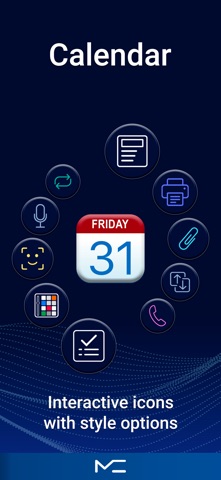



Description by Planning Technologies LLC Written by the developer, not by AppBrain. Click to read.
Calendar at the center. Tasks and notes right beside it.
This is a simple, easy-to-use calendar that helps you stay in control of your day.
Tasks and notes are built in, so you can plan everything in one place.
No clutter. Just what you really need every day.
Plan faster and more clearly
• Create events in seconds
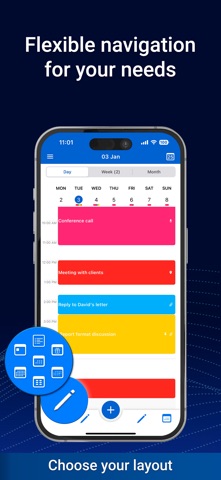
• Day, week, month, and year views in one place
• Easily adjust event times with drag and drop
• Clear visual overview of your schedule
• Works online and offline
• Full sync with iCloud, Google, Outlook, Office365, and other calendars
Flexibility that makes planning easier
• Customizable bottom navigation — keep only the features you use most
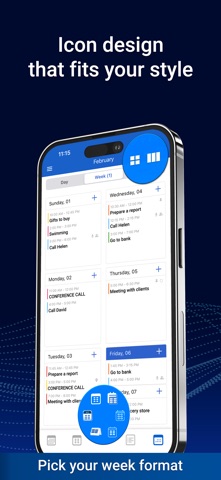
• Two week layouts: classic and agenda style
• Flexible multi-day view (2 to 14 days) and three month view formats
• Widgets, themes, and interface personalization
• Clear structure without feeling overloaded
Everything in one place
• Tasks — simple lists and clear structure
• Subtasks and category-based organization
• Notes — list view or board view
• Quick creation and editing
• Seamless connection between events, tasks, and notes
Free features
• Core calendar features
• Sync with Reminders
• Widgets and interface customization
• Recurring events and tasks
• Custom week formats
• Backup
• Unlimited notes
PRO features
• Voice input for events, tasks, and notes
• File attachments
• Convert between events, tasks, and notes
• Sharing and forwarding
• Unlimited data and advanced features
• App lock
For everyday planning
This calendar helps you organize events, tasks, and notes without extra complexity or unnecessary steps.
Support
planner@plantech.app
Terms of Use
https://mccalendar.app/terms_of_use.html
Privacy Policy
https://mccalendar.app/privacy_policy.html