

Calendar Singapore
Calendar Singapore is made and published by Yihang Huang. AppBrain is an independent app data site and isn't affiliated with Yihang Huang. The app name, icon, screenshots and description belong to Yihang Huang and are shown as published on the App Store.
AppBrain's verdict
- Last updated
- July 13, 2026
Rankings
App Store top chartsApp Store Rankings for Calendar Singapore
Competitors
Similar apps and more from Yihang Huang










Releases
Updates seen on the App Store- Version
- 1.4.7
- Launched
- June 2020
No changelog data
User feedback
Ratings and reviews on the App StoreComments on Calendar Singapore for iOS
We don't have enough comments to show example comments. Please check back later.
Technology
Found in the app by AppBrain- Price
- Free
- App size
- 12.2 MB
- Content rating
- Everyone
Technologies used by Calendar Singapore
About the app and developer
About Calendar Singapore
Calendar Singapore is a productivity app developed by Yihang Huang.
User Ratings
The app has no ratings yet.
App Information
Calendar Singapore is freely available from the App Store. The app size is 12.23 MB. The latest version available is 1.4.7. The last update was on July 13, 2026.
Technical Requirements
The app has a content rating of Everyone. The app has been available on the App Store since June 2020.
Developer information for Yihang Huang
Address:
Frequently asked questions about Calendar Singapore
Is Calendar Singapore free?
Yes. Calendar Singapore is free on the App Store.
Is Calendar Singapore still available?
Yes. Calendar Singapore is on the App Store, and the last update we saw was on July 13, 2026.
How large is Calendar Singapore?
Calendar Singapore is 12.23 MB.
Is Calendar Singapore suitable for children?
App Store rates the content of Calendar Singapore as suitable for everyone.
Who made Calendar Singapore?
Calendar Singapore was developed by Yihang Huang. It is listed in the productivity category on the App Store.
What are the best alternatives to Calendar Singapore?
People looking at Calendar Singapore also look at these productivity apps: Singapore Public Holidays 2023, Singapore Public Holidays App, FWMOMCare, Malaysia Public Holidays, Malaysia Calendar 2027 Holiday.
Store listing
By Yihang Huang, from the App Store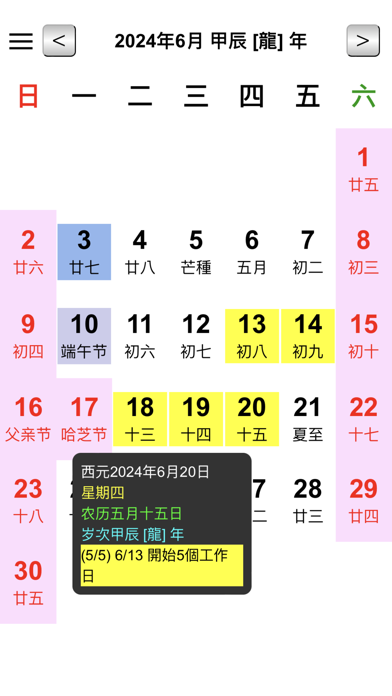


Description by Yihang Huang Written by the developer, not by AppBrain. Click to read.
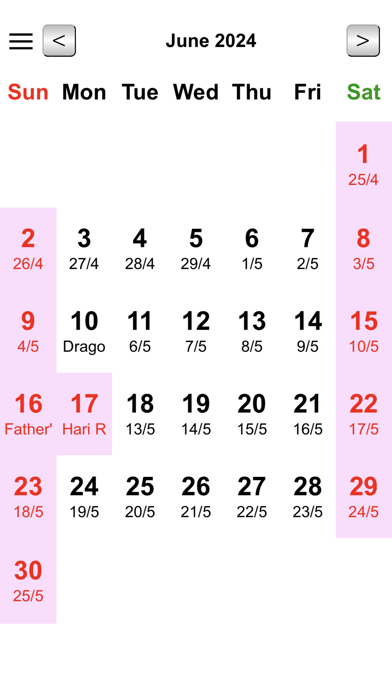
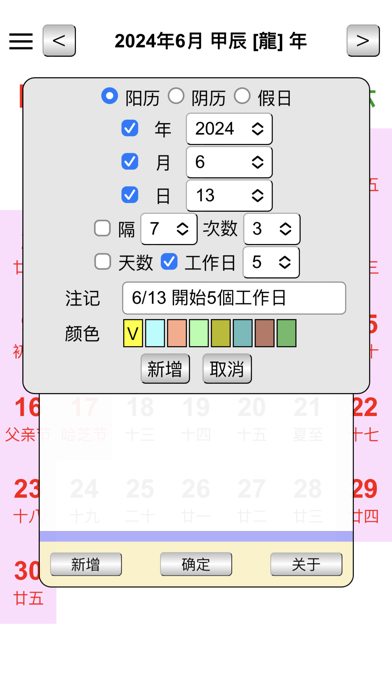
1.Gregorian and Lunar Query
2.Customize reminders for different colors of the Gregorian or Lunar calendar
3.Integrating system calendars, you can view system calendars directly in a simple calendar
4.User-set calendars can exist in the cloud space of a personal account, and the change is not lost
5.Fixed date interval reminder
6.You can add special dates to the system calendar in a simple calendar. The display will be distinguished by different colors, or you can hide other system calendars to distinguish between work and family trips
7.Reminder for weekdays (not counting holidays)
8.Users can customize vacation or non-holiday features
9.Astrology calendar
10.Customize Calendar