

Call Pet: Pet Camera is made and published by 志国 陈. AppBrain is an independent app data site and isn't affiliated with 志国 陈. The app name, icon, screenshots and description belong to 志国 陈 and are shown as published on the App Store.
AppBrain's verdict
- Rating on App Store
- 5.00
- 1 ratings
- Last updated
- September 18, 2026
- Size
- 81.5 MB
It doesn't have enough ratings yet to judge what users think.
User feedback
Ratings and reviews on the App StoreComments on Call Pet: Pet Camera for iOS
We don't have enough comments to show example comments. Please check back later.
Store listing
By 志国 陈, from the App Store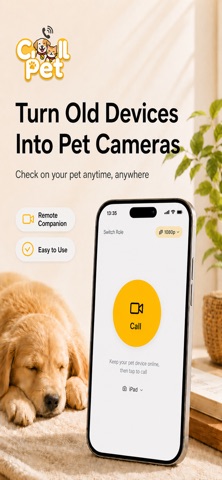

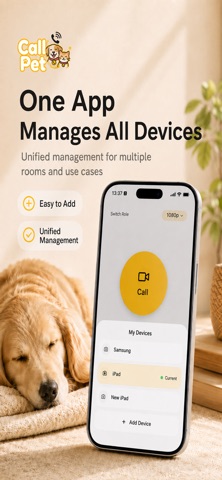

Description by 志国 陈 Written by the developer, not by AppBrain. Click to read.
Check what your cat or dog is doing, call their name, and talk to them anytime. Turn on two-way video, and the screen at home will show your video too.
It is more than checking in from afar. It is a way to see your pet whenever you miss them.
【When you miss them, give them a call】
- One-tap calling, with automatic answering on the device at home
- Watch your pet live and hear what is happening around them
- Two-way audio to call their name, talk to them, and comfort them
- Two-way video so the screen at home can show your video too
- Fun sounds and animations to help get your pet’s attention and bring them toward the camera
【More than video calls】
- Switch remotely between the front, rear, and supported ultra-wide cameras
- Turn on extra lighting remotely on supported devices
- Keep watching with Picture in Picture while using other apps
- Check the remaining battery level of the device at home
- Pair multiple devices and switch quickly between rooms or locations
- Let family members watch the video feed at the same time
- Power-saving mode lowers screen brightness and power use for longer standby
【A private connection between you and your pet】
Call Pet uses peer-to-peer connections with encrypted audio and video transmission. Pair the two devices using a QR code—no account required. Privacy comes first, and your private footage is not stored in the cloud.
【Get started in 3 steps】
1. Install Call Pet on the phone or iPad that will stay at home and set it as the “Monitor”
2. On the device you carry, select “Controller” and scan the QR code to pair
3. Turn on auto-answer, then start a call with one tap whenever you miss your pet
【Before you start】
- Call Pet requires two devices
- Keep Call Pet running on the Monitor and enable auto-answer
- A stable Wi-Fi connection is recommended; calls over 4G or 5G are also supported
- Flash, camera, and background operation may vary by device model and operating system
Leave an iPad or spare phone at home today. The next time you miss your pet, just give them a call.
Privacy Policy:
https://www.callpet.me/privacy
Terms of Use (EULA):
https://www.apple.com/legal/internet-services/itunes/dev/stdeula/
Safety and technology
Found in the app by AppBrain- Price
- Free
- App size
- 81.5 MB
- Content rating
- Low
Technologies used by Call Pet: Pet Camera
Releases
Updates seen on the App Store- Version
- 1.7.0
- Launched
- January 2026
No changelog data
Alternatives
Similar apps and more from 志国 陈Alternatives to Call Pet: Pet Camera





More from 志国 陈

Rankings
App Store top chartsApp Store Rankings for Call Pet: Pet Camera
About the app and developer
About Call Pet: Pet Camera
Call Pet: Pet Camera is a lifestyle app developed by 志国 陈.
User Ratings
Call Pet: Pet Camera is rated 5.00 out of 5 stars. The rating is based on one rating ratings.
App Information
Call Pet: Pet Camera is freely available from the App Store. The app size is 81.52 MB. The latest version available is 1.7.0. The last update was on September 18, 2026.
Technical Requirements
The app has a content rating of Low Maturity. The app has been available on the App Store since January 2026.
Developer information for 志国 陈
Address: