

CalReader - Calender logs
CalReader - Calender logs is made and published by Imaja. AppBrain is an independent app data site and isn't affiliated with Imaja. The app name, icon, screenshots and description belong to Imaja and are shown as published on the App Store.
AppBrain's verdict
Established- Rating on App Store
- 4.33
- 3 ratings
- Last updated
- August 25, 2026
It doesn't have enough ratings yet to judge what users think.
Rankings
App Store top chartsApp Store Rankings for CalReader - Calender logs
Competitors
Similar apps and more from ImajaAlternatives to CalReader - Calender logs








More from Imaja


Releases
Updates seen on the App Store- Version
- 5.0.0
- Launched
- December 2010
No changelog data
User feedback
Ratings and reviews on the App StoreComments on CalReader - Calender logs for iOS
We don't have enough comments to show example comments. Please check back later.
Technology
Found in the app by AppBrain- Price
- $6.99
- App size
- 15.5 MB
- Content rating
- Everyone
Technologies used by CalReader - Calender logs
About the app and developer
About CalReader - Calender logs
CalReader - Calender logs is a productivity app developed by Imaja.
User Ratings
CalReader - Calender logs is rated 4.33 out of 5 stars. The rating is based on 3 ratings.
App Information
CalReader - Calender logs costs $6.99. The app size is 15.55 MB. The latest version available is 5.0.0. The last update was on August 25, 2026.
Technical Requirements
The app has a content rating of Everyone. The app has been available on the App Store since December 2010.
Developer information for Imaja
Address:
Store listing
By Imaja, from the App Store



Description by Imaja Written by the developer, not by AppBrain. Click to read.
CalReader can be used to log events on work/home projects. CalReader integrates iOS, macOS and CalDAV calendars including macOS Server, Google and Yahoo calendars, and provides a unique tool for journals, diaries and event logs. CalReader's unique flexibility makes for easy browsing/reading of one's history or future. The events listing view optionally displays ALL of the text of an event in an easy to read format.
Calendar Filtering
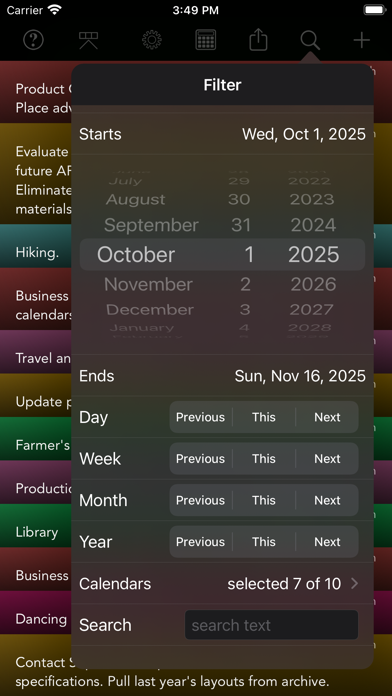
• Choose a date range to filter the visible events and to calculate hours and produce time logs.
• Easily choose a single calendar, multiple calendars or all calendars for viewing.
• Search selected calendars for text, keywords or phrases.
• The search function can be used to search for times or dates. For example, find all events in the date range that start at "9:00 AM", or events on the date "11/4/26".
Export Listings and Calculations
• The export text generated by the Copy Text With Calculations command includes a header with the current calendar names, date range and optional search text.
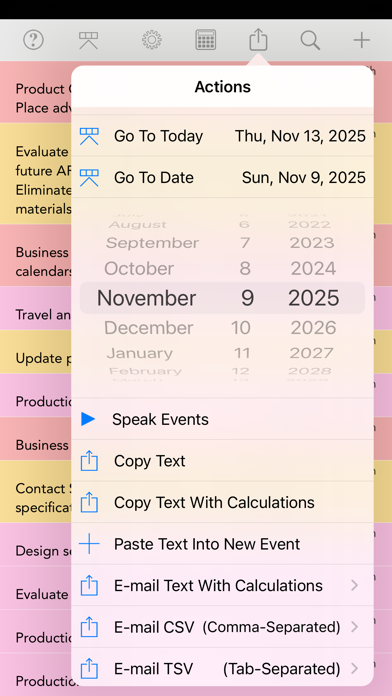
• Copy the filtered calendar text, with or without calculations, and then paste the text to other types of applications, or tap E-Mail Text to deliver the calendar text via e-mail.
• E-mail CSV (Comma-Separated Values) or TSV (Tab-Separated Values) event listing files as attachments.
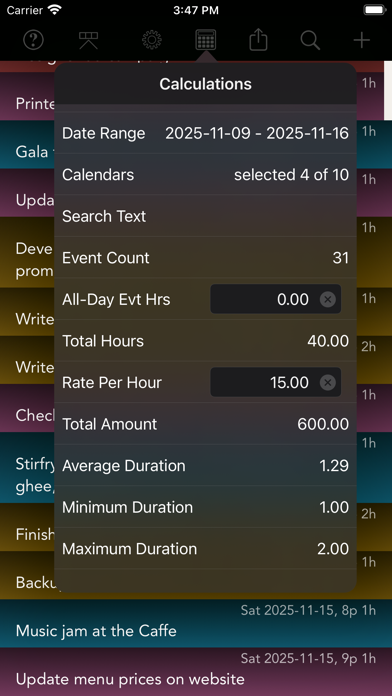
• The Calculations view displays the total hours for the filtered event set and calculates the total amount using rate per hour, useful for invoices / billing. Calculations also displays the event count, average, minimum and maximum duration for the current set of events.
Display Customization
• Dark Mode support, and app-based dark and light styles with various color effects and calendar color indications.
• Customize the font and size of the calendar text for best readability: large text is easy on the eyes, or small text for high density information.
• Use pinch touch gestures to instantly change the size of the text.
• Choose from various view styles using calendar colors, or no colors.
• Choose to view all text of each item, or limit the number of lines (1-5) for a quick overview.
Usability
• Week and Month select: Previous, This, Next buttons provide fast one-tap date range selections. Use Previous and Next buttons repeatedly to move the date range window through time.
• Go To Today and Go To Date actions provide quick navigation.
• Speak Events uses the device’s text-to-speech capabilities to speak the currently visible events.
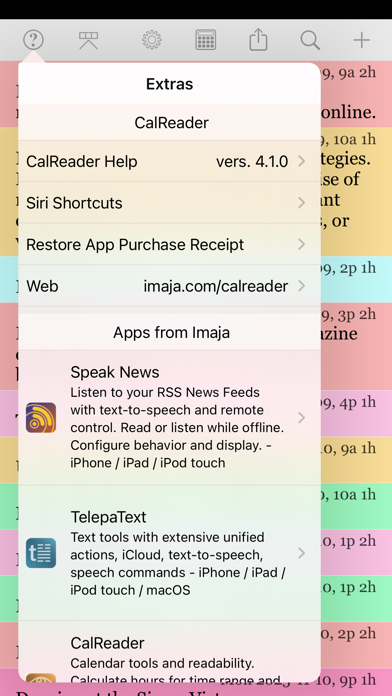
• The Filter settings, Actions, Display, Calculations and Extras sections are neatly accessible without scrolling and searching for functions.
• Tap the Done button for direct return to the main CalReader view after performing functions or settings changes.
• Event listings include the duration for each event.
• Events close to the current time are highlighted in the listing view with a gradient of orange displayed along the right edge, most intense for events close to the current time, fading off for events within 24 hours before and after the current time.
• The filter settings of CalReader help produce complete listings of events that match a date range, calendar set, and a text phrase, and readability all of the text in the filtered set of events.
• Choose to see all of the event text for all displayed events in the list, or truncated text and more items per screen.
• Update Notification sound indicates a calendar update.