

Cam.G is made and published by Lee Minku. AppBrain is an independent app data site and isn't affiliated with Lee Minku. The app name, icon, screenshots and description belong to Lee Minku and are shown as published on the App Store.
AppBrain's verdict
- Last updated
- September 25, 2024
- Size
- 5.28 MB
User feedback
Ratings and reviews on the App StoreComments on Cam.G for iOS
We don't have enough comments to show example comments. Please check back later.
Store listing
By Lee Minku, from the App Store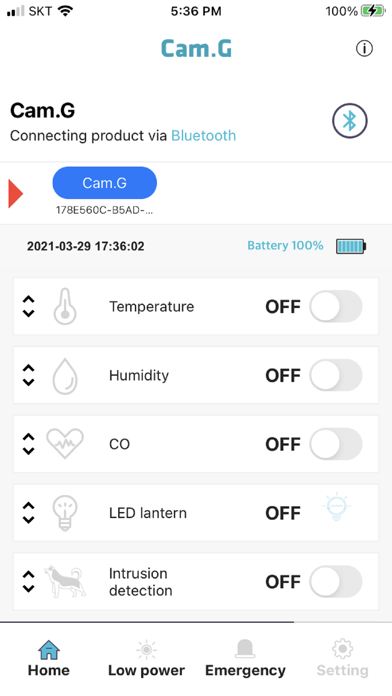
Screenshots by Lee Minku, from the the App Store listing
Description by Lee Minku Written by the developer, not by AppBrain. Click to read.
I. Cam.G Help
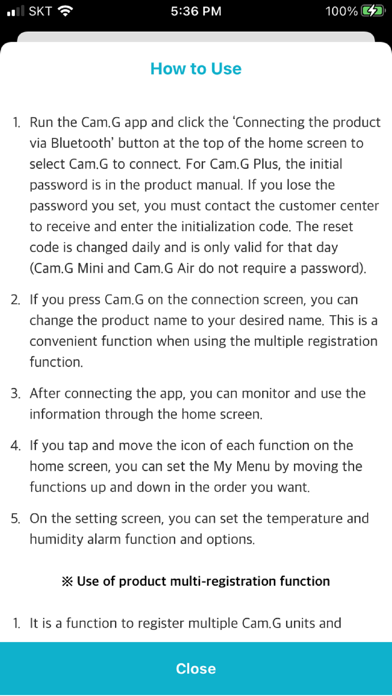
1. Run the Cam.G app and click the ‘Connecting the product via Bluetooth’ button at the top of the home screen to select Cam.G to connect. For Cam.G Plus, the initial password is in the product manual. If you lose the password you set, you must contact the customer center to receive and enter the initialization code. The reset code is changed daily and is only valid for that day (Cam.G Mini and Cam.G Air do not require a password).
2. If you press Cam.G on the connection screen, you can change the product name to your desired name. This is a convenient function when using the multiple registration function.
3. After connecting the app, you can monitor and use the information through the home screen.
4. If you tap and move the icon of each function on the home screen, you can set the My Menu by moving the functions up and down in the order you want.
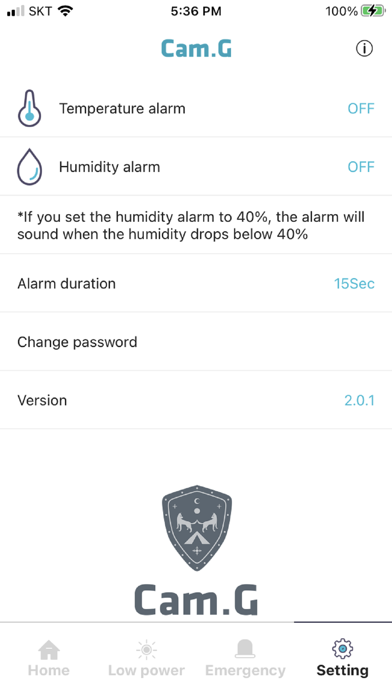
5. On the setting screen, you can set the temperature and humidity alarm function and options.
* If you install and run the app but it does not run and the app crashes, please reset the iPhone Settings → General → Reset → Reset All Settings.
II. Use of product multi-registration function
1. It is a function to register multiple Cam.G units and connect them to move.
2. Click the ‘Connecting the product via Bluetooth’ button to display a list of products that can be registered. At this time, if you select and connect the desired device, the connected product is registered at the top of the home screen, so you can conveniently connect the product.
3. If you want to disconnect a specific product after multiple product registration, you can delete the registration by long pressing the name of the connected product. If you delete a connected product, it is automatically connected to the next device in the list, and the name of the connected product moves to the front of the list.
* Cam.G, which was released before Cam.G Plus, does not provide product multi-registration.
Safety and technology
Found in the app by AppBrain- Price
- Free
- App size
- 5.28 MB
- Content rating
- Everyone
Technologies used by Cam.G
Releases
Updates seen on the App Store- Version
- 2.4.0
- Launched
- February 2018
No changelog data
Alternatives
Similar apps and more from Lee MinkuAlternatives to Cam.G


Also available on Google Play

Rankings
App Store top chartsApp Store Rankings for Cam.G
This app is not ranked
About the app and developer
About Cam.G
Cam.G is a lifestyle app developed by Lee Minku.
What is the rating of Cam.G?
Cam.G has no ratings yet.
Is Cam.G free?
Cam.G is free. The app size is 5.28 MB. The latest version available is 2.4.0. The last update was on September 25, 2024.
What are the requirements for Cam.G?
The app has a content rating of Everyone. The app has been available on the App Store since February 2018.
Developer information for Lee Minku
Address: