Download Android Apps and Games
AppBrain
  • Apps
  • Apps being viewed right now Trending apps today Most popular apps All-time most downloaded apps Top rated apps
  • Intelligence ▾
    Intelligence overview → Track any Android app or your whole market
    Track & analyze
    Keyword Tracker & OptimizerTrack & improve Play rankings App Performance ReportOne-off PDF for any app StatisticsFree Android & Play market stats
    Promote your app
    Featured Apps App Links
  • Intelligence
  • Pricing
  • Dashboard
  • Sign up
  • Log in
Last updated on: 2026-08-18
App Store Apps > Productivity > Camera for OBS Studio
Camera for OBS Studio icon

Camera for OBS Studio

3.6.3
Loft Labs Interactive Inc
4.27
3,237 reviews
Free

Camera for OBS Studio Screenshot 1 of 7
Camera for OBS Studio Screenshot 2 of 7
Camera for OBS Studio Screenshot 3 of 7
Camera for OBS Studio Screenshot 4 of 7
Camera for OBS Studio Screenshot 5 of 7
Camera for OBS Studio Screenshot 6 of 7
Camera for OBS Studio Screenshot 7 of 7
Download from the App Store

About Camera for OBS Studio

Camera for OBS Studio is an overall app developed by Loft Labs Interactive Inc.

Download Statistics

User Ratings

Camera for OBS Studio is rated 4.27 out of 5 stars. The rating is based on 3.2 thousand ratings.

App Information

Camera for OBS Studio is FREE to download. The APK download size is 22.90 MB. The latest version available is 3.6.3. The last update was on August 17, 2026.

Technical Requirements

The app has a content rating of Everyone. The app has been available on Google Play March 2018.

Description
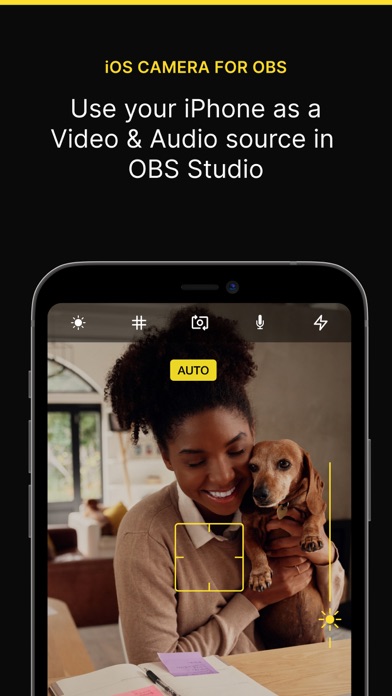
If you've ever wanted to use your iPhone camera as a video & audio input to stream using OBS Studio, we've got you covered. We've tried all the apps that let you do it over WiFi, but they're not fast enough, so we also allow you to use a wired USB connection.

The original one.

QUALITY VIDEO
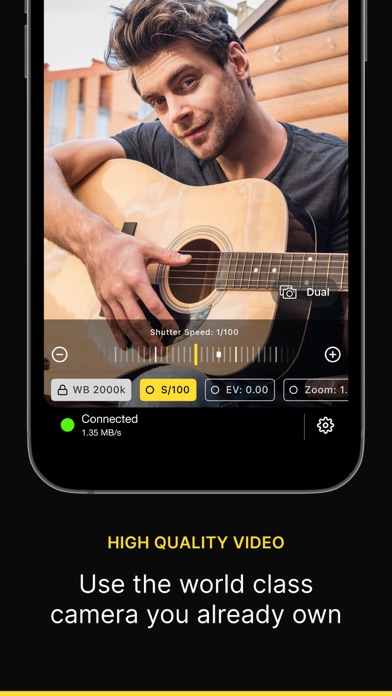
Your iPhone/iPad camera's are good, really good. In fact, there’s no comparison between the highly recommended streaming webcam, the Logitech C922 HD Pro and the iPhone 6 Camera. Stream Landscape or Portrait video.

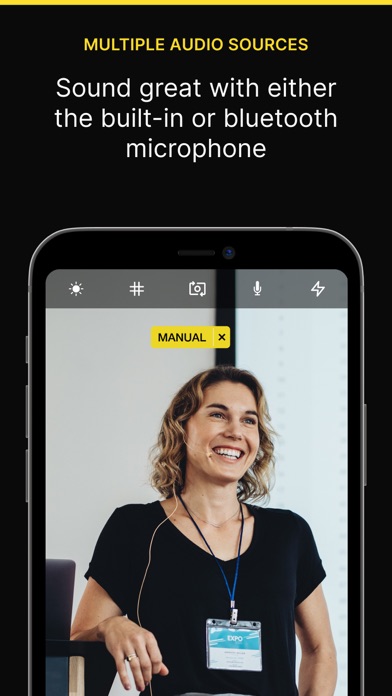
AUDIO
If you don't have a separate mic for your streaming setup, you can now use the microphone on your iOS device to stream audio & video.

FRONT CAMERA
Stream a selfie with the front camera support. Switch anytime during the stream with the familiar camera switch button.

TAP TO FOCUS, PINCH TO ZOOM
Controls just like you're used to from the Camera app.

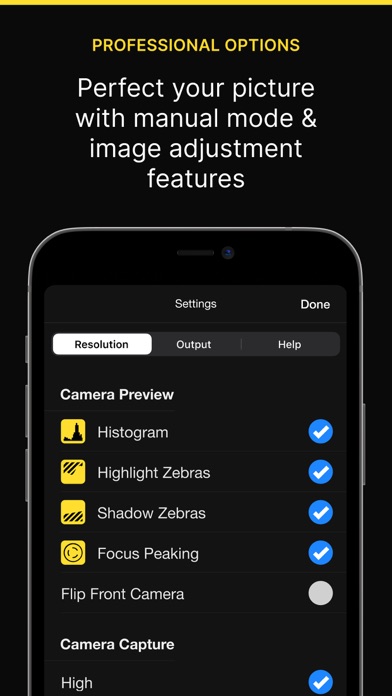
MANUAL CONTROLS
Take control of the focus, exposure, white balance as you would on a manual DSLR camera.

LOW LATENCY
Stream video over a wired USB connection. This avoids the issue of delay over wifi, as many other solutions suffer from. This is just as fast as a USB webcam!

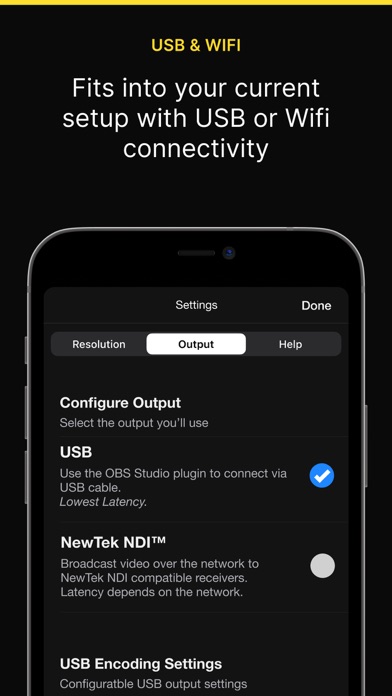
USB & WIFI
Choose the connection type. If you want low latency, use USB, if you'd like portability then use WiFi. WiFi is done using the NewTek™ NDI® protocol, so you can use Camera for OBS Studio with any NewTek™ NDI® compatible receiver.

REMOTE CONTROL
Control the app from your web browser on your computer. No need to have access to the device anymore to line up that shot perfectly.

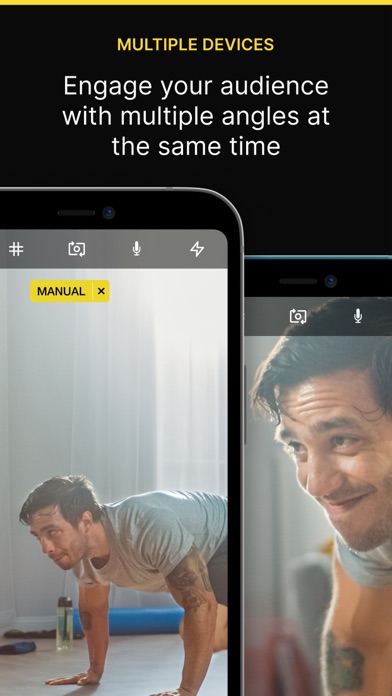
MULTIPLE DEVICES
If you're lucky enough to own multiple iOS devices, use them together and produce a multi-camera stream.

MAC AND PC
Supports OBS Studio running on macOS and Windows.

You will need to install the OBS Studio iOS Camera Plugin from our website, or use an NDI compatible receiver to use this app.

For the best possible experience make sure your device is listed on our website https://obs.camera/docs/faqs/#what-ios-hardware-do-i-need


MORE

Subscriptions will be charged to your iTunes account at confirmation of purchase. Your subscription will automatically renew unless automatic renewal is turned off at least 24 hours before the end of the current period. Your account will be charged for renewal within 24 hours prior to the end of the current period. You can manage your subscriptions and automatic renewal status in Account Settings after purchase. Any unused portion of the free trial period will be forfeited when you purchase a subscription. Price may vary by location.

Terms & Conditions/EULA: https://obs.camera/docs/terms-and-conditions/
Privacy Policy: https://obs.camera/docs/privacy-policy/
Show more Show less

More data about Camera for OBS Studio

Price Free to download
Rating 4.27 based on 3.2 thousand ratings
Ranking Not ranked
Version 3.6.3
App download size 22.9 MB
Suitable for Everyone

Alternative downloads for the Camera for OBS Studio app

Teleprompter Pro icon Teleprompter Pro
Teleprompter Apps Ltd
4.7
Free
15.3K ratings
Link to Windows icon Link to Windows
Microsoft Corporation
4.0
Free
15.3K ratings
WordPress – Website Builder icon WordPress – Website Builder
Automattic
4.6
Free
22.3K ratings
Adobe Creative Cloud icon Adobe Creative Cloud
Adobe Inc.
4.8
Free
87.4K ratings
Link to MyASUS icon Link to MyASUS
ASUSTek
4.4
Free
518 ratings
PromptSmart Lite Teleprompter icon PromptSmart Lite Teleprompter
PromptSmart
4.7
Free
4.7K ratings
Proton Mail - Encrypted Email icon Proton Mail - Encrypted Email
Proton AG
4.8
Free
46.6K ratings
Spark Mail: AI Email Assistant icon Spark Mail: AI Email Assistant
Readdle Technologies Limited
4.6
Free
82.3K ratings

More from Loft Labs Interactive Inc

Telecast Camera: HD Webcam icon Telecast Camera: HD Webcam
Loft Labs Interactive Inc
4.1
Free
56 ratings
Tides NZ icon Tides NZ
Loft Labs Interactive Inc
4.7
$3.99
20 ratings
OneTake: Captions & Teleprompt icon OneTake: Captions & Teleprompt
Loft Labs Interactive Inc
4.9
Free
8 ratings
Tides AUS icon Tides AUS
Loft Labs Interactive Inc
0.0
$1.99

Changelog of Camera for OBS Studio

No changelog data

Developer information for Loft Labs Interactive Inc

Loft Labs Interactive Inc

Address:

Share Camera for OBS Studio

Comments on Camera for OBS Studio for iOS

We don't have enough comments to show example comments. Please check back later.

App Store Rankings for Camera for OBS Studio

This app is not ranked

Technologies used by Camera for OBS Studio

Apps on sale Top new apps Popular Overall Today's trending apps Apps other people are watching
Teleprompter Pro icon Teleprompter Pro
Link to Windows icon Link to Windows
WordPress – Website Builder icon WordPress – Website Builder
Adobe Creative Cloud icon Adobe Creative Cloud
Link to MyASUS icon Link to MyASUS
PromptSmart Lite Teleprompter icon PromptSmart Lite Teleprompter
Proton Mail - Encrypted Email icon Proton Mail - Encrypted Email
Spark Mail: AI Email Assistant icon Spark Mail: AI Email Assistant

Back to top
AppBrain Intelligence premium content

Subscribe now to get full and unlimited access to AppBrain Intelligence. You'll have access to:

  • App Intelligence dashboard (performance timeline, competitor comparison, country rankings, insight cards)
  • Detailed ranking data per app
  • Full timeline per developer
  • Device market shares data per country
  • Unlimited keyword tracking
1 Month

$75/mo
(billed every month)

SAVE 0%
Subscribe
3 Months

$65/mo
($195 billed every 3 months)

SAVE 13%
Subscribe
1 Year

$57.50/mo
($690 billed every year)

SAVE 23%
Subscribe
Each subscription will automatically renew 3 days before the expiration date for the same time period. Subscriptions can be cancelled at any time before the renewal.

AppBrain is a directory focused on discovering great apps and games. We give statistics, rankings and search options that Google Play and the App Store don't have. All trademarks are owned by their respective owners. AppBrain doesn't offer APKs or binaries, and always lets users install the official version from Google Play or the App Store.

More apps

  • Top Android apps being viewed
  • Road Run Adventure
  • Tradovate: Futures Trading
  • UpLuv: Couples questions

Android Statistics

  • Android statistics
  • Google Play Developer stats
  • Trending Android Apps
  • Top popular Apps
  • Buy the best Android phone

About AppBrain

  • Contact
  • Privacy
  • Documentation
  • DMCA takedowns
  • Articles
  • Blog
  • Insights into the Android App Market
© 2010-2026 - AppBrain