

Campedia - AI Camera
Campedia - AI Camera is made and published by Rocket Apps GmbH. AppBrain is an independent app data site and isn't affiliated with Rocket Apps GmbH. The app name, icon, screenshots and description belong to Rocket Apps GmbH and are shown as published on the App Store.
AppBrain's verdict
- Rating on App Store
- 4.57
- 49 ratings
- Last updated
- April 11, 2024
It doesn't have enough ratings yet to judge what users think.
Rankings
App Store top chartsApp Store Rankings for Campedia - AI Camera
Competitors
Similar apps and more from Rocket Apps GmbHMore from Rocket Apps GmbH





Releases
Updates seen on the App Store- Version
- 1.2.2
- Launched
- December 2023
No changelog data
User feedback
Ratings and reviews on the App StoreComments on Campedia - AI Camera for iOS
We don't have enough comments to show example comments. Please check back later.
Technology
Found in the app by AppBrain- Price
- Free
- App size
- 76.9 MB
- Content rating
- Everyone
Technologies used by Campedia - AI Camera
About the app and developer
About Campedia - AI Camera
Campedia - AI Camera is a reference app developed by Rocket Apps GmbH.
User Ratings
Campedia - AI Camera is rated 4.57 out of 5 stars. The rating is based on 49 ratings.
App Information
Campedia - AI Camera is freely available from the App Store. The app size is 76.91 MB. The latest version available is 1.2.2. The last update was on April 11, 2024.
Technical Requirements
The app has a content rating of Everyone. The app has been available on the App Store since December 2023.
Developer information for Rocket Apps GmbH
Address:
Store listing
By Rocket Apps GmbH, from the App Store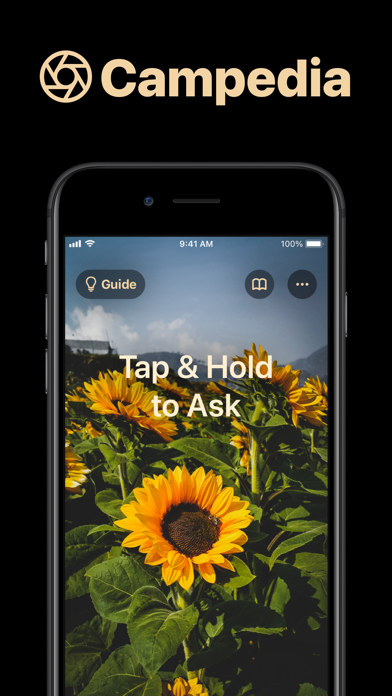



Description by Rocket Apps GmbH Written by the developer, not by AppBrain. Click to read.
The App works like ChatGPT, but for the real world. You snap a photo and can ask any question. Whether you want to identify a plant, ask about a painting or even want to create a recipe from ingredients in your refrigerator.
You can not only identify objects, but also ask complex questions about those objects. It could be a simple question like "What plant is this?", but also a more complex question like "How much water does this plant need every day?".
What you can do with Campedia:
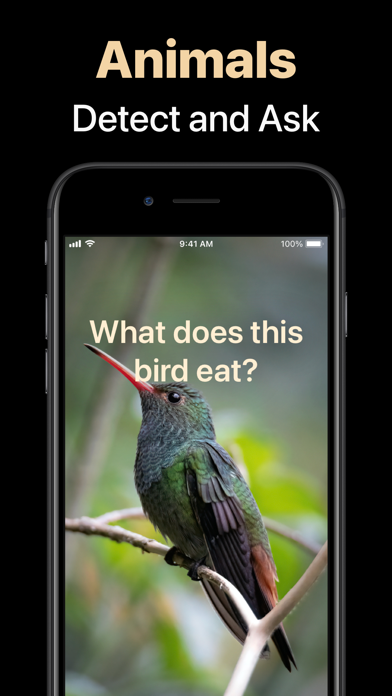
- Identify plants, animals, mushrooms, coins, etc.
- Get infos about landmarks
- Ask about art & paintings
- Create recipes from ingredients
- Get details about wine bottles
- Count objects
- Summarize books
- Find objects
- Literally anything you can think of
If you find interesting new use cases, let us know via help@campedia.ai or add #campedia to your social media postings so that we can re-share!
A revolutionary new AI:
Campedia is powered by GPT-4 Turbo Vision, which is able to take in images and answer questions about them. It is a breakthrough new technology that enables an AI to see and understand the world.
Tap & Hold to Ask:
Campedia combines a revolutionary new AI with a radically simplified user interface. It turns your entire screen into 1 single button. Simply tap & hold to snap, ask your question and then release to get an answer.
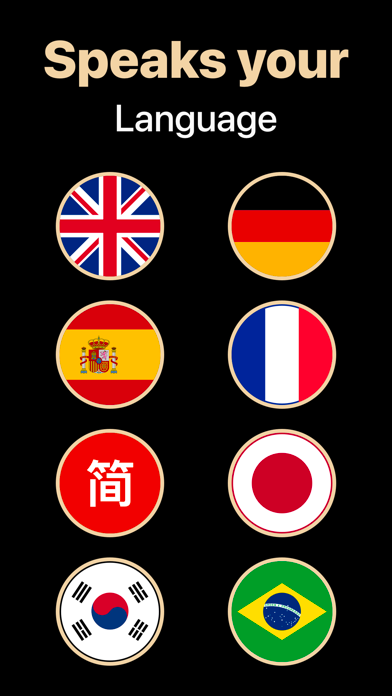
Speaks your language:
Campedia supports English, German, French, Italian, Spanish, Japanese, Korean, Portuguese and Chinese.
Get Campedia:
Join the AI revolution and start exploring the world like never before.
==================
PART OF ROCKET APPS
Campedia is part of the Rocket Apps PRO Bundle. With Rocket Apps PRO you simply subscribe once and get access to all supported Rocket Apps. The best part: we will keep adding new Apps.
SUPPORT
Our goal is to build the best apps in the world. You can help us by reporting bugs and requesting features via Email:
help@rocketapps.com
TERMS & PRIVACY
https://rocketapps.com/privacy.html
https://rocketapps.com/terms.html
SUBSCRIPTION TERMS:
The App offers an auto-renewing monthly or yearly subscription to provide you with unlimited access to all PRO Features while you maintain an active subscription.
Payment will be charged to the credit card connected to your iTunes Account when you confirm the initial subscription purchase. Subscriptions automatically renew unless auto-renew is turned off at least 24-hours before the end of the current subscription period. Your account will be charged for renewal within 24-hours prior to the end of the current period, and the cost of the renewal will be identified. You may manage your subscription and auto-renewal may be turned off by going to your Account Settings after the purchase. Any unused portion of a free trial period, if offered, will be forfeited when you purchase a subscription, where applicable.