

CamRanger 2 - Camera Control
CamRanger 2 - Camera Control is made and published by CamRanger. AppBrain is an independent app data site and isn't affiliated with CamRanger. The app name, icon, screenshots and description belong to CamRanger and are shown as published on the App Store.
AppBrain's verdict
EstablishedLoved by users- Rating on App Store
- 4.58
- 344 ratings
- Last updated
- July 24, 2026
Users love it: 4.6 stars from 344 ratings.
Rankings
App Store top chartsApp Store Rankings for CamRanger 2 - Camera Control
Competitors
Similar apps and more from CamRangerAlternatives to CamRanger 2 - Camera Control






More from CamRanger


Releases
Updates seen on the App Store- Version
- 2.7.4
- Launched
- August 2019
No changelog data
User feedback
Ratings and reviews on the App StoreComments on CamRanger 2 - Camera Control for iOS
We don't have enough comments to show example comments. Please check back later.
Technology
Found in the app by AppBrain- Price
- Free
- App size
- 59.6 MB
- Content rating
- Everyone
Technologies used by CamRanger 2 - Camera Control
About the app and developer
About CamRanger 2 - Camera Control
CamRanger 2 - Camera Control is a photo & video app developed by CamRanger.
User Ratings
CamRanger 2 - Camera Control is rated 4.58 out of 5 stars. The rating is based on 340 ratings.
App Information
CamRanger 2 - Camera Control is freely available from the App Store. The app size is 59.62 MB. The latest version available is 2.7.4. The last update was on July 24, 2026.
Technical Requirements
The app has a content rating of Everyone. The app has been available on the App Store since August 2019.
Developer information for CamRanger
Address:
Store listing
By CamRanger, from the App Store

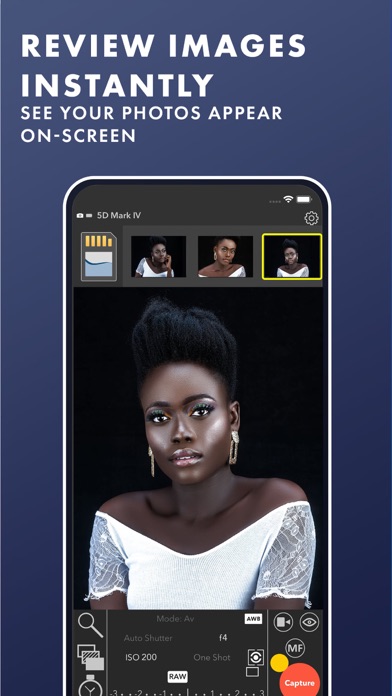
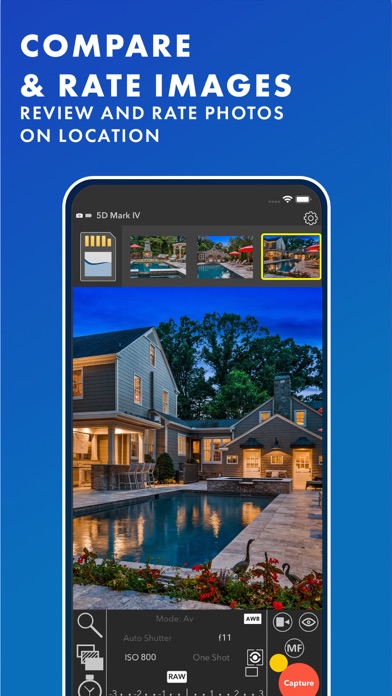


Description by CamRanger Written by the developer, not by AppBrain. Click to read.
From simple, fast image previews to advanced controls, you will be amazed at what you can do with the CamRanger 2 and your camera.
A separate CamRanger 2 device is required. The CamRanger 2 only works with supported cameras: https://camranger.com/knowledge-base/supported-cameras/
- Quick Image Previews
- Live View
- View and set camera parameters (Shutter Speed, Aperture, ISO, White Balance, Focus Mode, Capture Mode, etc.)
- Touch focusing and focus adjustments
- Remote capture
- View full resolution images with meta data and histogram
- Movie Recording
- Automatic Focus Stacking
- Intervalometer (Time-Lapse)
- Bulb Mode
- HDR/Advanced Bracketing
- Send images to multiple devices
- Save images to iOS Photo Library, upload to social media, backup to CamRanger 2 SD card
See https://camranger.com for full details and supported cameras