

Canara Offline OTP
Canara Offline OTP is made and published by Canara Bank. AppBrain is an independent app data site and isn't affiliated with Canara Bank. The app name, icon, screenshots and description belong to Canara Bank and are shown as published on the App Store.
AppBrain's verdict
Established- Rating on App Store
- 1.43
- 14 ratings
- Last updated
- December 30, 2025
It doesn't have enough ratings yet to judge what users think.
Rankings
App Store top chartsApp Store Rankings for Canara Offline OTP
Competitors
Similar apps and more from Canara BankAlternatives to Canara Offline OTP






More from Canara Bank


Releases
Updates seen on the App Store- Version
- 1.23
- Launched
- August 2018
No changelog data
User feedback
Ratings and reviews on the App StoreComments on Canara Offline OTP for iOS
We don't have enough comments to show example comments. Please check back later.
Technology
Found in the app by AppBrain- Price
- Free
- App size
- 3.81 MB
- Content rating
- Everyone
Technologies used by Canara Offline OTP
About the app and developer
About Canara Offline OTP
Canara Offline OTP is a finance app developed by Canara Bank.
What is the rating of Canara Offline OTP?
Canara Offline OTP is rated 1.43 out of 5 stars, based on 14 ratings.
Is Canara Offline OTP free?
Canara Offline OTP is free. The app size is 3.81 MB. The latest version available is 1.23. The last update was on December 30, 2025.
What are the requirements for Canara Offline OTP?
The app has a content rating of Everyone. The app has been available on the App Store since August 2018.
Developer information for Canara Bank
Address:
Frequently asked questions about Canara Offline OTP
Is Canara Offline OTP free?
Yes. Canara Offline OTP is free on the App Store.
Is Canara Offline OTP still available?
Yes. Canara Offline OTP is on the App Store, and the last update we saw was on December 30, 2025.
How large is Canara Offline OTP?
Canara Offline OTP is 3.81 MB.
Is Canara Offline OTP suitable for children?
App Store rates the content of Canara Offline OTP as suitable for everyone.
How do people rate Canara Offline OTP?
Canara Offline OTP scores 1.43 out of 5 stars, from 14 ratings on the App Store.
Who made Canara Offline OTP?
Canara Offline OTP was developed by Canara Bank. It is listed in the finance category on the App Store.
What are the best alternatives to Canara Offline OTP?
People looking at Canara Offline OTP also look at these finance apps: LIC Digital, KBL MOBILE Plus, PNB CREDIT CARD (Genie), MFCentral Mutual Fund App, Axis Direct RING (Old).
Store listing
By Canara Bank, from the App Store


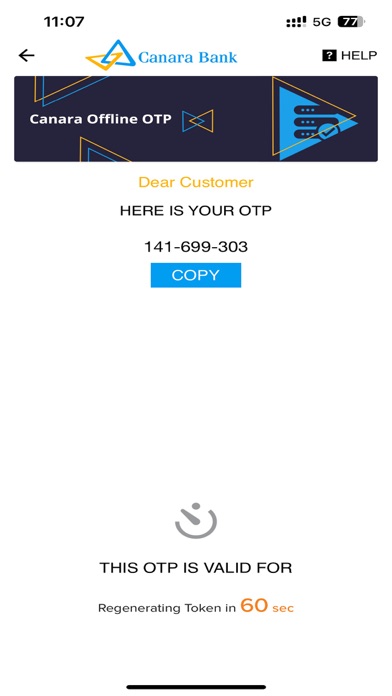
Description by Canara Bank Written by the developer, not by AppBrain. Click to read.
Login to your Internet Banking,
Go to Pay & Transfer tab, and click on ‘OFFLINE OTP’ section.
Alternatively, OFFLINE OTP option can be searched in Internet Banking Search Menu Option.
Select Register/ De-register option. Click on Register -> Confirm. Your 16-Digit Activation Code will be shown on the Internet Banking screen.
-In App Store,Search for Canara OTP and download the App. Enter the Registration id and click on Submit. The 16 Digit Activation Code will be fetched automatically by the App.
-An SMS will be sent from selected SIM for validation.Please select the registered mobile number for validation
-After validation Set your new 5-digit Passcode to complete the one-time registration for the App.
Done !, as simple as that.
Advantages:
> Canara OTP app works without Mobile Network and generates the OTP offline.
> Do your internet banking transactions while you are travelling or out of mobile network coverage area since OTP can be generated offline.
**Important**
- Internet connectivity is required for registration and de-registration.
- Please complete the activation of this application before you travel to a location where your registered mobile number will not be active.
- In case of any issue in using the OTP generated using this app, you can easily switch to SMS OTP by clicking the “Send SMS OTP ” option in the internet banking screen.
- Offline OTP facility will be only available for post login transactions, (not available for forgot user id, forgot password etc.,)
- If you wish to de-register this facility, you can click on the de-register option provided on the login/passcode entry screen of the mobile app. The device has to be online for completion of the de-activation.
- Alternatively, if internet connectivity is unavailable, you can de-register from Internet Banking also. Login to Internet Banking and go to " Pay & Transfer>> Offline OTP " and deregister Offline OTP for receiving SMS OTP.