

Canary: Real-Time Notes
Canary: Real-Time Notes is made and published by Marcus Graves. AppBrain is an independent app data site and isn't affiliated with Marcus Graves. The app name, icon, screenshots and description belong to Marcus Graves and are shown as published on the App Store.
AppBrain's verdict
- Rating on App Store
- 5.00
- 1 ratings
- Last updated
- May 28, 2026
It doesn't have enough ratings yet to judge what users think.
Rankings
App Store top chartsApp Store Rankings for Canary: Real-Time Notes
Competitors
Similar apps and more from Marcus GravesMore from Marcus Graves




Releases
Updates seen on the App Store- Version
- 1.0
- Launched
- May 2026
No changelog data
User feedback
Ratings and reviews on the App StoreComments on Canary: Real-Time Notes for iOS
We don't have enough comments to show example comments. Please check back later.
Technology
Found in the app by AppBrain- Price
- Free
- App size
- 2.14 MB
- Content rating
- Everyone
Technologies used by Canary: Real-Time Notes
About the app and developer
About Canary: Real-Time Notes
Canary: Real-Time Notes is a productivity app developed by Marcus Graves.
User Ratings
Canary: Real-Time Notes is rated 5.00 out of 5 stars. The rating is based on one rating ratings.
App Information
Canary: Real-Time Notes is freely available from the App Store. The app size is 2.14 MB. The latest version available is 1.0. The last update was on May 28, 2026.
Technical Requirements
The app has a content rating of Everyone. The app has been available on the App Store since May 2026.
Developer information for Marcus Graves
Address:
Store listing
By Marcus Graves, from the App Store
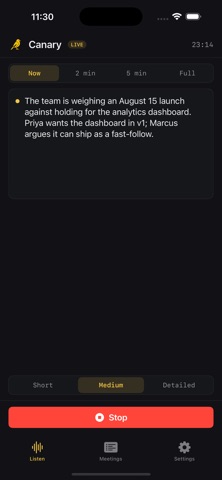
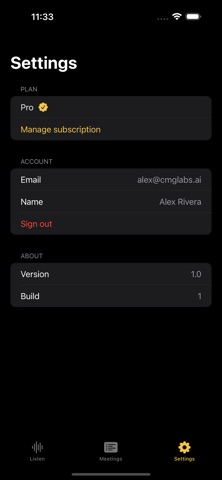


Description by Marcus Graves Written by the developer, not by AppBrain. Click to read.
Put your phone on the table and Canary listens, transcribing and summarizing in real time. Glance down any moment to see what's being discussed right now, what happened in the last 2 or 5 minutes, or a running summary of the whole meeting, each at the level of detail you want.
REAL-TIME, NOT AFTER-THE-FACT
Most meeting tools hand you a transcript when it's over. Canary summarizes while you're still in the room, so you stay present instead of scribbling notes, and catch up instantly if your attention drifts.
FOUR TIME WINDOWS, THREE DETAIL LEVELS
Now - the last 30 seconds, for "wait, what did they just say?"
2 min / 5 min - recent context without the noise
Full - the running summary of the entire meeting
Toggle Short, Medium, or Detailed on any of them.
ACTION ITEMS AND DECISIONS, AUTOMATICALLY
Canary flags concrete action items and key decisions as they're made, then bundles them into a clean recap when the meeting ends.
YOUR MEETINGS, REVISITED
Every meeting is saved with its summary, action items, and full transcript so you can search back later.
PRIVATE BY DESIGN
Audio is streamed in short chunks for transcription and never written to disk. Once a chunk becomes text, the audio is gone.
Canary Pro unlocks unlimited meetings and longer recordings. Free to try.
Terms of Use (EULA): https://askcanary.com/terms
Privacy Policy: https://askcanary.com/privacy