CandyPotion is made and published by
Catherine Munanda.
AppBrain is an independent app data site and isn't affiliated with Catherine Munanda.
The app name, icon, screenshots and description belong to Catherine Munanda and are shown as
published on the App Store.
About CandyPotion
CandyPotion is a games app developed by Catherine Munanda.
What is the rating of CandyPotion?
CandyPotion has no ratings yet.
Is CandyPotion free?
CandyPotion is free. The app size is 28.16 MB. The latest version available is 1.0. The last update was on June 11, 2026.
What are the requirements for CandyPotion?
The app has a content rating of Everyone. The app has been available on the App Store since June 2026.
Description by Catherine Munanda(from the App Store)
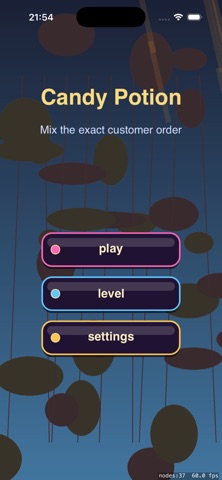
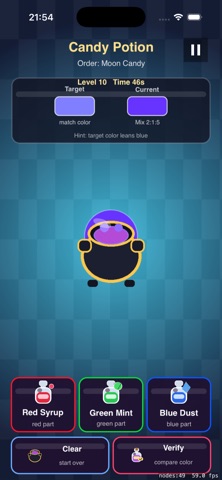
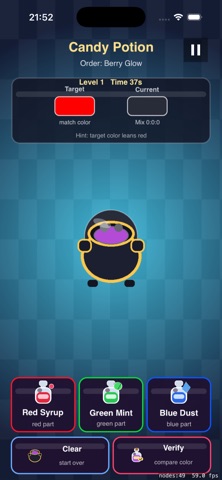
CandyPotion is an offline iPhone color-ratio puzzle game set in a candy potion shop. Each level gives you a named order, a Target color swatch, and a Current potion color that changes as you add Red Syrup, Green Mint, and Blue Dust.
Tap ingredient buttons to build the right RGB mix, use Clear when the cauldron needs a reset, then tap Verify to compare your potion against the customer order. Early levels teach simple red, green, and blue recipes such as Berry Glow, Mint Spark, and Sky Sugar. Later orders combine larger ratios, tighter color judgment, and the same 60-second limit.
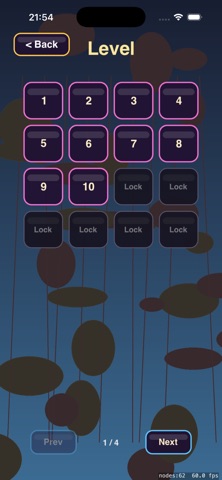
Features: - Potion shop brewing board with Target and Current color swatches - Red Syrup, Green Mint, and Blue Dust ingredient buttons - Central cauldron preview that updates as the mix changes - Verify button that checks the RGB ratio against the customer order - Clear button for restarting the current brew without leaving the level - 50 local levels with locked progression through Level Select - 60-second order timer with success and failure result overlays - Local progress and Settings saved on device with NSUserDefaults - Fully offline play with no login, ads, analytics, tracking, or in-app purchases
CandyPotion is built for short iPhone puzzle sessions where every order asks you to read the target color, tune the ingredient ratio, and bottle the right potion before time runs out.
Review Notes: This is a single-player offline RGB potion-mixing puzzle game with no login, no ads, no in-app purchases, no analytics, and no data collection.
Suggested review flow: 1. Launch the app. 2. Tap play to enter level 1, or tap level to open the local Level Select screen. 3. In a level, review the potion shop board: Order label, Target color, Current color, central cauldron, Red Syrup, Green Mint, Blue Dust, Clear, Verify, timer, and pause button. 4. Tap Red Syrup, Green Mint, and Blue Dust to change the Current potion color. 5. Tap Verify when Current visually matches Target. A correct ratio shows the Success result and unlocks the next level. 6. Tap Verify with the wrong ratio to see feedback such as needing more red/green/blue or having too much of one ingredient. 7. Let the 60-second timer expire to see the Failed result, then use Restart. 8. Use Next Level, Restart, Menu, Level Select, Settings, and Pause/Resume to verify navigation and local unlock behavior.
Each subscription will automatically renew 3 days before the expiration date for
the same time period. Subscriptions can be cancelled at any time before the renewal.