

Captions: AI Short Video Maker
Captions: AI Short Video Maker is made and published by Rasida Udya. AppBrain is an independent app data site and isn't affiliated with Rasida Udya. The app name, icon, screenshots and description belong to Rasida Udya and are shown as published on the App Store.
AppBrain's verdict
- Rating on App Store
- 5.00
- 4 ratings
- Last updated
- March 10, 2026
It doesn't have enough ratings yet to judge what users think.
Rankings
App Store top chartsApp Store Rankings for Captions: AI Short Video Maker
Competitors
Similar apps and more from Rasida UdyaAlternatives to Captions: AI Short Video Maker







More from Rasida Udya


Releases
Updates seen on the App Store- Version
- 1.2
- Launched
- April 2025
No changelog data
User feedback
Ratings and reviews on the App StoreComments on Captions: AI Short Video Maker for iOS
We don't have enough comments to show example comments. Please check back later.
Technology
Found in the app by AppBrain- Price
- Free
- App size
- 28.2 MB
- Content rating
- Everyone
Technologies used by Captions: AI Short Video Maker
About the app and developer
About Captions: AI Short Video Maker
Captions: AI Short Video Maker is a photo & video app developed by Rasida Udya.
What is the rating of Captions: AI Short Video Maker?
Captions: AI Short Video Maker is rated 5.00 out of 5 stars, based on 4 ratings.
Is Captions: AI Short Video Maker free?
Captions: AI Short Video Maker is free. The app size is 28.23 MB. The latest version available is 1.2. The last update was on March 10, 2026.
What are the requirements for Captions: AI Short Video Maker?
The app has a content rating of Everyone. The app has been available on the App Store since April 2025.
Developer information for Rasida Udya
Address:
Store listing
By Rasida Udya, from the App Store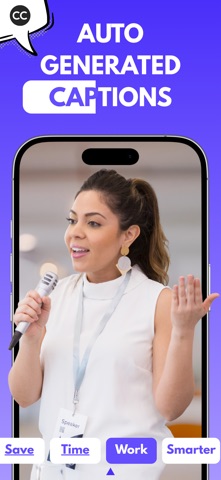


Description by Rasida Udya Written by the developer, not by AppBrain. Click to read.
Add, edit, style, and translate captions for any video in just a few taps. Whether you're creating content for YouTube, Instagram, TikTok, or just sharing a moment with friends—our app makes it easy to add professional-quality subtitles to your videos. No account needed. No data collected. Just fast, smart, on-device editing.
Why Add Subtitles to Your Videos?
Captions do more than just display words—they dramatically boost engagement, accessibility, and reach. Here's why they matter:
1. Boost Performance
Videos with subtitles see up to 16% more reach and 26% more clicks on calls to action.
2. Silent Scrolling Is Real
Around 85% of Facebook videos are watched without sound. Captions keep your content understood—even on mute.
3. Keep Viewers Watching
80% of viewers are more likely to watch a video to the end when it includes subtitles.
4. Watch Anywhere, Anytime
69% of people mute videos in public. Subtitles ensure your message is never lost.
5. Make It Accessible
Captions open your content to those who are deaf or hard of hearing, expanding your audience with inclusivity.
Key Features:
1. Auto-Captions in Seconds
Let the app automatically transcribe your video and generate accurate captions using smart voice recognition.
2. Edit & Style Subtitles
Fine-tune your captions and make them match your brand with custom fonts, colors, and animations.
3. Translate Captions in 50+ Languages
Go global. Instantly convert your video’s captions into multiple languages to reach a wider audience.
4. Convert Any Video
Add captions to any existing video from your gallery or record a new one right in the app.
5. Export in 4K or HD
Get your videos looking sharp. Export in high resolution, perfect for YouTube, Reels, or TikTok.
6. Share Anywhere
Send your captioned videos directly to social media or save them for later—ready to upload wherever you want.
Privacy-First, Always!!
We respect your privacy. All video processing happens locally on your device. Your files never leave your phone. There’s no sign-up, no cloud storage, and no personal data collected.
Need Help?
Got a question or feedback? We offer email support contact.videocaptions@gmail.com—fast and friendly, no bots involved.
Create videos that connect—through captions that speak your audience’s language. Try it now, and make every word count.
Subscription Information:
• Monthly
• Yearly
• Payment will be charged to your iTunes Account at confirmation of purchase.
• Subscription automatically renews unless auto-renew is turned off for at least 24-hours before the end of the current period.
• Account will be charged for renewal within 24-hours prior to the end of the current period at the cost of the chosen package.
• Subscriptions may be managed by the user and auto-renewal may be turned off by going to the user's Account Settings after purchase.
• No cancellation of the current subscription is allowed during the active subscription period.
Privacy policy:
https://printlyapp.com/privacy-policy-video-captions/
Terms of use:
https://printlyapp.com/terms-and-use-video-captions/