

Capto:Screen Capture& Recorder
Capto:Screen Capture& Recorder is made and published by Global Delight Technologies Pvt. Ltd. AppBrain is an independent app data site and isn't affiliated with Global Delight Technologies Pvt. Ltd. The app name, icon, screenshots and description belong to Global Delight Technologies Pvt. Ltd and are shown as published on the App Store.
AppBrain's verdict
- Last updated
- January 6, 2026
Rankings
App Store top chartsApp Store Rankings for Capto:Screen Capture& Recorder
Competitors
Similar apps and more from Global Delight Technologies Pvt. LtdMore from Global Delight Technologies Pvt. Ltd








Releases
Updates seen on the App Store- Version
- 2.1.4
- Launched
- April 2016
No changelog data
User feedback
Ratings and reviews on the App StoreComments on Capto:Screen Capture& Recorder for iOS
We don't have enough comments to show example comments. Please check back later.
Technology
Found in the app by AppBrain- Price
- Free
- App size
- 40.1 MB
- Content rating
- Everyone
Technologies used by Capto:Screen Capture& Recorder
About the app and developer
About Capto:Screen Capture& Recorder
Capto:Screen Capture& Recorder is a photo & video app developed by Global Delight Technologies Pvt. Ltd.
User Ratings
The app has no ratings yet.
App Information
Capto:Screen Capture& Recorder is freely available from the App Store. The app size is 40.13 MB. The latest version available is 2.1.4. The last update was on January 6, 2026.
Technical Requirements
The app has a content rating of Everyone. The app has been available on the App Store since April 2016.
Developer information for Global Delight Technologies Pvt. Ltd
Global Delight Technologies Pvt. Ltd
Address:
Frequently asked questions about Capto:Screen Capture& Recorder
Is Capto:Screen Capture& Recorder free?
Yes. Capto:Screen Capture& Recorder is free on the App Store.
Is Capto:Screen Capture& Recorder still available?
Yes. Capto:Screen Capture& Recorder is on the App Store, and the last update we saw was on January 6, 2026.
How large is Capto:Screen Capture& Recorder?
Capto:Screen Capture& Recorder is 40.13 MB.
Is Capto:Screen Capture& Recorder suitable for children?
App Store rates the content of Capto:Screen Capture& Recorder as suitable for everyone.
Who made Capto:Screen Capture& Recorder?
Capto:Screen Capture& Recorder was developed by Global Delight Technologies Pvt. Ltd. It is listed in the photo & video category on the App Store.
Store listing
By Global Delight Technologies Pvt. Ltd, from the App Store




Description by Global Delight Technologies Pvt. Ltd Written by the developer, not by AppBrain. Click to read.
Instantly record a video of your screen or take a screenshot, edit it and share at the press of a button. The app has a broad range of image and video editing tools as well as an easily navigable folder-based organizer for your screen captures. You can also setup instant sharing to all popular platforms like YouTube, Dropbox, Tumblr, FTP/SFTP servers and more by signing into them just once inside Capto.
Your imagination combined with rich onscreen content can be effectively used for designing Professional Tutorials, Vlogs, Educational Lessons, Design Concepts and more.
Fullscreen and Selection Capture | Webpage Capture
You have the choice of taking fullscreen image captures or select portions with Capto’s flexible screenshot options. For saving a webpage with one click, use your own supported browser.
Fullscreen and Region Recording |Timed Recording
Record your entire screen or select portions in full HD at 60 FPS along with clear audio. Capto also has a video capture feature for your iOS device. You may also set up a timed recording that records for a predetermined amount of time.
Video Recording | Tutorial Video Making
Make your tutorial videos more interactive. Record your own video while the screen recording continues in parallel. Get to choose from either the system camera or an external recording device for desired input. Resize the video as per your need and re-position it across the screen to make the tutorial more effective.
Video Editing | Annotations
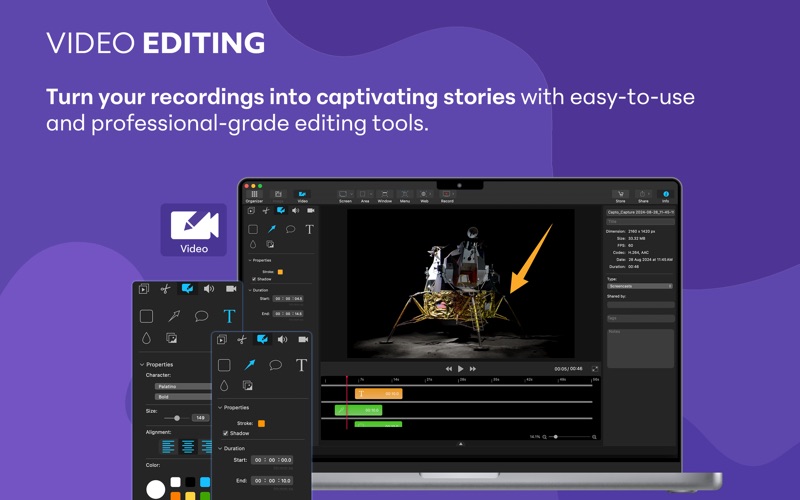
Capto’s powerful video editing suite gives you all the tools necessary to Cut, Join, Trim or Crop videos. In addition, you can add annotations to make your captured videos much more professional and detailed.
Audio Recording & Editing | Individual Track Control
Record crystal clear audio from either the system or the microphone and get better control over the output. Use the individual track control to adjust the inputs from the system and the mic separately and bring the best out of the audio.
Image Editing | Annotations
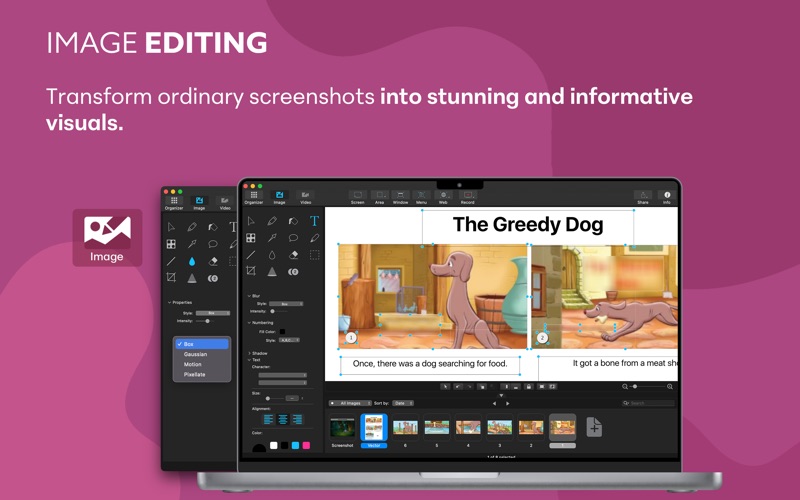
Capto has a fully featured image editor to enhance and create informative images. Highlight, Annotate, correct, or adjust the properties of your captured screenshot and make them stand out.
Smart Collection Folder | File information
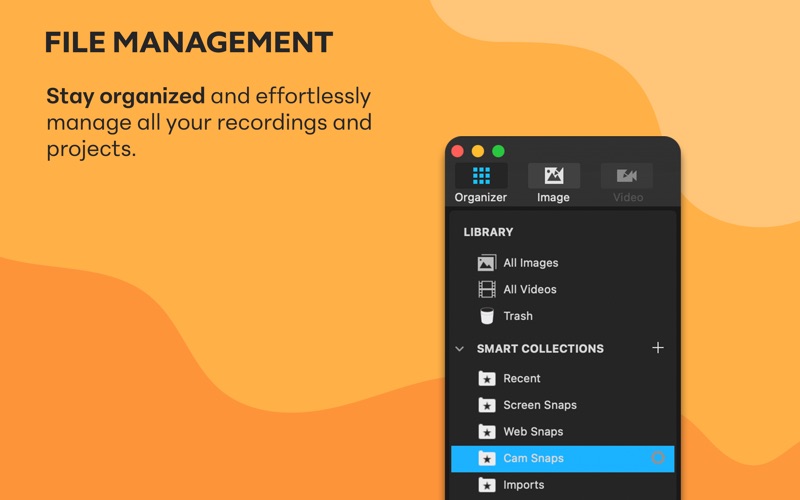
Capto comes with an easy file manager for easy storage and retrieval of screen captures and recordings. Every screenshot and video you take is sorted into smartly labeled folders that can also be customized.
Online Platform Sharing | Server Sharing
Instantly share or upload screenshots and screen recordings to your favorite services like Facebook, Tumblr, Dropbox, Evernote, YouTube and more directly with a single click. Capto also supports FTP/SFTP server uploads.
Please follow Capto on social media for news, updates and tips.
Twitter - @CaptoForMac
Facebook - CaptoForMac
YouTube - www.youtube.com/c/GlobaldelightTech/
You can email us at capto@globaldelight.com with your queries or suggestions and we will be glad to assist you.
If you like Capto, please keep your support coming in by leaving a positive review and rating on the Mac App Store. We appreciate it!