

Cartoon Avatar Image Converter
Cartoon Avatar Image Converter is made and published by Dedaldev Doo. AppBrain is an independent app data site and isn't affiliated with Dedaldev Doo. The app name, icon, screenshots and description belong to Dedaldev Doo and are shown as published on the App Store.
AppBrain's verdict
- Last updated
- September 23, 2026
- Size
- 106.0 MB
User feedback
Ratings and reviews on the App StoreComments on Cartoon Avatar Image Converter for iOS
We don't have enough comments to show example comments. Please check back later.
Store listing
By Dedaldev Doo, from the App Store
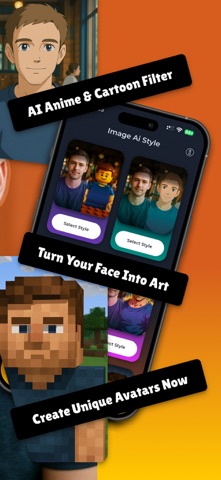


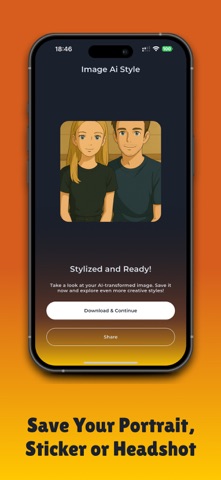


Description by Dedaldev Doo Written by the developer, not by AppBrain. Click to read.
Every result is generated on your own photo, so the face stays yours. Choose a watercolor anime portrait, a collectible 3D doll, a manga character or a hand-drawn sketch, then save it as a profile picture or share it with friends.
Art Styles
• Anime Painting. Watercolor portrait with soft brush texture
• Cartoon Avatar. Clean toon character built from your selfie
• Chibi Figure. Big head, tiny body, cute collectible look
• Manga Portrait. Sharp ink lines and expressive detail
• 3D Doll. Collectible action figure version of you
• Comic Art. Bold strip look with dramatic shading
• Emoji and Stickers. Custom faces for every chat
• Pencil Sketch. Hand-drawn graphite with paper texture
• Caricature. Playful exaggerated features
• Pixel Art. Retro game sprite version of your face
How It Works
1. Browse the style gallery and pick your look
2. Upload a selfie or photo from your gallery or camera
3. The AI generates your portrait in seconds
4. Save it, set it as a profile picture, or share it
Why People Use It
• One tap from photo to finished art
• 50+ styles, hand-built and not generic filters
• Fast processing, results in seconds
• Works on selfies, group photos and pet photos
• Great for profile pictures, stickers and cards
• New styles added regularly
• Built by Dedaldev, trusted for creative apps
Popular Uses
• An anime painting to share on social media
• A chibi figure of yourself for gaming profiles
• Turn a selfie into a manga portrait for chat apps
• Become a 3D doll or collectible action figure
• Custom emoji, stickers and greeting cards
• Keep a pencil sketch of a favorite family photo
Common Questions
Do I need drawing skills?
No. You pick a style and upload one photo. Everything else is automatic.
How long does it take?
A few seconds per image. There is nothing to set up and nothing to learn.
Can I use a group photo or a pet photo?
Yes. Group shots and pet portraits both work, not only single selfies.
What Makes The Result Look Like You
Some tools drop a fixed template over your face and the output looks like a stranger. Here the model reads the shape of your face, the angle of your head and the light in your photo, then rebuilds all of that in the chosen style. Eyes, jawline and hair keep their real proportions. That is why a chibi figure, a manga portrait and a pencil sketch of the same photo all still read as the same person.
Perfect For
• Anyone who wants a profile picture that stands out
• Fans of anime, manga, comic and cartoon art
• People looking for a quick and easy portrait maker
• Anyone making a present for a friend or partner
Your photo is processed to create your art and is not shared with other users.
Download now and see yourself in anime, chibi or comic art.
Privacy Policy: https://imageaistyle.com/privacy-policy/
Terms & Conditions: https://imageaistyle.com/terms-and-conditions/
Safety and technology
Found in the app by AppBrain- Price
- Free
- App size
- 106.0 MB
- Content rating
- Everyone
Technologies used by Cartoon Avatar Image Converter
Releases
Updates seen on the App Store- Version
- 0.1.11
- Launched
- June 2025
No changelog data
Alternatives
Similar apps and more from Dedaldev Doo


Rankings
App Store top chartsApp Store Rankings for Cartoon Avatar Image Converter
About the app and developer
About Cartoon Avatar Image Converter
Cartoon Avatar Image Converter is a graphics & design app developed by Dedaldev Doo.
User Ratings
The app has no ratings yet.
App Information
Cartoon Avatar Image Converter is freely available from the App Store. The app size is 106.02 MB. The latest version available is 0.1.11. The last update was on September 23, 2026.
Technical Requirements
The app has a content rating of Everyone. The app has been available on the App Store since June 2025.
Developer information for Dedaldev Doo
Address:
Frequently asked questions about Cartoon Avatar Image Converter
Is Cartoon Avatar Image Converter free?
Yes. Cartoon Avatar Image Converter is free on the App Store.
Is Cartoon Avatar Image Converter still available?
Yes. Cartoon Avatar Image Converter is on the App Store, and the last update we saw was on September 23, 2026.
How large is Cartoon Avatar Image Converter?
Cartoon Avatar Image Converter is 106.02 MB.
Is Cartoon Avatar Image Converter suitable for children?
App Store rates the content of Cartoon Avatar Image Converter as suitable for everyone.
Who made Cartoon Avatar Image Converter?
Cartoon Avatar Image Converter was developed by Dedaldev Doo. It is listed in the graphics & design category on the App Store.
What are the best alternatives to Cartoon Avatar Image Converter?
People looking at Cartoon Avatar Image Converter also look at these graphics & design apps: PixelWizard-4o | Flux AI Image, Avatar World Gacha Life Maker, Turn Photo Into Cartoon, ArtsGen: Sketch to AI Art, cartoon yourself: meanime.