

Cashflows is made and published by Nicola Cavanagh. AppBrain is an independent app data site and isn't affiliated with Nicola Cavanagh. The app name, icon, screenshots and description belong to Nicola Cavanagh and are shown as published on the App Store.
AppBrain's verdict
- Last updated
- January 4, 2018
Rankings
App Store top chartsApp Store Rankings for Cashflows
Competitors
Similar apps and more from Nicola CavanaghMore from Nicola Cavanagh


Releases
Updates seen on the App Store- Version
- 1.1.14
- Launched
- July 2013
No changelog data
User feedback
Ratings and reviews on the App StoreComments on Cashflows for iOS
We don't have enough comments to show example comments. Please check back later.
Technology
Found in the app by AppBrain- Price
- $0.99
- App size
- 6.96 MB
- Content rating
- Everyone
Technologies used by Cashflows
About the app and developer
About Cashflows
Cashflows is a finance app developed by Nicola Cavanagh.
User Ratings
The app has no ratings yet.
App Information
Cashflows costs $0.99. The app size is 6.96 MB. The latest version available is 1.1.14. The last update was on January 4, 2018.
Technical Requirements
The app has a content rating of Everyone. The app has been available on the App Store since July 2013.
Developer information for Nicola Cavanagh
Address:
Frequently asked questions about Cashflows
Is Cashflows free?
No. Cashflows costs $0.99 on the App Store.
Is Cashflows still available?
Yes. Cashflows is on the App Store, and the last update we saw was on January 4, 2018.
How large is Cashflows?
Cashflows is 6.96 MB.
Is Cashflows suitable for children?
App Store rates the content of Cashflows as suitable for everyone.
Who made Cashflows?
Cashflows was developed by Nicola Cavanagh. It is listed in the finance category on the App Store.
Store listing
By Nicola Cavanagh, from the App Store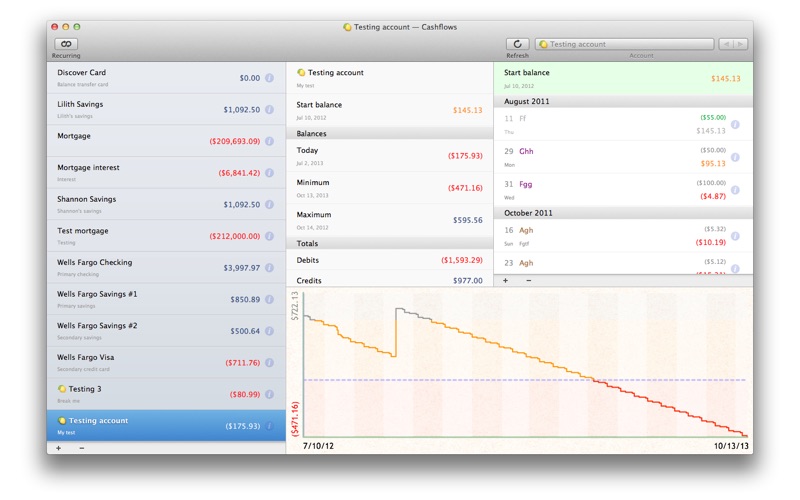
Description by Nicola Cavanagh Written by the developer, not by AppBrain. Click to read.
Cashflows helps you forecast future balances of your bank accounts. It's simple to set up and requires minimal effort to maintain.
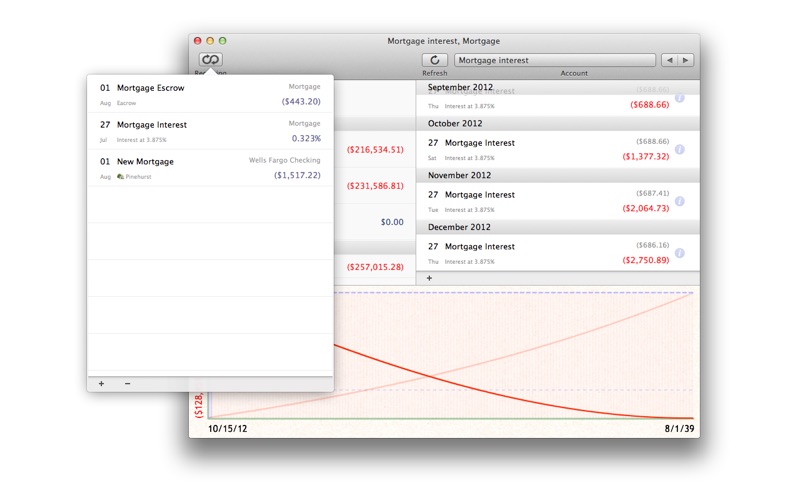
Tell it about your recurring transactions (including transfers between accounts) and future one-time transactions, and let it estimate your account balances months (or years) into the future.
It's not interested in the past, so there's no need to enter or maintain your transaction history.
It shows your account transactions and balances over time and lets you override individual payment dates and amounts. Quickly toggle payments on and off to see how they impact your future balances. The graph updates immediately with any changes you make.
Update the starting balance occasionally, and it'll show you which transactions are still due. If any have already occurred (or are late) just tap to toggle them on or off.
FEATURES:
- Multiple accounts: Add multiple accounts and set up recurring or manual transfers between them.
- Recurring transactions: Supports recurring transactions with start date, end date (optional) and many recurrence options.
- Warning balance: Set a warning balance for an account and see at a glance when your balance is below it.
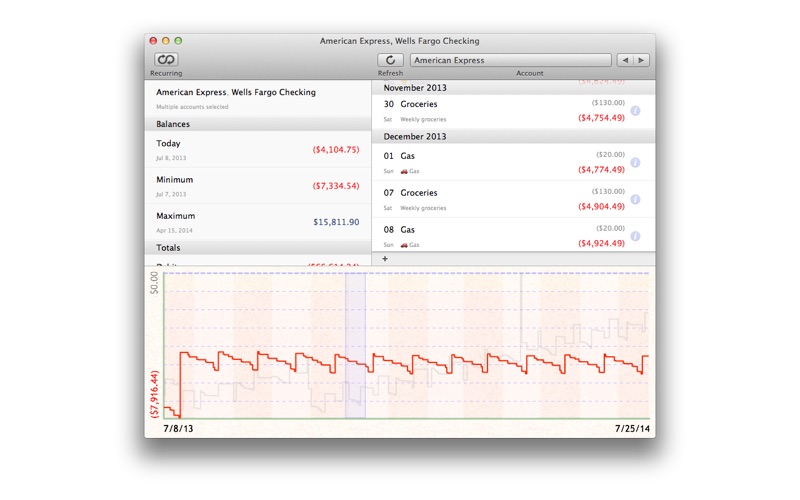
- Interactive forecast graph: Shows your future balance over time, highlighting warning balance and negative regions; tap the graph for a closer look at the nearby transactions.
- Multiple account selection: CMD+Click multiple accounts to cycle through them as a group and compare balances on the graph.
- Generate reports in PDF, CSV or XML
- iCloud Sync with Cashflows for iOS: http://appstore.com/nicolacavanagh/cashflows
- Backup and restore your data to Dropbox or iTunes.
MANY USES:
* Planning Future Purchases:
This is a great tool for forecasting payments for a future loan, mortgage or car lease. Create a recurring transaction for the payment amount, fill in the first and last payment dates and see how it affects your balance. Make adjustments to figure out what you can afford.
* Planning for Change:
You might have a recurring bill that increases annually (such as health insurance). Simply create another recurring transaction to represent the increased payment and set its start date appropriately, and adjust the end date of the original transaction. You'll immediately see how it affects your finances in the future.
* Planning for Uncertainty:
The forecasts are only as accurate as you need them to be. If you plan to pay a minimum amount per month onto your credit card, set that up as a recurring transaction. Once you decide how much you want to pay this month, just override the forecast amount. You can always edit or delete the override later.
* Getting Out of Debt:
This app can help you get out of debt, and figure out how long it will take. Enter a recurring transaction between your checking / current and loan / credit account for the minimum amount you intend to pay each month. Extend the forecast period (tap "More" at the bottom of the Forecast page) and then look at the Balance Graphs for your accounts. If you can afford to pay extra in a few months, override that month's payment (or create a one-time transaction for the additional amount). You'll instantly see the effect on your checking / current balance, loan balance and when the loan will be repaid.