

Cast to TV - CastBrowser
Cast to TV - CastBrowser is made and published by ROTUNDA TECH LTD. AppBrain is an independent app data site and isn't affiliated with ROTUNDA TECH LTD. The app name, icon, screenshots and description belong to ROTUNDA TECH LTD and are shown as published on the App Store.
AppBrain's verdict
- Rating on App Store
- 4.13
- 15 ratings
- Last updated
- October 19, 2026
It doesn't have enough ratings yet to judge what users think.
Rankings
App Store top chartsApp Store Rankings for Cast to TV - CastBrowser
Competitors
Similar apps and more from ROTUNDA TECH LTD





Releases
Updates seen on the App Store- Version
- 1.5.2
- Launched
- February 2026
No changelog data
User feedback
Ratings and reviews on the App StoreComments on Cast to TV - CastBrowser for iOS
We don't have enough comments to show example comments. Please check back later.
Technology
Found in the app by AppBrain- Price
- Free
- App size
- 74.4 MB
- Content rating
- High
Technologies used by Cast to TV - CastBrowser
About the app and developer
About Cast to TV - CastBrowser
Cast to TV - CastBrowser is a photo & video app developed by ROTUNDA TECH LTD.
User Ratings
Cast to TV - CastBrowser is rated 4.13 out of 5 stars. The rating is based on 15 ratings.
App Information
Cast to TV - CastBrowser is freely available from the App Store. The app size is 74.37 MB. The latest version available is 1.5.2. The last update was on October 19, 2026.
Technical Requirements
The app has a content rating of High Maturity. The app has been available on the App Store since February 2026.
Developer information for ROTUNDA TECH LTD
Address:
Store listing
By ROTUNDA TECH LTD, from the App Store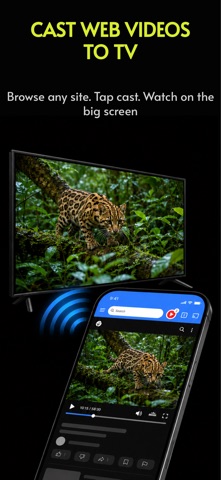


Description by ROTUNDA TECH LTD Written by the developer, not by AppBrain. Click to read.
CastBrowser is a browser built for video casting. Open a website, play a video, and send the stream to your TV while your phone stays free for browsing and playback control.
WHY CASTBROWSER
- Cast web videos and live streams from websites you browse
- Built-in browser detects playable video links
- Supports common formats including HLS, M3U8, and MP4
- Works with supported Chromecast devices, Fire TV where supported, AirPlay, DLNA/UPnP TVs, browser receivers, and Roku via the CastBrowser receiver channel where available
- Use play, pause, seek, and volume controls where supported
- Choose detected subtitle tracks on supported receivers
- Block popups and redirects while browsing
- Save bookmarks, history, and recent videos
DIRECT CASTING, NOT SCREEN MIRRORING
CastBrowser is built for web video casting. Instead of mirroring your entire iPhone screen, it sends the playable video stream to your TV when the source and receiver support it. That means a cleaner big-screen experience and fewer distractions on your TV.
HOW TO CAST
1. Connect your iPhone and TV to the same Wi-Fi
2. Open a video website in CastBrowser
3. Play a video and tap the cast button
4. Choose your TV or receiver
5. Control playback from your phone
SUPPORTED PLAYBACK
CastBrowser works best with standard web videos and streams, including MP4, HLS, M3U8, and many HTML5 video sources.
Compatibility depends on the video source, network, receiver device, and TV capabilities. Some DRM-protected services, unsupported codecs, paid streaming apps, or device-specific formats may not cast.
CastBrowser does not host or provide video content. Videos are loaded from the original websites you visit.
CastBrowser is not affiliated with Google, Roku, Amazon, Apple, Samsung, LG, Sony, Hisense, TCL, or other device manufacturers. Chromecast is a trademark of Google LLC. Roku is a trademark of Roku, Inc. Fire TV is a trademark of Amazon Technologies, Inc. AirPlay and Apple TV are trademarks of Apple Inc.