

Celebrating Home
Celebrating Home is made and published by Rohan Tandon. AppBrain is an independent app data site and isn't affiliated with Rohan Tandon. The app name, icon, screenshots and description belong to Rohan Tandon and are shown as published on the App Store.
AppBrain's verdict
- Rating on App Store
- 5.00
- 10 ratings
- Last updated
- April 23, 2026
It doesn't have enough ratings yet to judge what users think.
Rankings
App Store top chartsApp Store Rankings for Celebrating Home
Competitors
Similar apps and more from Rohan TandonAlternatives to Celebrating Home







More from Rohan Tandon

Releases
Updates seen on the App Store- Version
- 4.0
- Launched
- April 2023
No changelog data
User feedback
Ratings and reviews on the App StoreComments on Celebrating Home for iOS
We don't have enough comments to show example comments. Please check back later.
Technology
Found in the app by AppBrain- Price
- Free
- App size
- 356.9 MB
- Content rating
- Everyone
Technologies used by Celebrating Home
About the app and developer
About Celebrating Home
Celebrating Home is a lifestyle app developed by Rohan Tandon.
User Ratings
Celebrating Home is rated 5.00 out of 5 stars. The rating is based on 10 ratings.
App Information
Celebrating Home is freely available from the App Store. The app size is 356.92 MB. The latest version available is 4.0. The last update was on April 23, 2026.
Technical Requirements
The app has a content rating of Everyone. The app has been available on the App Store since April 2023.
Developer information for Rohan Tandon
Address:
Store listing
By Rohan Tandon, from the App Store





Description by Rohan Tandon Written by the developer, not by AppBrain. Click to read.
Artworks
• Browse through collections of nature-themed artworks that are #MadeOniPad.
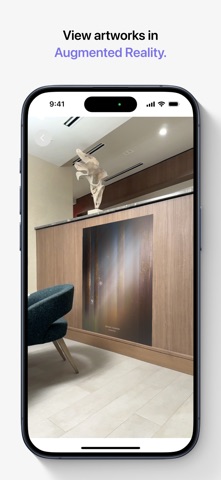
• On iPhone and iPad, view artworks in your space using Augmented Reality.
• On Apple Vision Pro, view artworks at a life-like scale that immerse you in Spatial Audio, transporting you to their unique environments.
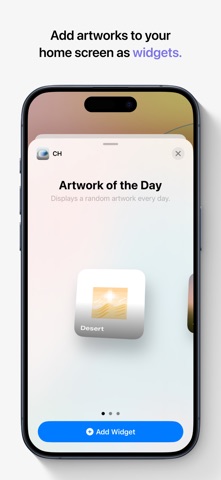
• Add artworks to your iPhone, iPad home screen or Mac desktop as widgets.
• View artworks in StandBy when your iPhone is placed on its side while charging.
Create
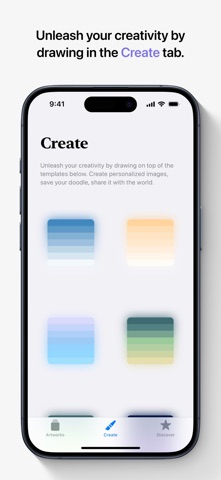
• Unleash your creativity by drawing on top of the templates in the Create tab.
• Draw with your fingers on iPhone, use the Apple Pencil on iPad, or use your hands to draw across the canvas on Apple Vision Pro.
• Create personalized images, save your doodle, share it with the world.
Stickers
• Peel & paste stickers on images or text bubbles in your Messages conversations.
• Add stickers as effects during a FaceTime call.
• The sticker drawer is in the emoji keyboard, so you can use Celebrating Home stickers in any app where you can access emoji.
• Use Markup to add Celebrating Home stickers to photos, documents, screenshots, and more.