cellular signal strength is a navigation app developed by Nikhil Kumar.
User Ratings
cellular signal strength is rated 3.29 out of 5 stars. The rating is based on 14 ratings.
App Information
cellular signal strength is freely available from the App Store. The app size is 1.22 MB. The latest version available is 1.5. The last update was on February 9, 2026.
Technical Requirements
The app has a content rating of Everyone. The app has been available on the App Store since July 2025.
cellular signal strength is made and published by
Nikhil Kumar.
AppBrain is an independent app data site and isn't affiliated with Nikhil Kumar.
The app name, icon, screenshots and description belong to Nikhil Kumar and are shown as published on the App Store.
Description by Nikhil Kumar(from the App Store)
Cellular signal strength
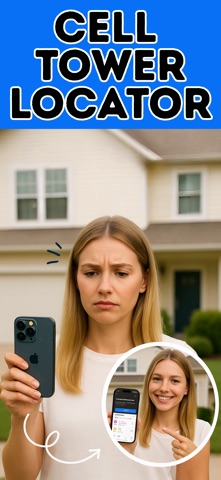
SUBSCRIPTION REQUIRED- Professional cellular tower detection and signal analysis tool.
Find nearby cell towers instantly and boost your mobile signal strength with professional-grade accuracy.
*All features require an active subscription*
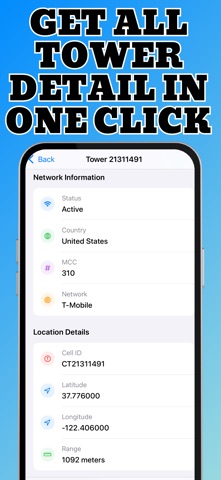
PREMIUM FEATURES (Subscription Required): - Real-time cellular tower locations with GPS precision - Professional signal strength readings (dBm measurements) - 5G, 4G, LTE, 3G network identification - Multi-carrier support: AT&T, Verizon, T-Mobile, US Cellular - Built-in network speed testing - Interactive coverage maps - Unlimited tower searches - Advanced filtering by carrier and network type - Historical signal data tracking - Professional reporting tools - Completely ad-free experience - Priority support - Enhanced signal analysis tools - Export capabilities for professional use
PERFECT FOR: - RV travelers seeking better connectivity - Remote workers optimizing internet performance - Network technicians and field engineers - Signal booster installation planning - Rural area connectivity analysis
WHAT USERS SAY: "Essential for RV life - always find the strongest signal" - Full-time RVer "Most accurate tower data for professional installations" - Network Tech
HOW IT WORKS: 1. Download and subscribe to unlock all features 2. Open app to see nearby towers on interactive map 3. Tap any tower for detailed signal information 4. Use speed test to verify actual performance 5. Filter by carrier or network type as needed
IMPORTANT: This app requires a subscription to access all features. Start your subscription today for full access to professional cellular tower detection tools.
Subscription Information: - Payment will be charged to iTunes Account at confirmation of purchase - Subscription automatically renews unless auto-renew is turned off at least 24-hours before the end of the current period - Account will be charged for renewal within 24-hours prior to the end of the current period - Subscriptions may be managed by the user and auto-renewal may be turned off by going to the user's Account Settings after purchase - No free trial period is offered
Terms of Use: https://www.cellularsignalstrength.com/terms&conditions Privacy Policy: https://www.cellularsignalstrength.com/PrivacyPolicy
Each subscription will automatically renew 3 days before the expiration date for
the same time period. Subscriptions can be cancelled at any time before the renewal.