
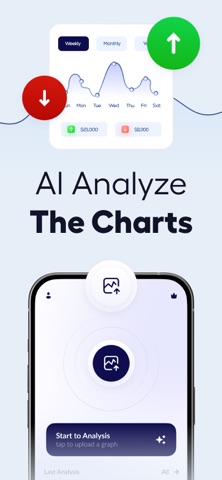
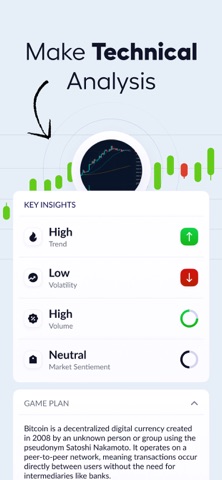
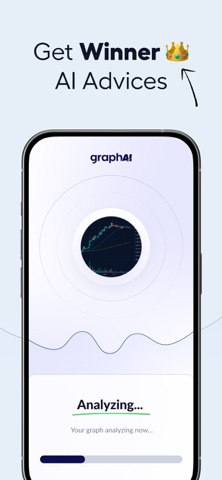
Upload a chart and get a fast market read in seconds.
graphai is a Chart AI app built for trading review from a single screenshot, with no broker login, exchange sync, or platform setup.
Use this trading analyzer to analyze crypto, stock, and forex charts with clear technical analysis before you trade.
graphai turns a saved photo into structured chart analysis for traders who want speed, clarity, and better market context. If you use TradingView or another charting platform, just upload an image and receive a readable breakdown of trend, price action, support, resistance, candlesticks, momentum, and pattern behavior. This ai chart workflow is designed for practical investing research, not hype.
Key features:
- Screenshot chart analysis in seconds
Upload a chart photo from your phone and let the analyzer read the setup. This chart ai process helps traders analyze market structure quickly across crypto, stocks, and forex trading.
- Technical market structure review
Get technical analysis focused on swing highs, swing lows, reaction zones, and directional context. The app helps traders analyze whether the chart suggests continuation, pullback, compression, or reversal.
- Trend and momentum summary
See whether buying or selling pressure looks stronger on the chart. Momentum analysis helps with trade timing, risk review, and smarter investing decisions.
- Support and resistance guidance
Review support and resistance levels that may affect the next move. These zones can help validate entries, exits, and trade management across fast-moving markets.
- Candlestick and pattern explanation
graphai translates candlestick behavior and chart patterns into plain language. Instead of manually decoding every move, traders get analysis that is easier to scan and use.
- Built for crypto, stock, and forex
Use one trading analyzer for bitcoin, altcoins, stocks, and forex pairs. The app works from the chart image you upload, so no broker, account, or exchange connection is required.
- TradingView screenshot friendly
If your chart comes from TradingView, a browser, or another mobile app, graphai can analyze it. This makes tradingview-based review faster when comparing multiple setups.
- Clear output for beginners and active traders
The analysis is organized for readability, with technical context that helps both new traders and experienced market users. You get useful insights without needing a complicated charting workflow.
- Faster setup validation
When time matters, a second look can reduce hesitation. graphai helps traders review a signal, compare trade ideas, and analyze charts before acting.
- Practical analysis without auto trading
graphai is not a trading bot and does not place orders. It is an assistant for technical chart review, helping you investigate the market with more confidence.
Why traders use graphai:
- Save time when reviewing charts across different markets
- Analyze screenshots without linking a broker or trading account
- Get support, resistance, momentum, and pattern context in one place
- Improve investing preparation with a structured analysis workflow
- Use a trade ai assistant for quick chart review on mobile
Use cases:
A crypto trader can upload a bitcoin breakout chart and analyze momentum before entry. A stock trader can review a stock market pullback and inspect support for risk planning. A forex trading user can upload a photo from a mobile platform and analyze trend conditions before the next trade.
Important information:
graphai provides analysis support only. It does not guarantee profit, promise signals, or execute trades. It is designed to help traders analyze charts faster and make better-informed decisions.
Download now and try your first chart analysis in seconds with graphai.
Support: https://graphvision.pro/contact
Privacy Policy: https://graphvision.pro/privacy
Show more
Show less