

ChatX - AI Chatbot Assistant
ChatX - AI Chatbot Assistant is made and published by Shir Baruchian. AppBrain is an independent app data site and isn't affiliated with Shir Baruchian. The app name, icon, screenshots and description belong to Shir Baruchian and are shown as published on the App Store.
AppBrain's verdict
- Last updated
- September 9, 2026
Rankings
App Store top chartsApp Store Rankings for ChatX - AI Chatbot Assistant
Releases
Updates seen on the App Store- Version
- 1.2.24
- Launched
- January 2026
No changelog data
User feedback
Ratings and reviews on the App StoreComments on ChatX - AI Chatbot Assistant for iOS
We don't have enough comments to show example comments. Please check back later.
Technology
Found in the app by AppBrain- Price
- Free
- App size
- 43.8 MB
- Content rating
- Everyone
Technologies used by ChatX - AI Chatbot Assistant
About the app and developer
About ChatX - AI Chatbot Assistant
ChatX - AI Chatbot Assistant is an utilities app developed by Shir Baruchian.
What is the rating of ChatX - AI Chatbot Assistant?
ChatX - AI Chatbot Assistant has no ratings yet.
Is ChatX - AI Chatbot Assistant free?
ChatX - AI Chatbot Assistant is free. The app size is 43.78 MB. The latest version available is 1.2.24. The last update was on September 9, 2026.
What are the requirements for ChatX - AI Chatbot Assistant?
The app has a content rating of Everyone. The app has been available on the App Store since January 2026.
Developer information for Shir Baruchian
Address:
Store listing
By Shir Baruchian, from the App Store


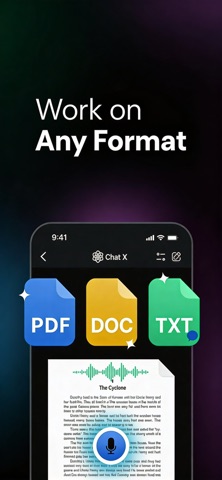
Description by Shir Baruchian Written by the developer, not by AppBrain. Click to read.
KEY FEATURES
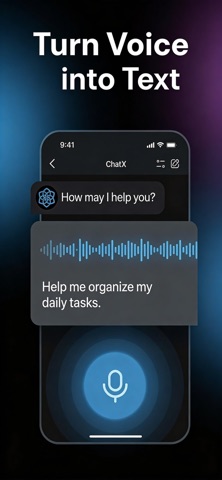
- Smart AI Chat – Natural conversations with advanced AI that understands context
- Photo Revival – Restore old or blurry photos to stunning 4K quality
- Interior Designer – Redesign any room with AI-powered style options
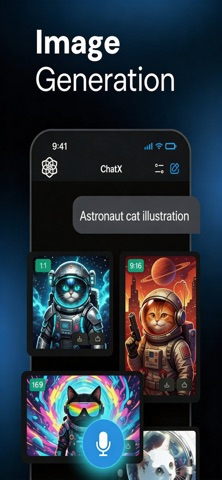
- Pic Transformer – Turn your photos into AI art, anime, and creative styles
- Pro Image Studio – Generate premium-quality images from text
- Deep Research – Comprehensive answers with real-time web search
- Fitness Coach – Your personal AI trainer for workouts and nutrition
- Real-Time Web Search – Access current information and news
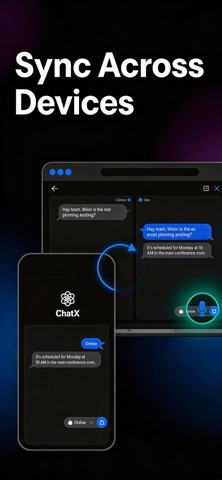
- 24/7 Availability – Your AI helper whenever you need it
PERFECT FOR
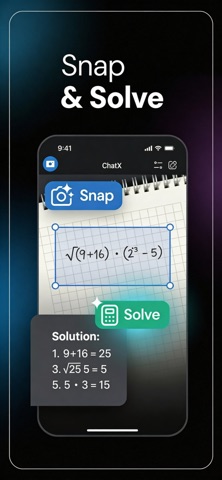
Students researching topics and studying for exams. Professionals needing quick information and writing help. Creators brainstorming ideas and editing photos. Anyone who wants powerful AI tools in one simple app.
WHY CHOOSE CHATX
Unlike basic chatbots, ChatX combines advanced AI chat with powerful creative tools — photo restoration, interior design, image generation, and more. One subscription, every AI tool you need. Our mobile-first design makes it effortless with a clean, intuitive interface.
HOW IT WORKS
1. Download ChatX and open the app
2. Choose your tool — chat, photo restore, image generation, and more
3. Get instant results powered by advanced AI
4. Unlock all premium features with one simple subscription
ChatX brings together the best AI capabilities into one easy-to-use app, so you don't need 10 different subscriptions to access the AI tools you love.
WHAT USERS SAY
"I had a subscription for a few different models (GPT, Claude, Gemini). With ChatX I have ONE subscription for all these! Great little Gem." — Roy5631
FREQUENTLY ASKED QUESTIONS
Is ChatX free to try?
Yes. ChatX offers a free trial so you can explore all premium features before subscribing.
How does the subscription work?
Choose between weekly or yearly plans. Cancel anytime through your Apple ID settings.
What AI features are included?
Premium includes Photo Revival (4K restoration), Interior Designer, Pic Transformer, Pro Image Studio, Fitness Coach, Deep Research, and unlimited AI chat.
Does ChatX work without internet?
Most features require an internet connection to access the latest AI models and real-time information.
GET STARTED
Download now and unlock the power of AI at your fingertips.
Privacy Policy: https://mazelabs.ai/#privacy
Terms of Use: https://www.apple.com/legal/internet-services/itunes/dev/stdeula/