

Checklist – Simple Task Lists
Checklist – Simple Task Lists is made and published by Koji Ito. AppBrain is an independent app data site and isn't affiliated with Koji Ito. The app name, icon, screenshots and description belong to Koji Ito and are shown as published on the App Store.
AppBrain's verdict
EstablishedLoved by users- Rating on App Store
- 4.71
- 2,926 ratings
- Last updated
- October 18, 2026
Users love it: 4.7 stars from 2,926 ratings.
Rankings
App Store top chartsApp Store Rankings for Checklist – Simple Task Lists
Competitors
Similar apps and more from Koji ItoAlternatives to Checklist – Simple Task Lists





More from Koji Ito


Releases
Updates seen on the App Store- Version
- 7.1
- Launched
- April 2012
No changelog data
User feedback
Ratings and reviews on the App StoreComments on Checklist – Simple Task Lists for iOS
We don't have enough comments to show example comments. Please check back later.
Technology
Found in the app by AppBrain- Price
- Free
- App size
- 24.8 MB
- Content rating
- Everyone
Technologies used by Checklist – Simple Task Lists
About the app and developer
About Checklist – Simple Task Lists
Checklist – Simple Task Lists is a productivity app developed by Koji Ito.
User Ratings
Checklist – Simple Task Lists is rated 4.71 out of 5 stars. The rating is based on 2.9 thousand ratings.
App Information
Checklist – Simple Task Lists is freely available from the App Store. The app size is 24.81 MB. The latest version available is 7.1. The last update was on October 18, 2026.
Technical Requirements
The app has a content rating of Everyone. The app has been available on the App Store since April 2012.
Developer information for Koji Ito
Address:
Store listing
By Koji Ito, from the App Store


Description by Koji Ito Written by the developer, not by AppBrain. Click to read.
■ Organize items into lists and sublists
Group items by category: Trip → Clothes → Shirts and socks. Parent and child items keep longer lists organized, and you can reorder items to suit your plans.
■ Reuse your lists
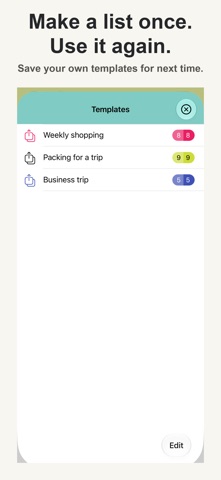
Save a frequently used list as a template for your next shopping trip or vacation. Copy items or entire lists instead of entering everything again.
■ See what is left to do
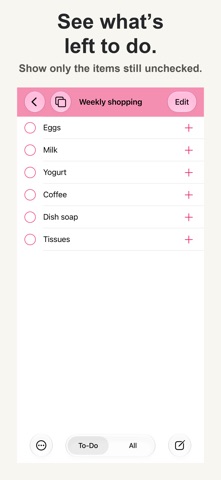
Checking a parent item also checks its children. Switch between To-Do and All to see the remaining items. Use Uncheck All to reset your list for next time.
■ Everyday conveniences
Add items continuously, search your lists, and move or copy items. Use Dark Mode and a badge showing the number of unchecked items. Export lists to Notes, email or other apps to share them.
■ Remove ads with a one-time purchase
Core features are free. Premium removes ads with a one-time purchase, not a subscription. After changing devices, use Restore Purchases with the Apple Account used for your purchase.
Make everyday preparation a little easier.